
 Why choose Breeze
 Marketing
 Creative
 Sales
Sales Remote work
 Managers
 Product teams
 Project management
 Task management
 Kanban tool
 Time tracking
 Project reporting
 Project calendars
 Project timeline
 Team workload
 Project automation
 Project customization
 Chat
Chat Web forms
 Project roadmap
 AI
AI What's new
 Articles & guides
 Help center
 Mobile apps
 Integrations
 Developers & API
 Free tools
Best project management software for startups in 2026

Choose startup project software by who needs to use it. An engineering tracker can handle code-linked issues and sprints, while a shared project tool coordinates launches, hiring and customer onboarding. Use two tools only when those needs justify the extra cost and handoff.
We wrote it for founders and early operators at product companies of roughly five to fifteen people, where nobody's job title is project manager and the same person might own the pricing page on Monday and a customer migration on Thursday. If you run a services business that bills clients for hours, the list of small business tools is the better fit. If all you need is somewhere to track bugs and feature work, start with our issue tracking picks instead.
Disclosure: We make Breeze, which is included below. This comparison draws on vendor documentation and public reviews.
What we compared and how we priced it
Costs below are for five and fifteen people, in US dollars before tax. We checked seat minimums, guest permissions, free-plan limits and required add-ons against vendor documentation. Review notes describe experiences in the linked G2 and Capterra samples, not every customer’s experience.
How much will each tool cost at 5 and 15 people?
The table shows the monthly cost of the plan most startups would actually buy, on yearly billing, for five and fifteen people. The free plan column matters just as much, because it decides how long you can put the bill off and what forces you to start paying.
| Tool and plan | 5 people | 15 people | Free plan |
|---|---|---|---|
| Linear Basic | $50 a month | $150 a month | unlimited members, 2 teams, 250 issues |
| Asana Starter | $54.95 a month | $164.85 a month | 1 or 2 users only |
| Breeze | $45 a month | $135 a month | none, 14-day trial |
| ClickUp Unlimited | $35 a month, AI extra | $105 a month, AI extra | unlimited members, 60 MB storage |
| Notion Plus | $50 a month | $150 a month | limited blocks once 2 or more members |
| Trello Standard | $25 a month | $75 a month | 10 collaborators, 10 boards |
| Jira Standard | $75 a month ($900 a year for up to 10 users) | $112.50 a month ($1,350 a year) | up to 10 users |
| Basecamp Freelancer or Studio | $25 a month for 3 projects, or $59 | $59 a month for 10 active projects | 1 project, 5 users |
| monday.com Basic | $45 a month plus AI credits on new accounts | $135 a month plus AI credits on new accounts | 2 seats, 3 boards |
Three things the table cannot show on its own. Jira prices yearly plans by user tier, so five people pay for the 1 to 10 tier, and monthly billing at $45.25 a month is the cheaper choice at that size. Asana and monday.com sell seats in steps: five and fifteen are exact, but a team of six pays for ten seats on both. And AI sits outside the seat price in two places: ClickUp sells it as an optional add-on, while monday.com makes new accounts buy AI credits with their seats.
Monthly billing costs more almost everywhere. Breeze is $10 instead of $9 a seat, Asana Starter $13.49 instead of $10.99, ClickUp Unlimited $10 instead of $7, Notion Plus $12 instead of $10 and Trello Standard $6 instead of $5. Linear's pricing page lists yearly rates only, and Basecamp's Unlimited plan is sold yearly.
Should engineering and the rest of the company share one tool?
Not always, and forcing it is one of the more common mistakes a growing startup makes. Engineering work has its own shape: issues tied to branches and pull requests, a backlog, a queue for incoming bugs, a cycle or sprint rhythm. Launch work, customer onboarding, hiring and board prep have a different shape: deliverables with owners and dates, conversations with people outside the company, and a founder who wants to see what is late.
Linear and Jira connect issues to development work: Linear can update status from linked GitHub activity, and Jira links issues to branches and commits. They suit teams that need those connections and sprint workflows. For colleagues coordinating launches, hiring or onboarding, test whether that structure is useful or adds unnecessary setup. Our Linear and Jira comparison covers the two engineering trackers.
The split works when a single link carries the hand-off. In the shared project, each engineering milestone becomes one task, owned by an engineering lead, dated, and linking to the Linear project or Jira epic. Nobody outside engineering needs to open the tracker; they need to know whether the milestone is on track. Breeze has no Linear or Jira integration, so that link and the status update are manual, which in practice is one short comment a week from the engineering lead.
One tool is enough in three situations:
- Mostly engineers: if eight of ten people write code, run everything in Linear or Jira and accept that the launch checklist will look like a list of issues.
- One or two developers: if the product is built by a very small team, the shared tool can hold code tasks too. Breeze's commit-message integration with GitHub, GitLab and Bitbucket can reference, move, close and log time on tasks, which is enough at that size and not beyond it.
- Already on Atlassian: if engineering lives in Jira and the company already uses Confluence, putting business teams in Jira can work, provided someone owns the configuration. Non-technical reviewers find it heavier than the alternatives.
The split does cost more, and it is better to know by how much. At fifteen people with five engineers, Linear Basic for the engineers ($50 a month on yearly billing) plus Breeze for everyone ($135) comes to $185 a month, against $164.85 for Asana Starter or $105 for ClickUp Unlimited on their own. If only the engineering lead joins the shared project, Breeze drops to eleven seats and the pair costs $149. The case for two tools is fit, not savings.
Which tools suit engineering work and shared projects?
Engineering trackers and shared project tools solve different problems. The two groups below let you compare within each category before deciding whether your startup needs one or both.
Engineering trackers
Linear
- Pricing: Free for unlimited members, capped at 2 teams and 250 issues. Basic is $10 per user per month and Business $16, both billed yearly; Linear's pricing page shows yearly rates only. Guest accounts need Business and are billed as regular members. Coding sessions and Loops draw on prepaid AI credits, while Linear's other AI features are included in the plan.
- Rating: 4.6/5 on G2 from 122 reviews, 4.4/5 on Capterra from 5 reviews.
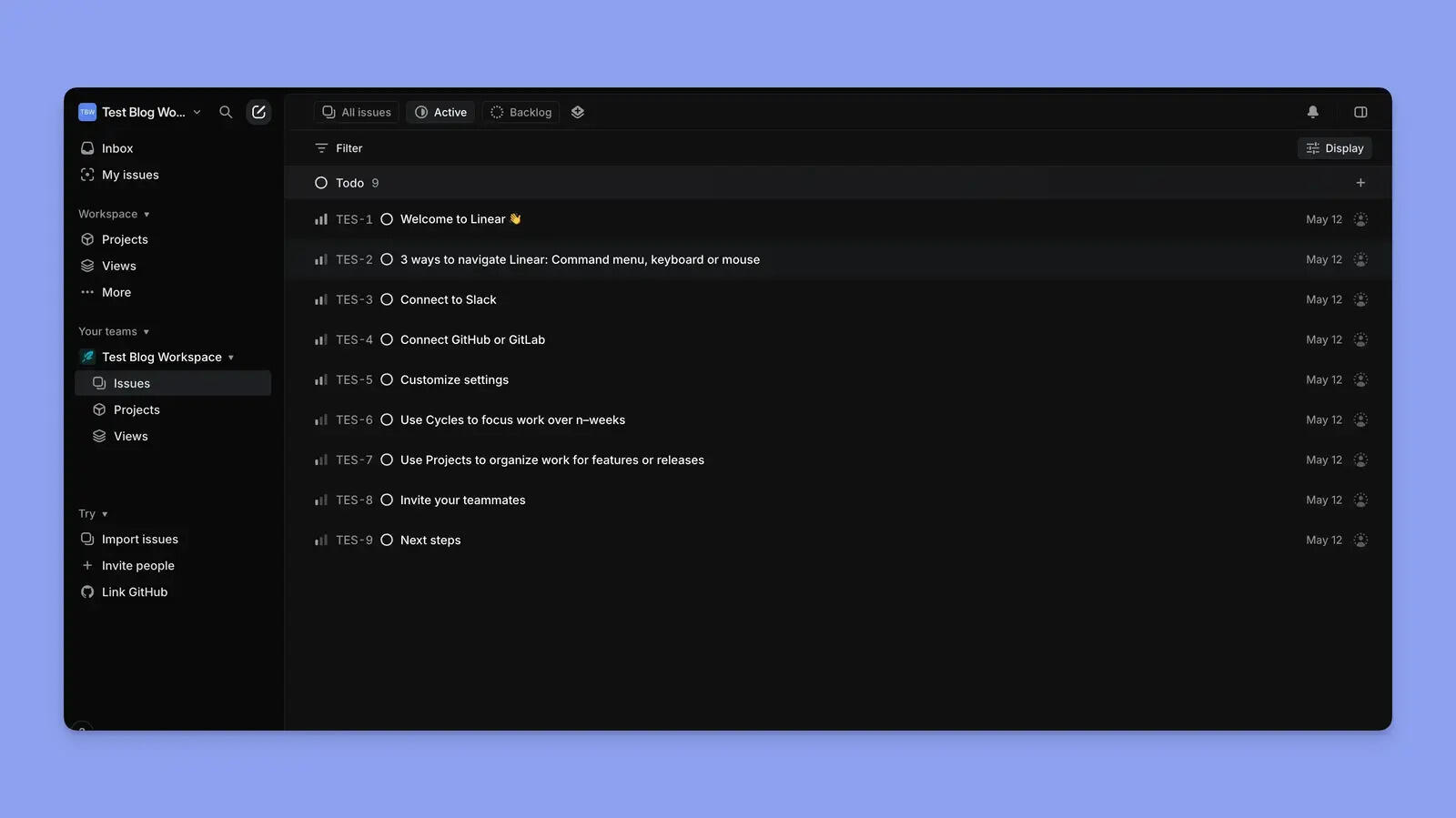
Linear is the tracker many software startups choose first, and it suits teams that want a focused engineering tracker. It is fast, keyboard-driven and deliberately opinionated: issues belong to teams, planned work runs in cycles, and projects group issues into something with a target date the rest of the company can follow. Linking a GitHub pull request or commit to an issue moves its status automatically, so the tracker stays current because engineers are doing their normal work, not filling in forms.
The same opinions make it a weaker home for everyone else. A launch email or a contract review can be a Linear issue, and some very technical teams run the whole company that way, but its vocabulary and views are built around software. Outside collaborators need the Business plan and cost a full seat, and 250 issues on the free plan runs out sooner than a busy team expects.
Where Linear isn't the right fit: As the only tool for a company where most people are not engineers, or where contractors and agencies need to work inside it, since guests are Business-only and billed as members. Teams whose process does not match its cycles and states will find customisation deliberately limited.
What users say about Linear
The linked reviews praise speed and keyboard workflows, with reservations about customization and reporting. Capterra has only a few reviews; neither sample establishes how well a mixed business team would adopt it.
Jira

- Pricing: Free for up to 10 users, with 2 GB of storage, 100 notification emails a day and no guest access. Standard is $9.05 per user per month on monthly billing at 5 or 15 users. On yearly billing Atlassian prices by user tier: $900 a year for 1 to 10 users and $1,350 a year for 11 to 15. Premium is $18.30 per user monthly, or $1,850 and $2,750 a year for the same tiers. Standard includes up to 5 free guests per paid user and 25 Rovo AI credits per user per month.
- Rating: 4.4/5 on Capterra from 15,488 reviews, 4.3/5 on G2 from 7,976 reviews.
Jira is the engineering tracker for a startup whose engineers want depth: configurable workflows, detailed permissions, backlogs, sprints and releases, and issues linked to branches and commits. The free plan covers up to 10 users with the core board, list, timeline and backlog views, which is generous for an early engineering team, and engineers who already know Jira gain nothing by being made to switch.
For business teams, Jira requires someone to configure workflows and permissions. Price the billing interval as well as the seat: five people on Standard pay $543 a year on monthly billing against $900 on yearly billing. Atlassian starts billing Rovo AI use beyond the included credits on December 3, 2026; the Atlassian billing breakdown covers the details.
Where Jira isn't the right fit: A founder-run company with no one to administer workflows and permissions, and business teams that want to be productive in an afternoon. The question for a small non-technical team is different, and we covered it in a separate comparison.
What users say about Jira
Jira's reviewers are mostly developers, QA and IT staff, and they credit it with keeping backlogs, sprints and bugs traceable, with workflows and boards shaped to how each team ships. The complaint that outnumbers every other on both Capterra and G2 is the learning curve: setup takes admin effort, the interface feels busy and big boards slow down. Non-technical reviewers are noticeably cooler on it.
Shared project tools
Asana

- Pricing: Personal is free for 1 or 2 users. Starter is $10.99 per user per month billed yearly or $13.49 monthly, and Advanced is $24.99 yearly or $30.49 monthly. Seats come in set sizes, 2 to 5 and then steps of 5 up to 30, so 5 and 15 people are exact but 6 pay for 10. Starter includes unlimited free guests and 5 AI requests per user per month, up to 50 per account, then $0.50 per request prepaid or $0.60 on demand.
- Rating: 4.5/5 on Capterra from 13,699 reviews, 4.4/5 on G2 from 13,979 reviews.
Asana is the most complete option for a startup's shared, non-engineering work, provided you are willing to pay for it. Every task has one owner and a due date, projects switch between list, board, timeline and calendar, and dependencies show what a slipped release does to the launch email two weeks later. Timeline and Gantt views are on Starter, so you do not need the expensive tier to plan a launch properly, and unlimited free guests let an agency or a contractor work inside the project without a seat.
The costs are money and setup. At fifteen people Asana Starter is about $30 a month more than Breeze and $60 more than ClickUp Unlimited on yearly billing, and a sixth person means paying for ten. Reviewers also say it takes an admin a while to settle conventions, rules and permissions, and that notifications need tuning before people stop ignoring them.
Where Asana isn't the right fit: Teams of six to nine, who pay for ten seats, and founders who want a tool running this afternoon rather than after a round of setup. Engineers will usually still want Linear or Jira for code work, and a few reviewers miss having more than one assignee per task.
What users say about Asana
Reviews in the linked samples value visible ownership and deadlines. Setup, notifications and plan restrictions also draw criticism. Check whether the features discussed belong to the plan you intend to buy.
Breeze
- Pricing: $9 per user per month billed yearly or $10 billed monthly, with every feature included on the one plan. Client users are free and unlimited. A Solo plan for one person is $14 per month. There is no free plan; the 14-day trial needs no credit card.
- Rating: 4.4/5 on Capterra from 45 reviews, 4.1/5 on G2 from 22 reviews.
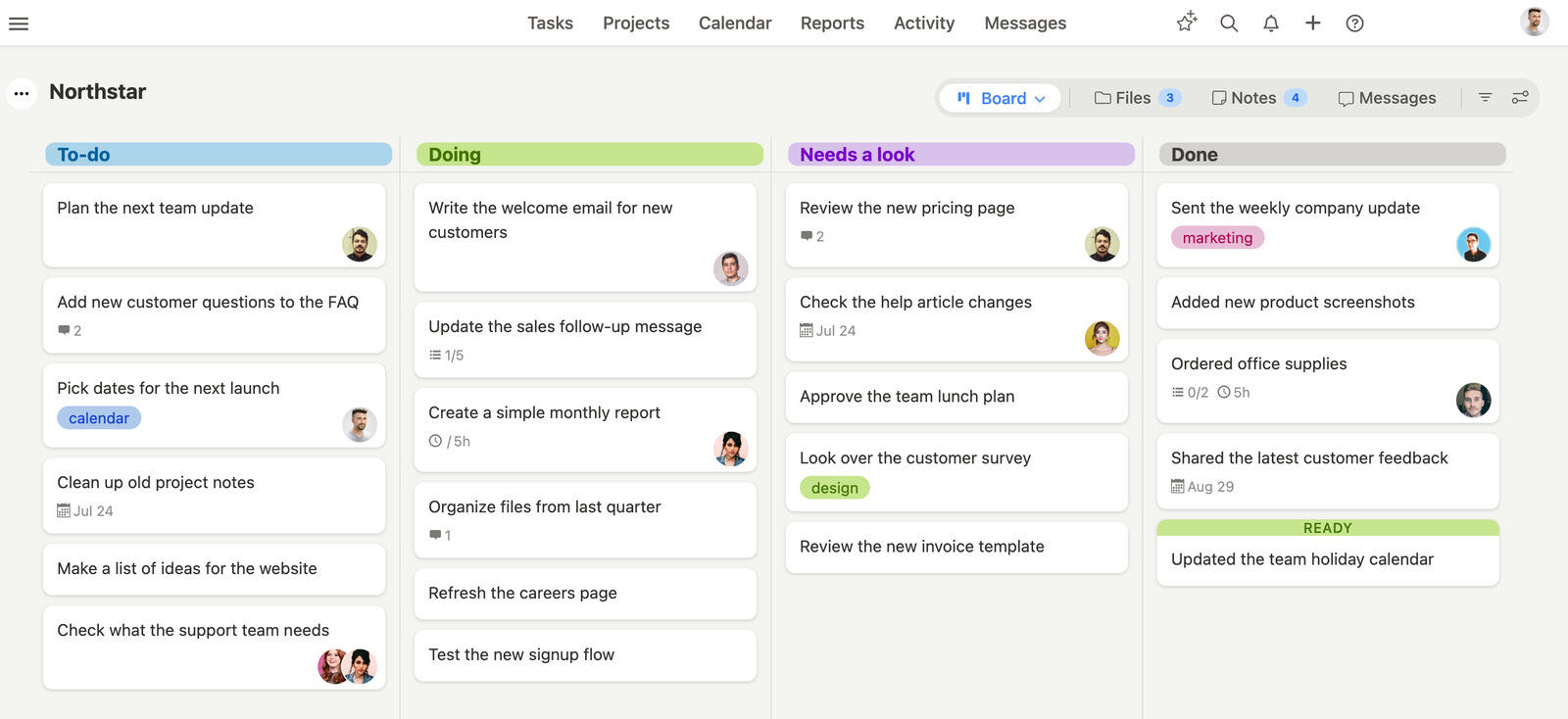
Breeze is the simple option on the list and our own product, so read this entry with that in mind. A project is a board with lists you name yourself, and swimlanes can split the board by function, so product, marketing, sales and operations each get a row on the same launch. Tasks carry owners, start and due dates, estimates, to-do checklists, files and a comment thread, and dependencies can be switched on per project. Every dated task lands on the calendar and on a timeline that shows all your projects at once.
For a startup, the two parts that matter most are cost and outside access. Everything is in the one plan, so there is no tier to buy for a timeline, reports or time tracking, and free client users cover the freelance designer, the agency, the lawyer and the pilot customer: they comment and upload files on the projects they are invited to without taking a seat. What Breeze does not try to be is an engineering tracker. It has no cycles or triage queue and no Linear or Jira integration, and its GitHub, GitLab and Bitbucket integration works from commit messages, which suits one or two developers rather than an engineering team.
Where Breeze isn't the right fit: As the home for code work once you have an engineering team that needs sprints and code-linked issues, where Linear or Jira is the better tool. Teams that want a company wiki will do better in Notion, and teams that want goals and portfolio reporting will get further on Asana's Advanced plan. There is no free plan to grow into, and reviewers ask for more team-wide overviews and describe the interface as plain.
What users say about Breeze
The linked reviews describe quick adoption, including by clients. Requests for deeper reporting and more support for complex projects also appear. Both samples are small; check that a review refers to this Breeze product.
ClickUp

- Pricing: Free Forever has unlimited members and 60 MB of storage. Unlimited is $7 per user per month billed yearly or $10 monthly, and Business is $12 yearly or $19 monthly. View-only guests are free on paid plans; guests who can edit use a limited pool of free guest seats, then cost the same as a member. AI is a separate add-on: Brain AI is $9 per user per month billed yearly or $18 monthly.
- Rating: 4.6/5 on Capterra from 4,631 reviews, 4.6/5 on G2 from 14,333 reviews.
ClickUp gives the most features per dollar on the list. Unlimited, at $7 a seat on yearly billing, includes Gantt charts, native time tracking, docs, chat, goals and resource management, and sprint management is there even on the free plan. A small startup could plausibly run engineering sprints, the marketing calendar and customer onboarding in one workspace, and several reviewers describe folding Trello, Asana or a pile of spreadsheets into it.
The catch is that someone has to design the workspace, from spaces, folders and lists down to statuses, custom fields and views, and then keep it tidy as the company changes shape every quarter. Without that person, reviewers describe clutter, a steep learning curve and lag on large workspaces. Budget for AI separately too: Brain AI adds $9 per user per month on yearly billing, which more than doubles the Unlimited seat price.
Where ClickUp isn't the right fit: Startups without anyone willing to own the setup, teams that need the tool to feel light on day one, and anyone assuming the seat price includes AI. Contractors who need to edit can use up the free guest seats and start costing member rates.
What users say about ClickUp
The sampled reviews value flexible fields, views and workflows, but also describe a learning curve, crowded screens and slow large workspaces. Test the setup your team would use rather than an empty workspace.
Notion

- Pricing: Free suits one person; once a workspace has 2 or more members, pages and blocks are limited, uploads cap at 5 MB and guests at 10. Plus is $10 per member per month billed yearly or $12 monthly, with unlimited guests. Business is $20 yearly or $24 monthly and is the first plan with Notion's AI agent included; Plus gets a limited trial.
- Rating: 4.7/5 on Capterra from 2,825 reviews, 4.6/5 on G2 from 13,847 reviews.
Notion is where many startups keep the company's written memory: the product spec, the launch brief, meeting notes, the hiring scorecard, customer research. Its databases can hold tasks with owners and dates, shown as a board, calendar or timeline, so a small team can track light project work on the same page as the brief that explains it. That combination is the attraction, and for a writing-heavy team it is hard to beat.
The weakness is that you build the system yourself from a blank page. Reviewers say it takes tutorials and trial and error to get something useful, that it feels clunky as a dedicated task manager, and that heavy pages and large databases slow down. Many startups end up keeping Notion for documents and running deadlines in one of the other tools here. If AI matters to your decision, our breakdown of how Notion charges for AI covers the plan differences.
Where Notion isn't the right fit: As the only home for deadlines once several functions hand work to each other, because the task system is whatever you design and hand-offs depend on people checking the right page. The free plan's block limit makes it a trial for teams, not a plan to run on.
What users say about Notion
The linked reviews value documents, wikis and configurable databases. They also describe setup effort and slow or unwieldy large pages. Much of that feedback concerns knowledge management rather than deadline-driven project work.
Trello

- Pricing: Free covers up to 10 collaborators per Workspace, with guests and pending invites counted, and 10 boards. Standard is $5 per user per month billed yearly or $6 monthly; Premium is $10 yearly or $12.50 monthly and adds calendar, timeline, table and dashboard views. On paid plans single-board guests are free and multi-board guests are billed as members. AI features start on Standard.
- Rating: 4.5/5 on Capterra from 23,619 reviews, 4.4/5 on G2 from 14,064 reviews.
Trello is the quickest way to get a five-person startup onto one shared board. A list per stage, a card per deliverable, an owner and a due date, and everyone can read it in seconds, including an investor on a screen share. Standard costs $5 a seat on yearly billing, and Trello's AI features now start on Standard rather than Premium.
It stops working at predictable points. The free plan caps a Workspace at 10 collaborators and counts guests and pending invites, so a five-person team with a designer, an agency and two advisors is nearly there already. Timeline, calendar and dashboard views need Premium, dependencies are not built in, and seeing across many boards at once gets hard, which is exactly what a founder wants to do by the time there are fifteen people.
Where Trello isn't the right fit: Startups past ten collaborators on the free plan, teams that need dependencies or a timeline without paying for Premium, and founders who want one view across many projects.
What users say about Trello
The sampled reviews describe an easy start with shared boards, then difficulty following work across large or numerous boards. Check the relevant view and Power-Up costs when trialling a more complex workflow.
Basecamp

- Pricing: Priced per account, not per person. Free is 1 project, 5 users and 1 GB. Freelancer is $25 per month for 3 active projects and up to 20 people. Studio is $59 per month for 10 active projects and unlimited people, and Pro is $99 per month for 25 active projects. Unlimited is $299 per month billed yearly. Clients and guests count as users, which only matters on Free and Freelancer.
- Rating: 4.4/5 on Capterra from 14,448 reviews, 4.1/5 on G2 from 5,488 reviews.
Basecamp prices the account rather than the person, which makes it the cheapest tool here at fifteen people. Studio is $59 a month for unlimited users, clients included, and 10 active projects. Each project bundles a message board, to-dos, a schedule, files and chat, and the whole product leans towards calm written updates instead of constant pings. Startups that run customer implementations or agency-style projects find that clients understand it without training.
The limits are structural. Active projects are capped by plan, 3 on Freelancer and 10 on Studio, and reviewers consistently say it lacks Gantt charts, dependencies, deep reporting and resource planning, so growing teams outgrow it. It is shaped around separate projects, which suits client work better than a company-wide launch where one function's deliverable waits on another's.
Where Basecamp isn't the right fit: Teams that need dependencies, a Gantt view or cross-project reporting, and startups running more parallel projects than their plan's active-project cap. The free plan is a single project, so it is a trial rather than a way to run a company.
What users say about Basecamp
The linked reviews describe straightforward client communication and predictable account pricing. They also mention limited planning and reporting depth. Reviews of older versions may not reflect the current plans.
monday.com

- Pricing: Free for up to 2 seats and 3 boards. Basic is $9 per seat per month, Standard $12 and Pro $19, billed yearly; monthly billing drops the 18 percent yearly discount. Seats come in buckets that start at 3 and then rise in multiples of 5, so 6 people pay for 10. Accounts created since May 6, 2026 must also buy a monthly AI credit allowance with their seats, at least 1,000 credits on Basic and 2,000 on Standard. Guests need Standard, where every 4 guests take a seat, or Pro, where they are unlimited. Read-only viewers are free.
- Rating: 4.6/5 on Capterra from 6,116 reviews, 4.7/5 on G2 from 17,221 reviews.
monday.com suits a founder or operations lead who manages by dashboard. Boards are colour-coded and readable by anyone, automations handle the follow-ups people forget, and dashboards pull boards into one view of what is late and who owns it, with more boards per dashboard on the higher plans. Reviewers from very different industries describe adapting it to their own process without much trouble, and non-technical staff pick it up quickly.
For a small team, check the full bill. Six people pay for ten seats, guests need a higher plan, and new accounts cannot buy seats without AI credits. monday's help centre gives the minimum credit quantities per plan but not a per-credit price, so compare the checkout total rather than the seat price. Our piece on when the credits run out covers what happens after the allowance is used.
Where monday.com isn't the right fit: Teams whose headcount falls between seat buckets, startups that need editing guests on a Basic budget, and anyone comparing seat prices without the required AI credits. It also needs one person who owns the boards, or it sprawls.
What users say about monday.com
The sampled reviews praise readable boards and automations. They also mention seat costs, setup effort and slow large boards. Some listings include other monday products, so focus on reviews of project work.
What should the first shared launch project look like?
Try the next launch that needs several functions to deliver together. In this illustrative example, a startup launches a paid team plan in four weeks: engineering works in Linear, while the shared launch runs in Breeze. The same handoff pattern works in other project tools.
Give each deliverable one owner and a date. Link the engineering milestone to its tracker, and agree who updates the shared task when the release changes.
How the board is set up
Use four lists: To-do, Doing, Needs a look and Done. Swimlanes by department separate product, marketing, sales and support, and operations without splitting the launch into separate boards.
Deliverables, owners and dates
| Deliverable | Owner | Due | Notes |
|---|---|---|---|
| Team plan built and released | CTO | 5 days before launch | one task linking the Linear project; the CTO comments when it ships |
| Billing plans set up with the payment provider | Operations lead | 7 days before launch | to-do checklist for plan IDs, tax settings and a test purchase |
| Pricing page and plan comparison | Head of growth, with a freelance designer as a client user | 4 days before launch | depends on the billing and release tasks |
| Help articles and support replies | Support lead | 2 days before launch | drafts attached to the task for review |
| Customer email and announcement post | Head of growth | Launch day | the founder approves the copy in the comments |
Each row is one task with one owner, a start date and a due date, so it appears on the owner's task list, in the calendar and on the project timeline. The pricing page task waits on the billing and release tasks through dependency links, which Breeze switches on per project in the project settings. When the release slips two days, the head of growth can see why the pricing page is waiting without asking in chat.
Where the discussions happen
Keep decisions with the deliverable: the designer attaches a mockup to the pricing-page task, the growth lead reviews it there, and the founder records approval in the same thread.
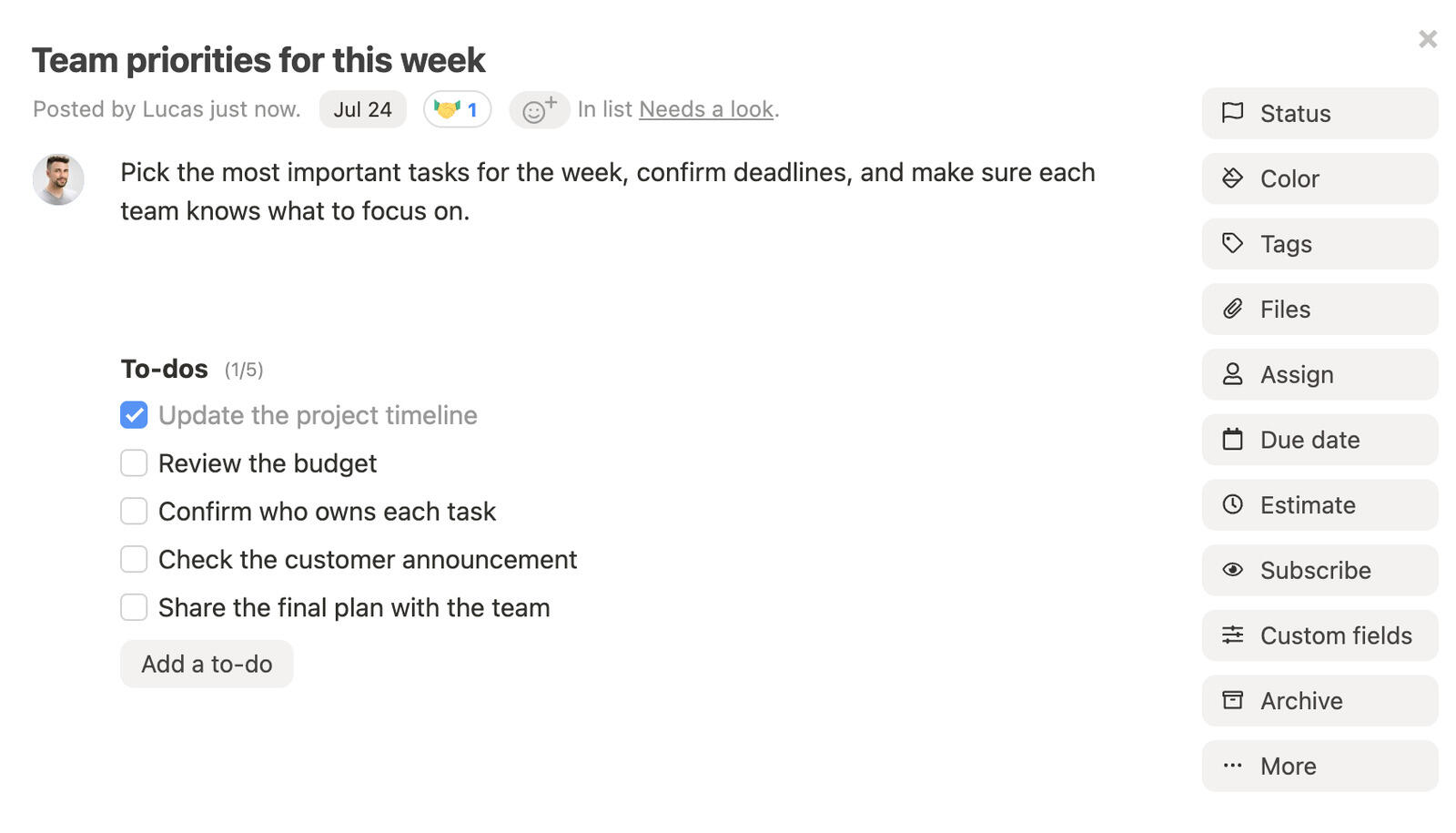
Invite outside collaborators as free client users. Check project access and hide internal tasks and comments before sharing the board.
What the founder checks on a Monday
At the weekly check, review the launch date, overdue tasks and owners with conflicting deadlines.
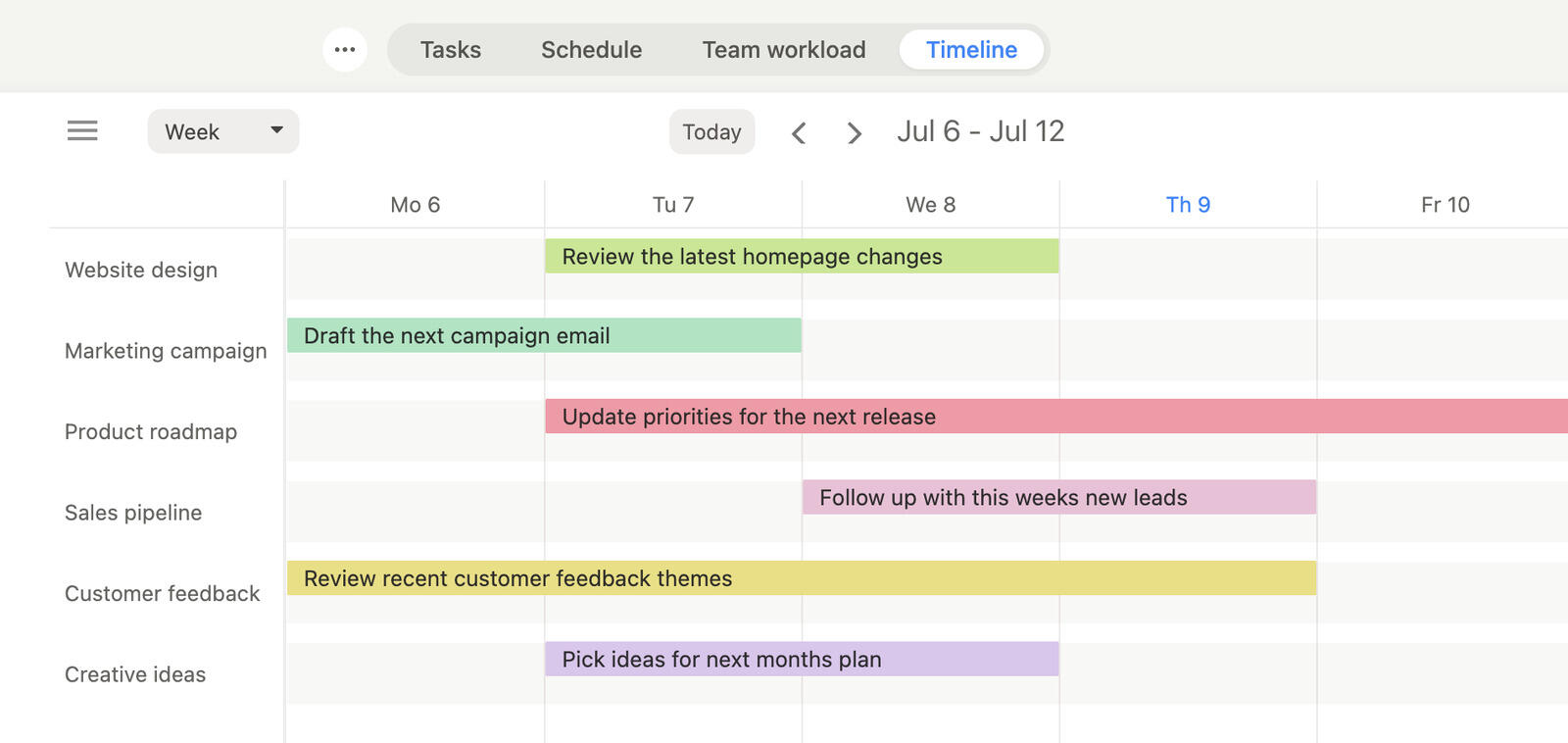
Use a public report link for an advisor who needs the current status without an account. Hidden tasks and comments remain excluded.
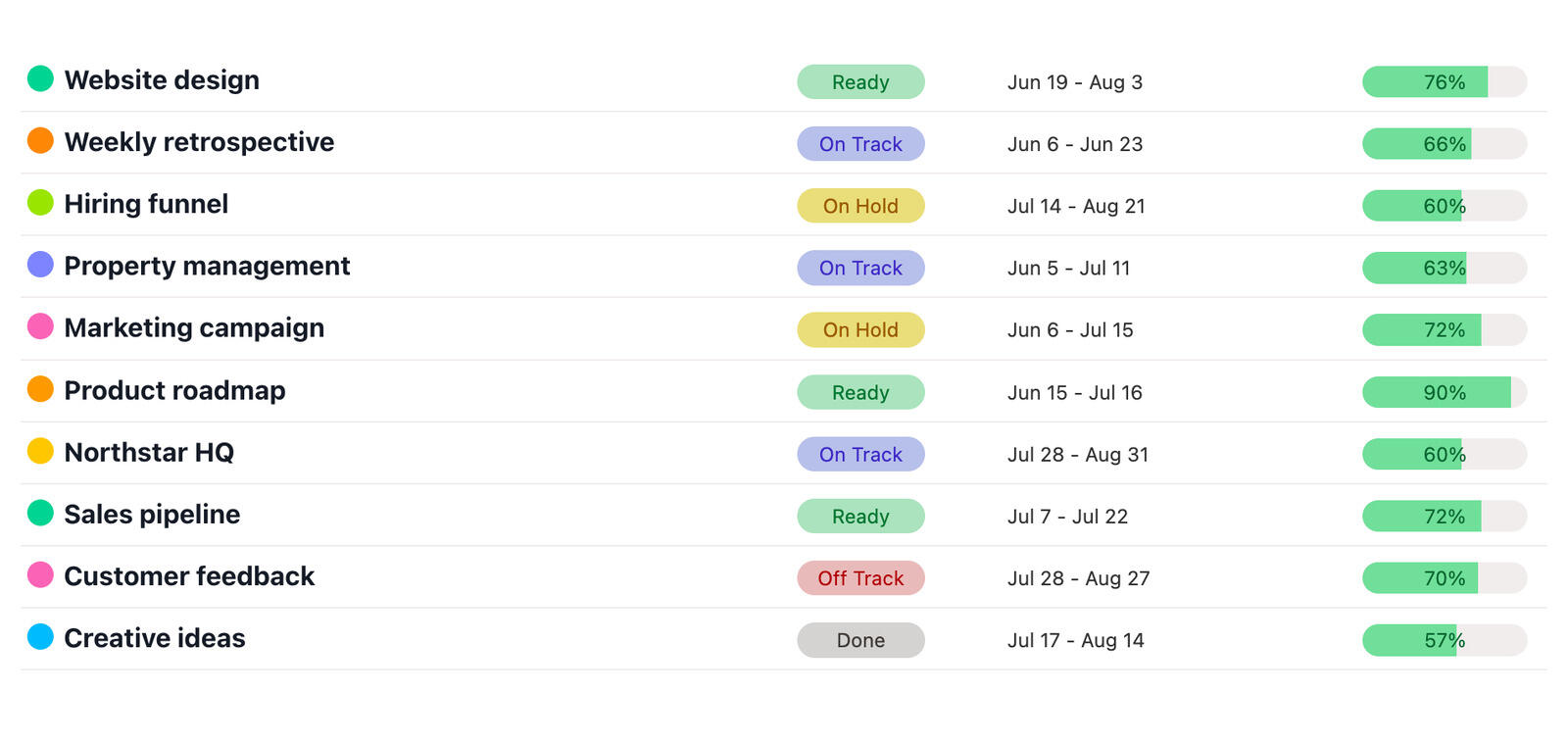
Reuse the completed project as a template for the next launch, then check its dates, people and permissions.
Who can you invite without paying for a seat?
More people than most founders expect to invite. A five-person startup routinely works with a design contractor, an agency, a lawyer, an accountant, a couple of advisors and a few pilot customers, and how each tool treats them can move the bill more than the seat price does.
| Tool | Free for outside people | When it starts costing |
|---|---|---|
| Breeze | unlimited client users on the one plan | never; clients comment, upload files and can move tasks if allowed |
| Asana | unlimited free guests on Starter | the free Personal plan stops at 2 users |
| Notion | 10 guests on Free, unlimited on Plus and above | members pay per seat |
| Basecamp | unlimited people, clients included, on Studio and above | Free stops at 5 people and Freelancer at 20 |
| ClickUp | unlimited view-only guests on paid plans | editing guests beyond the free guest seats cost a member seat |
| Trello | unlimited single-board guests on paid plans | multi-board guests are billed as members; on Free, guests count towards 10 collaborators |
| Jira | up to 5 guests per paid user on Standard and above, one space each | no guest access on Free |
| monday.com | unlimited read-only viewers on paid plans | no guests on Basic; every 4 guests take a seat on Standard |
| Linear | none | guests need Business and are billed as regular members |
The difference shows up with agencies and contractors who need to edit, not just look. Breeze, Asana Starter, Notion Plus and Basecamp Studio let them work without adding seats. Linear, monday.com Standard and Trello guests on several boards all add to the bill, which is worth knowing before you invite the agency to five projects.
Why do free plans stop working as the team grows?
Free plans impose different limits. Headcount caps include Asana and monday.com at two people, Basecamp at five, and Jira and Trello at ten; Trello counts guests and pending invites. Linear limits issue volume, ClickUp limits storage and Notion limits blocks in shared workspaces. Use the cost table to check the limit your team is likely to reach first.
Some vendors also run startup programs. Linear, for example, gives its Business plan free for a period to startups affiliated with one of its program partners, after which the workspace moves to the free plan unless you upgrade. Treat an offer like that as a discount on year one, not as the price, and budget for the list price of the plan you would actually grow into.
The real cost of a free plan is the migration you do later, usually in the middle of something busier. If the team will pass ten people within a year, the useful comparison is between paid plans at that size, not between free plans today.
The short version
Test one live project with its actual owners and collaborators. Keep a separate engineering tracker only if its workflow earns the extra cost. Before choosing, price your expected headcount and check whether external collaborators need paid seats.




