
 Why choose Breeze
 Marketing
 Creative
 Sales
Sales Remote work
 Managers
 Product teams
 Project management
 Task management
 Kanban tool
 Time tracking
 Project reporting
 Project calendars
 Project timeline
 Team workload
 Project automation
 Project customization
 Chat
Chat Web forms
 Project roadmap
 AI
AI What's new
 Articles & guides
 Help center
 Mobile apps
 Integrations
 Developers & API
 Free tools
Best issue tracking software in 2026

Issue tracking software helps engineering, IT, and product teams capture bugs, triage incidents, manage backlogs, and move fixes through resolution without losing context. The best issue tracking software keeps priorities, owners, statuses, and sprint work visible in one place, whether you are handling software defects, internal requests, or operational incidents. If you are also comparing workflow views, our guides to kanban tools and product management software are useful next steps.
When the work spreads past bug queues into releases, infrastructure, and support, project management software for IT teams is the wider view.
Disclosure: Breeze publishes this comparison and is one of the tools listed below. For software issue tracking, Jira, Linear, and GitHub Issues genuinely outperform general PM tools — we say so. Breeze appears here for non-engineering teams that inherited "issue tracking" as a phrase but really need task management.
How we chose these tools
We picked candidates that handle issue tracking well for their target user (engineering or non-engineering), then ranked them on:
- Bug field depth — severity, environment, version, reproduction steps, attachments.
- Dev tool integration — commits, pull requests, deploy events linking to issues.
- Status workflow flexibility — custom states, transitions, and gating without a paid plan.
- Reporting on resolution — cycle time, escape rate, severity-weighted backlog.
Quick answer: best issue tracking software in 2026
- Best overall: Jira (the industry standard for engineering issue tracking)
- Best for non-engineering teams that inherited issue tracking: Breeze
- Best for fast-moving product teams: Linear
- Best for code-native workflows: GitHub Issues
- Best for flexible developer workflows: YouTrack
| Tool | Best for |
|---|---|
| Breeze | non-engineering teams that don't actually run sprints |
| Jira | for software teams |
| Linear | for fast-moving product teams |
| GitHub Issues | for code-native workflows |
| YouTrack | for flexible developer workflows |
List of issue tracking software
Here are the best issue tracking software options for teams that need bug tracking, backlog visibility, sprint triage, and clear resolution workflows:
Jira

- Pricing: Free for up to 10 users, with advanced features starting at $7.91 per user per month.
- Rating: 4.4/5 on Capterra
Using Jira teams can identify, track, and resolve issues efficiently. With its robust issue-tracking capabilities and customizable workflows, Jira adapts to diverse project requirements. From prioritizing bugs to monitoring team progress, you can coordinate and have visibility throughout the resolution process. Its integration with development tools and real time updates helps teams stay aligned and address issues promptly.
Where Jira fits
- Customizable workflows: Adapt workflows to match your team's unique issue-resolution process, ensuring flexibility for all projects.
- Detailed dashboards: Gain a clear view of issue priorities, statuses, and team progress in one centralized space.
- Automation features: Automate repetitive tasks like notifications and status updates, keeping processes efficient and consistent.
- Integration options: Connect with tools like GitHub, Bitbucket, and Slack to streamline development and communication.
- Robust reporting: Use detailed performance reports to analyze trends, track issue resolution times, and refine team workflows.
Where Jira isn't the right fit: Non-engineering teams (marketing, ops, design) that don't run sprints, or any team that finds the admin overhead heavier than the value.
If you want to compare similar tools, we also have a list of Jira alternatives.
What users say about Jira:
"Overall, my experience is very positive. There are minor issues and things you have to work around, depending on the use case. I worked with Jira both as a user and an admin. There were minor issues affecting productivity with both, but it's definitely net-positive even for a smaller team of 2-3 devs."
Source: Capterra
Breeze

- Pricing: Simple pricing at $9 per user per month with all features included; save 10% with yearly billing
- Rating: 4.4/5 on Capterra
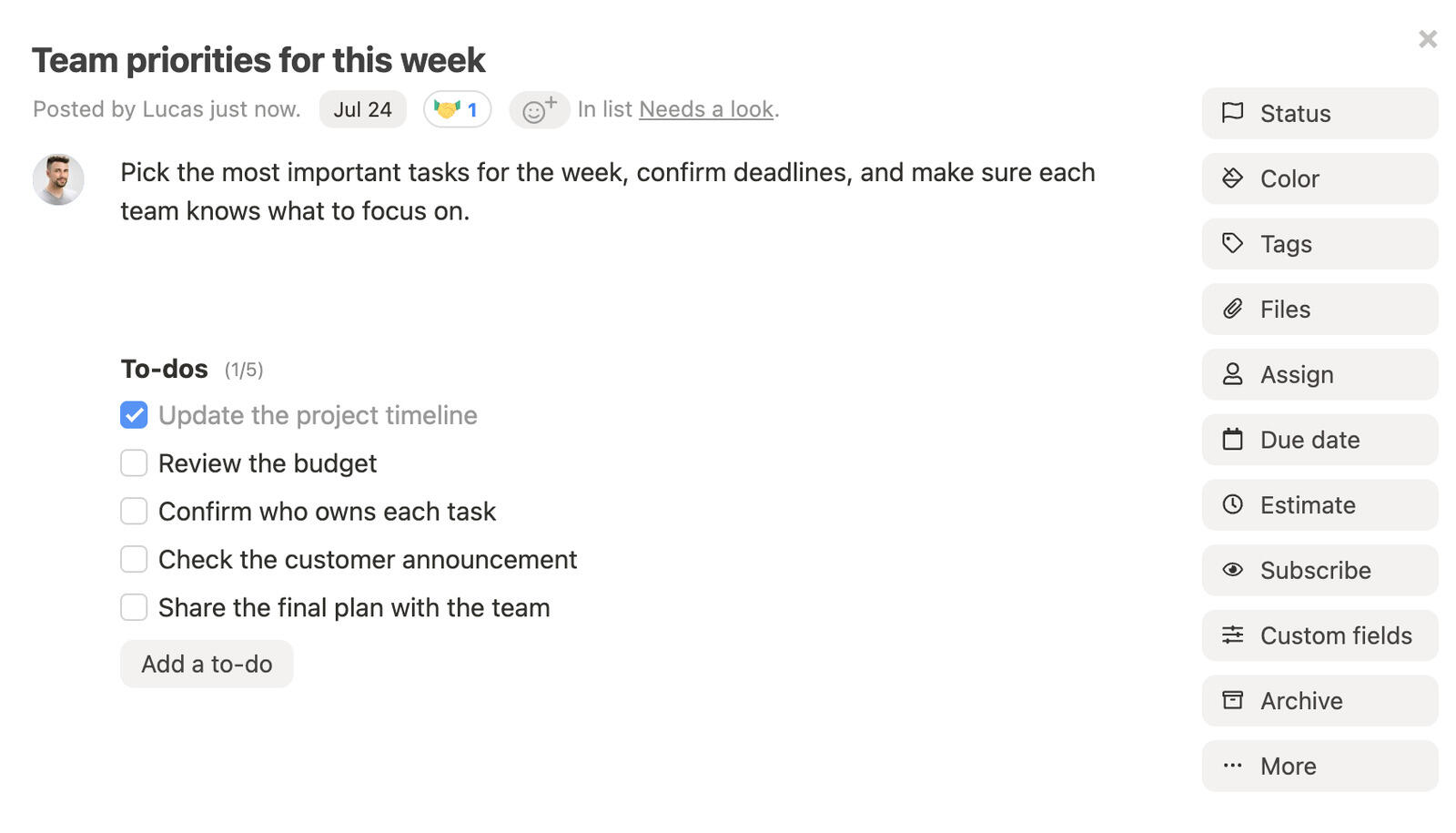
Breeze gives software and IT teams a clear way to capture bugs, track follow-up work, and keep issue ownership visible. It keeps conversations, priorities, and updates in one place so teams can triage faster and move issues to resolution without extra noise. Features like automation and clear status tracking help teams stay on top of what is blocked, in progress, or ready to ship.
Where Breeze fits
- Collaborative Hub: Centralize issue discussions and updates, ensuring all team members, regardless of role, or industry.
- Issue Monitoring: Track and prioritize development issues with clear, actionable visual workflows.
- Integrated Scheduling: Sync deadlines, meetings, and development sprints in one unified calendar.
- Cross-Functional Usability: Designed for seamless use by engineers, accountants, and other team members in a single platform.
- File Management: Store development documentation, reports, and resources securely for easy access.
- Performance Reports: Analyze resolution times and bottlenecks to continuously improve workflows and outcomes.
Where Breeze isn't the right fit: Enterprise governance, deep agile sprint planning, complex configurable databases, or advanced portfolio management at scale — that's not where we focus.
What users say about Breeze:
“I love the email notifications for comments on important tasks + email reminders on projects and tasks. The time tracking functionality is great. I can analyze my team's performance and identify opportunities for improvements to efficiency.“
Source: Capterra
Zoho Projects

- Pricing: Free for small teams, with paid plans starting at $4 per user per month
- Rating: 4.4/5 on Capterra
Zoho Projects combines task tracking, communication tools, and customizable workflows. These features make it an effective solution for issue tracking. Gantt charts and task dependencies allow teams to manage timelines and address challenges efficiently.
Where Zoho Projects fits
- Gantt charts and task dependencies: Visualize issue timelines and manage dependent tasks for improved efficiency.
- Time tracking: Track hours spent on resolving issues to maintain accountability and meet deadlines.
- Built-in communication tools: Enable real-time updates and discussions through forums and team messaging.
- Customizable workflows: Adapt workflows to suit the unique demands of different issue tracking scenarios.
Where Zoho Projects isn't the right fit: Teams that want a polished, design-led PM tool — Zoho prioritizes feature breadth over UI craft.
What users say about Zoho Projects:
"Overall, Zoho provides a suite of tools that can be integrated to create a comprehensive project management ecosystem. Zoho Projects stands out as the dedicated project management tool offering a wide range of features suitable for various project management methodologies. It's important for teams to evaluate specific needs and features required before choosing the appropriate Zoho tool or combination of tools for their project management requirements."
Source: Capterra
Linear
- Pricing: Free plan available, with paid plans starting at $8 per user per month.
- Rating: 4.6/5 on G2.
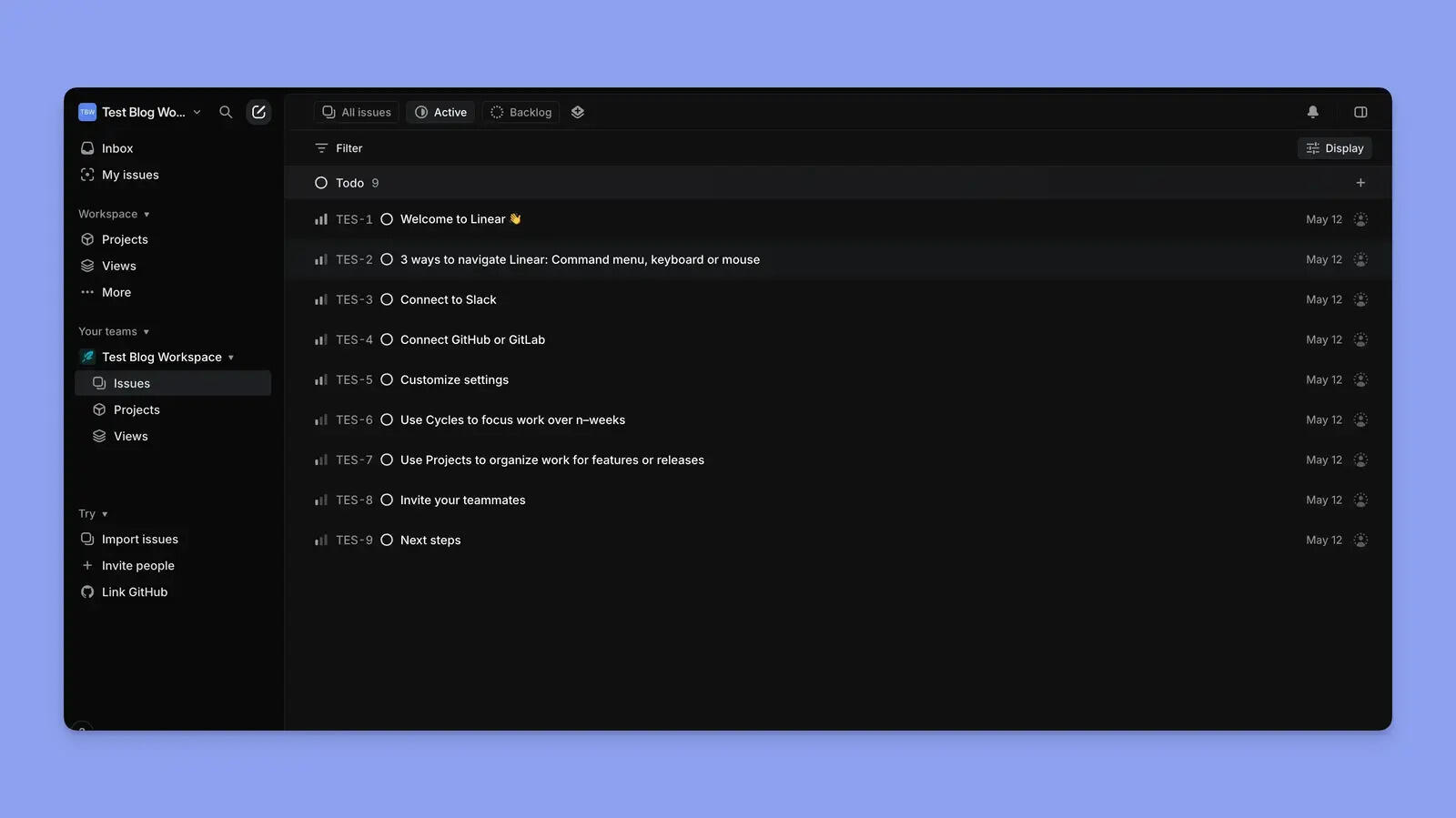
Linear is built for product and engineering teams that want fast issue triage, clean sprint planning, and less process overhead than a traditional enterprise tracker.
Where Linear fits
- Fast issue triage: Capture, prioritize, and move work quickly without clutter.
- Clean cycles and planning: Strong fit for sprint-based teams that want momentum.
- Product plus engineering alignment: Keeps bug work and delivery work in the same flow.
- Modern interface: Easier to scan and update than heavier issue trackers.
Where Linear isn't the right fit: Non-engineering teams, or organizations that need traditional Jira-class custom workflows.
What users say about Linear:
"Linear was very easy to start and maintain, and it saved us hundreds of engineering hours."
Source: G2
GitHub Issues
- Pricing: Included with GitHub, with paid GitHub plans starting at $3.67 per user per month.
- Rating: 4.7/5 on G2.
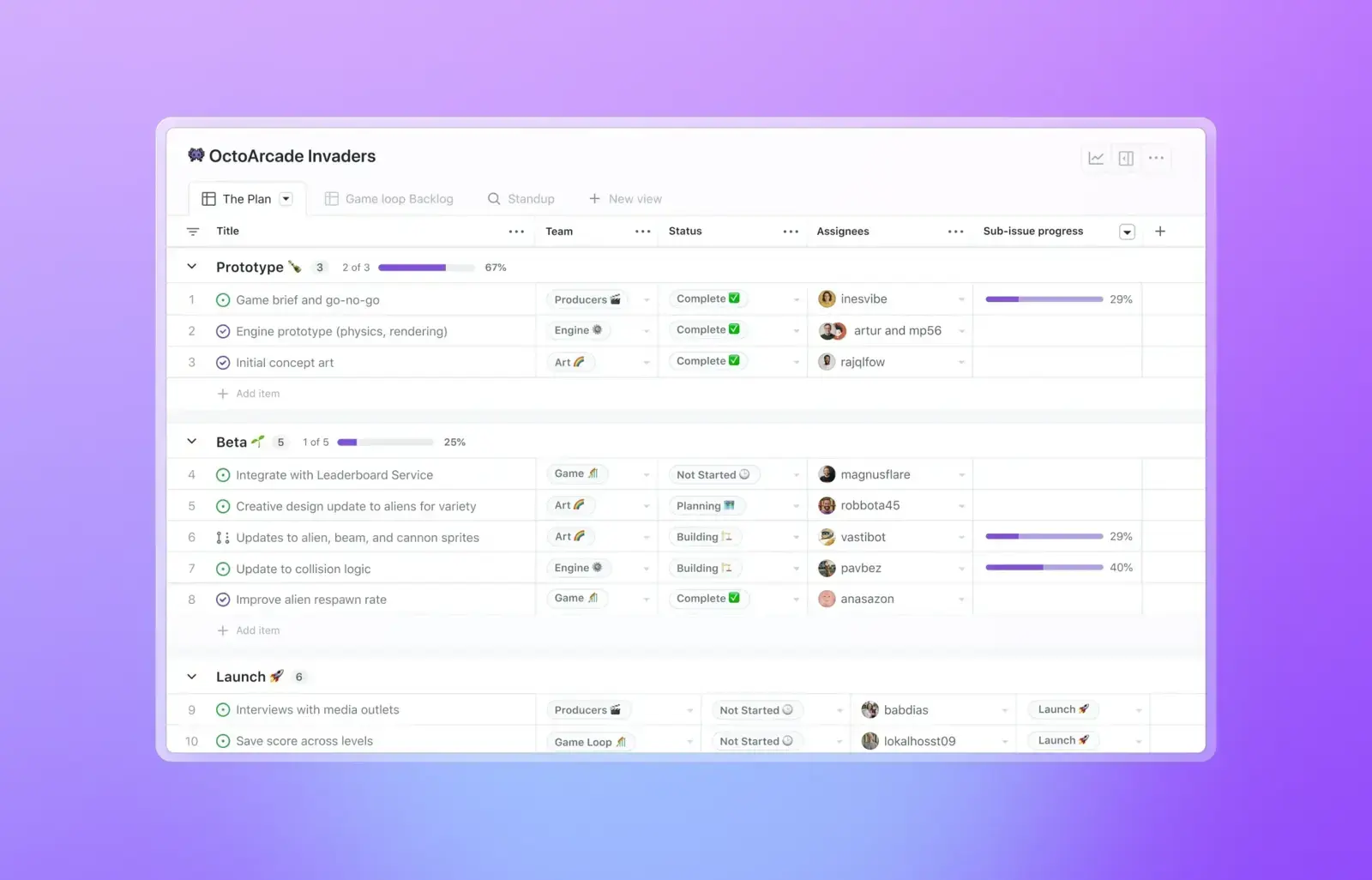
GitHub Issues works well when code, pull requests, and delivery planning already live in GitHub. It keeps issue tracking close to the source of the work.
Where GitHub Issues fits
- Code-native workflow: Issues stay connected to repositories, pull requests, and releases.
- Simple planning: Strong fit for teams that do not want a separate tracker.
- Developer-friendly: Easy to reference work directly from commits and PRs.
- Useful for small to midsize teams: Keeps planning lightweight and visible.
Where GitHub Issues isn't the right fit: Non-engineering work, or anything needing cross-issue rollup beyond Projects.
What users say about GitHub Issues:
"GitHub's integration shines if your development environment is highly customized."
Source: G2
YouTrack

- Pricing: Free for smaller teams, with paid plans starting at $4.40 per user per month.
- Rating: 4.4/5 on G2.
YouTrack is a flexible issue tracker from JetBrains that balances deep workflow control with a simpler experience than many enterprise development tools.
Where YouTrack fits
- Custom workflows: Adapt issue states, fields, and automation to the way your team works.
- Built for technical teams: Strong fit for engineering and support-heavy workflows.
- Agile support: Handles boards, sprints, and backlog management well.
- Less overhead: Easier to adopt than heavier enterprise platforms.
Where YouTrack isn't the right fit: Non-engineering teams, or anyone outside the JetBrains ecosystem.
What users say about YouTrack:
"The setup was easy, and it helps us organize and plan our software development."
Source: G2
FAQ
- What is the best issue tracking software in 2026?
- Jira is the industry standard for software issue tracking. Linear is the strongest pick for fast-moving product teams. GitHub Issues is the obvious choice for code-native workflows. YouTrack is JetBrains' developer-friendly alternative. Breeze fits non-engineering teams (marketing, ops, product) that ended up using issue trackers but really need task management.
- What should teams look for in issue tracking software?
- Look for a tool that matches how your team plans work, shares updates, and reviews progress. The right tool should be easy to adopt, flexible enough for your workflow, and clear enough that important work does not get lost.
- Which tool works best for fast-moving software teams that want cleaner triage and sprint planning?
- Linear is a strong fit for fast-moving software teams that want cleaner triage and sprint planning. Breeze is better when you want a simpler daily workflow with less setup and less admin overhead.
- Should I choose a simple tool or a more customizable one?
- Choose the simpler option if speed, clarity, and fast team adoption matter most. Choose the more customizable option if your team needs deeper automation, specialized workflows, or more detailed reporting.
Takeaway
The best issue tracking software gives teams a reliable way to capture bugs, prioritize work, and move fixes through resolution without losing momentum. Look for software that matches how your team triages issues, plans sprints, and shares status updates across engineering or IT. If you want a lighter companion layer for day-to-day execution, compare these options with task management software.




