Why choose Breeze
 Marketing
 Creative
 Sales
Sales Remote work
 Managers
 Product teams
 Project management
 Task management
 Kanban tool
 Time tracking
 Project reporting
 Project calendars
 Project timeline
 Team workload
 Project automation
 Project customization
 Chat
Chat Web forms
 Project roadmap
 AI
AI What's new
 Articles & guides
 Help center
 Mobile apps
 Integrations
 Developers & API
 Free tools
How do you track sales leads and follow-ups without a CRM?

Contents
- Why do simple lead tracking systems break down?
- How do you turn a spreadsheet into a Breeze lead board?
- How do you organize follow-ups so nothing slips?
- How do you keep deal notes, files, and context in one place?
- How do you keep improving your lightweight lead system?
- What should you do next if you are not ready for a CRM?
- Questions and answers
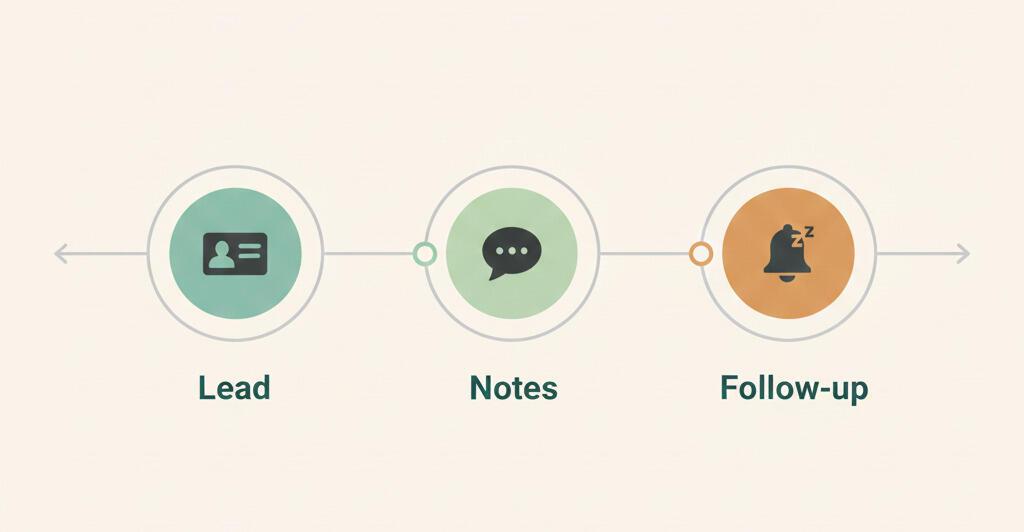
You track sales leads and follow-ups without a CRM by using a simple, shared system that your team actually keeps updated. For many small teams, that means graduating from static spreadsheets to a lightweight lead board where each lead is a card with an owner, notes, and a next step instead of just a row in a table.
The goal is not to skip CRM forever. It is to give your team a trustworthy way to track leads and follow-ups today using a sales pipeline board in Breeze that can evolve as you grow. Studies cited by sources like HubSpot statistics show that many sales reps still rely on manual tools like spreadsheets to store contact data. Spreadsheets are fine for lists, but they are not great at tracking conversations, files, or changing priorities, while Breeze gives you a visual alternative that feels just as simple but handles real world sales follow-ups better.
When you are ready for broader pipeline structure, you can connect this setup to the pipeline overview and use the same patterns at every stage.
Key takeaways
- Spreadsheets and personal notes break down once you have more than a handful of active leads.
- A shared board gives you a simple place to track leads, owners, and next steps without a full CRM rollout.
- Organized follow-ups and shared context matter more than perfect data structure for most small teams.
- You can start with a board, lists, and calendars in Breeze and layer on more structure only when you need it.
1. Why do simple lead tracking systems break down?
Simple lead tracking systems break down when they rely on individual memory, scattered documents, and private spreadsheets. It is easy to create a shared sheet for leads, but over time columns drift, people add side tabs, and nobody feels confident that the sheet reflects reality.
Sales leaders and operators often share the same story on sales podcasts and conference panels. Eventually, a big opportunity goes cold because someone forgot a follow-up, or two reps email the same prospect. That is when teams start looking for a more reliable system.
Another common failure mode is when each rep builds a personal tracking system. One person uses a color coded spreadsheet, another keeps everything in a notes app, and a third tracks deals entirely in email. Those systems might work for each individual, but they break as soon as someone is out sick or changes roles. A shared lead board replaces those private systems with a single, simple view that survives staffing changes.
Instead of jumping straight into a large CRM project, you can use a more structured board as a middle step. It keeps the simplicity of a shared list but adds structure that reduces the risk of things falling through the cracks.
2. How do you turn a spreadsheet into a Breeze lead board?
You turn a spreadsheet into a lead board by mapping columns to lists and rows to cards. Each existing row becomes a card on your board, and you use lists to show lead status, such as new, contacted, qualified, or disqualified.
This mirrors advice from many sales experts who recommend starting with simple visual workflows instead of complex CRM setups. At this stage you do not need a fully designed sales pipeline. It is enough to define a few clear lead states so you can see which leads are new, which have been contacted, and which are ready for a deeper sales conversation.
The table below shows how a typical spreadsheet might translate into a shared board for lead tracking.
| Spreadsheet column | Typical use | Board equivalent |
|---|---|---|
| Lead name | Company or contact row label. | Card title. |
| Owner | Assigned rep name. | Card assignee. |
| Status | New, contacted, qualified, etc. | Board list or tags. |
| Last contact date | Date of last email or call. | Card due date or comment timestamp. |
| Notes | Free text cell. | Card description and comments. |
Once leads live on a shared board, you can group, filter, and sort by owner or tag. That makes it easier to run quick huddles, share context with marketing, or hand off warm leads without exporting and reformatting spreadsheets. When you are ready for more stages and views, a sales board extends the same structure into a full pipeline.
If you already track some work in Breeze, you can also connect your lead board to existing projects. For example, you might link leads that came from a webinar to the project where your team planned that event, or connect expansion opportunities to the boards where customer success runs onboarding. Those links make it easier to see the full story behind each opportunity without leaving the lead view.
3. How do you organize follow-ups so nothing slips?
You organize follow-ups so nothing slips by turning every commitment into a task card with a clear date and owner. That keeps follow-ups visible on boards and calendars instead of buried in inbox flags or personal to do apps.

Sales research shows that 80% of sales require 5-12 follow-ups before a prospect responds, yet nearly half of salespeople give up after just one attempt. When those touchpoints are only in individual email threads, it is easy to lose track. Breeze gives you one shared place to see what is scheduled today, this week, and this month.
Practical ways to manage follow-ups on a shared board include:
- Adding a due date every time you agree on a next step with a prospect.
- Using tags like warm, hot, or nurture to highlight priority leads.
- Creating saved views such as today follow-ups or this week outreach.
Because Breeze is used across projects, not just sales, leaders can also see how sales follow-ups fit alongside other priorities like launches or events. In a typical week, a rep might log a call recap on a lead card, upload an updated deck, and set the next follow-up date. During a weekly review, a manager can open that card and see the entire story in one place instead of asking for updates over email or screenshots.
4. How do you keep deal notes, files, and context in one place?
You keep deal notes, files, and context in one place by attaching them directly to the lead card. Instead of splitting information between email, documents, and chat, you use the card as the single home for everything related to that opportunity.
Many sales methodologies emphasize that reps need quick access to relevant content during the deal. A shared board supports this by letting you attach decks, one pagers, and proposals to the same card where you track tasks and comments.
In practice, this means you can open a single card during a call and see:
- Key notes from past conversations, summarized in the description or comments.
- Attached files and links to shared folders or live documents.
- Upcoming follow-ups with clear due dates and owners.

When sales and marketing teams also work in Breeze, they can drop updated assets or answers into the card directly, keeping the deal moving without long email chains. That makes it easier to coordinate deals and updates without separate spreadsheets or status docs. If you later build a dedicated board for sales pipeline work, your lead tracking can plug straight into it.
5. How do you keep improving your lightweight lead system?
You keep improving your lightweight lead system by reviewing it regularly with your team and making small adjustments to your Breeze board instead of rebuilding everything at once. That might mean adding a new stage, refining tags, or creating a separate nurture list when you see patterns emerge.
Sales managers often talk about the value of walking the pipeline together instead of reviewing slides. When your lead system lives in Breeze, those conversations can happen directly in the board, and changes can be made on the spot.
Over time, you can also experiment with simple metrics to see whether your lightweight system is working. For example, you might track how many new leads are added each week, how many receive a first response within a set time, and how many move from new to qualified. Because Breeze keeps history on every card, you can review a few example deals each month and see how long they spent in each list.
Practical review habits include:
- Weekly pipeline reviews where you walk through each stage in Breeze.
- Monthly cleanups where you archive stale leads and tidy tags.
- Quarterly reviews where you adjust stages based on actual deal behavior.
Because Breeze is flexible, you can evolve your lead tracking setup as your volume grows without migrating systems every few months.
6. What should you do next if you are not ready for a CRM?
If you are not ready for a full CRM, the next step is to build a simple Breeze board that replaces your current lead spreadsheet. Start by importing your existing leads as cards, define a few clear stages, and add due dates for the next touchpoint on each card.

As the team uses the board, notice where it feels natural and where it needs tweaks. You can add lists for nurtures, tags for segments, and checklists for qualification steps as needed. When you eventually decide to adopt a CRM, you will have a cleaner, more consistent dataset and a clear understanding of how your pipeline really works. At that stage, it can also be useful to review a simple CRM pricing comparison to understand which tools fit your budget and the features your team actually needs.
A good sign that your lightweight system is working is when one on ones and forecast conversations shift from asking where things are to discussing how to move specific leads forward. When Breeze provides that clarity, your choice of tools becomes almost invisible. What people remember is that they always know what to do next with each lead.
The same approach works for non sales work too. Many teams use Breeze to create simple project plans for launches, events, and internal initiatives, so everyone knows what needs to happen next.
7. Questions and answers
- When do we outgrow a simple Breeze lead board?
- You usually outgrow a simple Breeze lead board when you need advanced reporting, complex territories, or strict compliance workflows. Until then, a Breeze board often gives better adoption and visibility than a half used CRM.
- Can we still use email and calendar tools with Breeze?
- Yes. Breeze is not a replacement for your email client. Instead, you use cards to track commitments and context, and keep using email and calendar tools to run the actual conversations and meetings.
- How do we handle inbound form fills or chat leads?
- You can route those leads into Breeze with forms that create cards from submissions, by having someone triage them daily, or by using simple integrations and imports. The key is to make sure every new lead becomes a card with an owner and a next step.
- Do we still need a CRM if we track leads in Breeze?
- Breeze works well as a simple CRM alternative until you need advanced reporting, territory rules, or strict compliance workflows. Most small teams get better adoption from a shared board first and can add a CRM later while keeping day to day work in Breeze.
- Can non sales teammates see the lead board?
- Yes. Many teams invite marketing, product, or leadership into the same Breeze workspace so they can see real prospects, share input, and align campaigns with actual pipeline activity.