Why choose Breeze
 Marketing
 Creative
 Sales
Sales Remote work
 Managers
 Product teams
 Project management
 Task management
 Kanban tool
 Time tracking
 Project reporting
 Project calendars
 Project timeline
 Team workload
 Project automation
 Project customization
 Chat
Chat Web forms
 Project roadmap
 AI
AI What's new
 Articles & guides
 Help center
 Mobile apps
 Integrations
 Developers & API
 Free tools
How do you build a simple sales pipeline board with stages, tasks, and customer updates?

Contents
- Why does a simple sales pipeline board work better than a complex layout?
- How should you structure stages on your sales board?
- How do you connect tasks, checklists, and reminders to each deal?
- How do you keep customer updates and communication in sync with the board?
- How do you turn a working board into a repeatable template?
- What should your first Breeze sales board look like?
- Questions and answers
You build a simple sales pipeline board by choosing a small set of stages, creating one card per deal, and connecting each card to clear tasks and customer updates. A lightweight board setup makes this easier by giving you flexible lists, tags, and views that reflect how your team already sells instead of forcing a rigid structure.
Sales coaches and operators often emphasize that visual pipelines help teams spot bottlenecks faster. A simple board gives you that visual pipeline without the overhead of a full CRM, particularly when your team is still refining its process and simply needs to see which deals need attention today.
Simple does not mean shallow. A well structured board can still include deal value, timelines, and notes, but those details stay inside cards instead of cluttering the main view. When leaders scan the board, they care more about whether deals are progressing than about every data point. Detailed information is still available when you open a card, yet it does not get in the way of day to day decision making.
The rest of this guide walks through a practical way to set up a sales pipeline board in Breeze, from choosing stages to keeping customer updates and internal tasks in sync.
Key takeaways
- A simple sales board with five to seven stages is enough for most small teams.
- Each deal should live on a single card with clear tasks, due dates, and owners.
- Customer updates and internal work stay aligned when you keep them attached to the same card.
- Once a board works well, you can turn it into a reusable template for new reps and markets.
1. Why does a simple sales pipeline board work better than a complex layout?
A simple sales pipeline board works better than a complex layout because reps understand it at a glance and can update it in seconds. When the board mirrors how conversations actually move, it becomes the single source of truth for deals instead of a chore that gets updated only before forecasts.
Research from management and sales organizations has linked clear, consistent workflows to higher conversion rates. Sales effectiveness studies show that structured, visible processes help teams identify bottlenecks and improve performance. That clarity often starts with a visible board that everyone uses the same way. You can keep this board lean while still capturing the essentials.
The comparison below highlights how a simple board differs from an overly complex layout for a small team. This matters because too much structure discourages reps from using the board consistently, while a simple layout makes daily updates feel natural.
| Board style | Description | Impact on reps |
|---|---|---|
| Complex board | Many stages, side lists, and custom rules. | Harder to learn, more clicks, lower adoption. |
| Simple board | Five to seven stages, one card per deal, clear next steps. | Easier to scan, faster updates, more accurate pipeline. |
When sales, marketing, and leadership can all read the same board, you spend less time explaining the pipeline and more time improving it.
2. How should you structure stages on your sales board?
You should structure stages on your sales board by mapping them to the real milestones in your sales conversations instead of theoretical steps. It is easy to rename lists and reorder them as you learn, so you do not have to get everything perfect on day one.
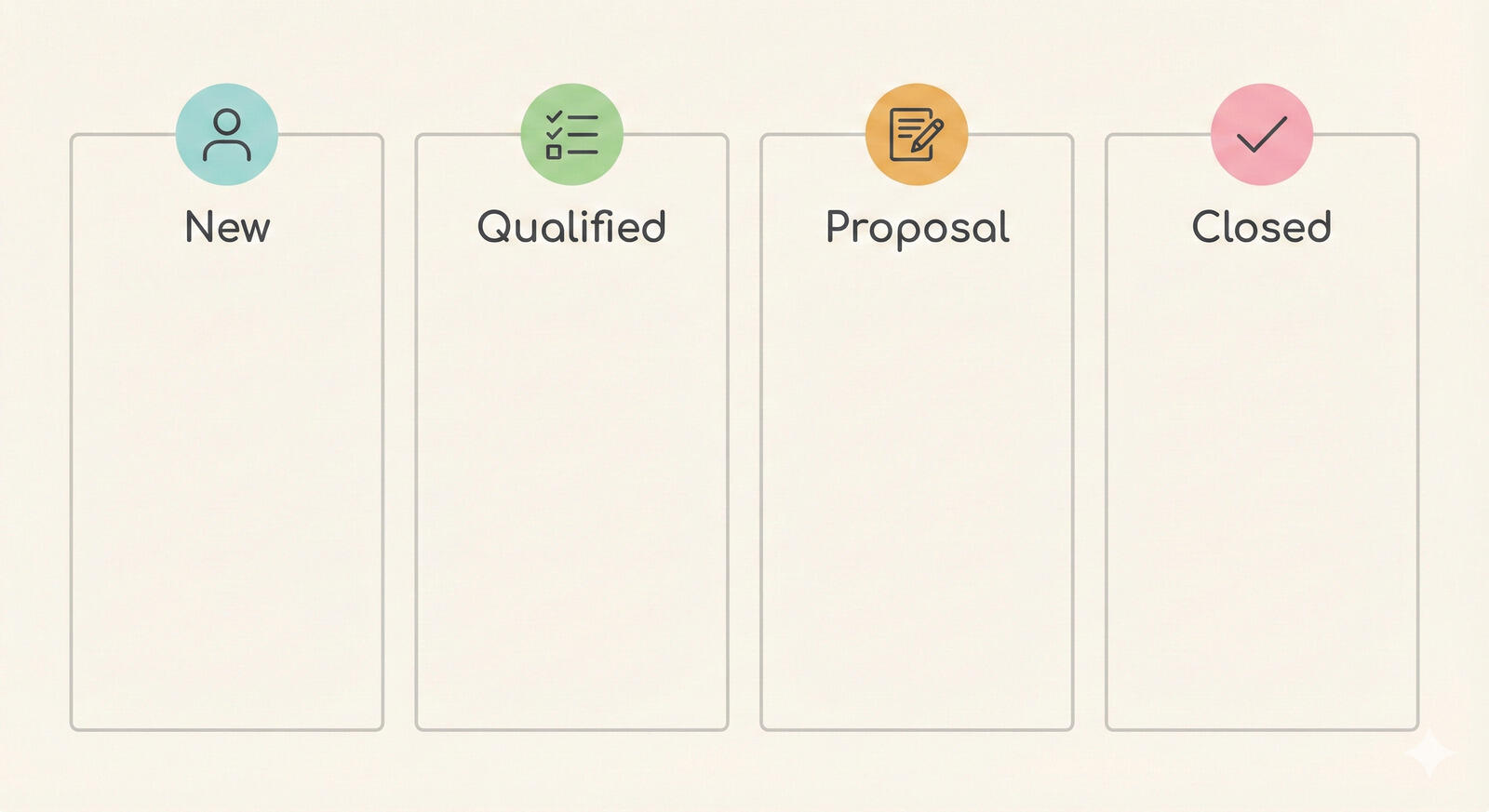
Sales practitioners often recommend a handful of core stages that appear in most B2B pipelines, such as new, qualified, proposal, negotiation, and closed. You can adapt those names to fit your language while keeping the underlying logic. The goal is that every rep knows when to move a card and what each stage means.
Here is a sample stage structure for a simple sales board:
- New lead: inbound or outbound leads that have not been contacted yet.
- Contacted: leads where you have had at least one live interaction.
- Qualified: leads that fit your target profile and have a clear need.
- Proposal sent: deals where pricing or plans are in front of the buyer.
- Negotiation: active deals with open questions or approvals.
- Closed won and closed lost: deals with a final outcome.
In Breeze, you can also use tags to mark special cases, such as partner sourced deals or expansion opportunities, without cluttering your main stage structure. This stage model fits neatly with the broader pipeline overview so your board structure and reporting language stay aligned.
As a concrete example, imagine a small SaaS team with two account executives and mostly inbound leads. Their Breeze board might use the stages above, but add a renewal stage for existing customers. A new demo request lands in New lead, moves to Contacted after the first call, then to Qualified once there is a clear use case and budget. After a proposal and a short Negotiation, the card lands in Closed won and, later, Renewal as the team prepares for the first contract extension. As their process matures, they could connect this board to the broader sales and marketing workspace so campaigns, assets, and deals stay aligned.
3. How do you connect tasks, checklists, and reminders to each deal?
You connect tasks, checklists, and reminders to each deal by using cards as the home for both customer facing and internal work. Each card can hold multiple checklists, due dates, and assigned tasks, turning the board into a real workflow instead of just a status board.
This is aligned with project management best practices from groups like PMI that emphasize breaking work into visible tasks with clear owners. In sales, those tasks might include sending a recap email, preparing a demo, or coordinating with legal.

You can also experiment with different ways of structuring tasks on high value deals. For complex opportunities, some teams create a separate project board that links back to the main deal card, especially when multiple people or departments are involved. Others keep everything on a single card but use multiple checklists grouped by theme, such as technical validation, commercial review, and onboarding. Boards are flexible enough to support both patterns.
Practical patterns for tasks on a sales board include:
- Standard checklists for common sequences, such as demo prep or trial onboarding.
- Due dates aligned with customer commitments, like proposal reviews or renewal dates.
- Mentions in comments to pull in teammates from marketing or product when needed.
When all this work sits on the same card as your stage and value, you get a reliable view of which deals are truly active versus those that are just sitting in a stage.
4. How do you keep customer updates and communication in sync with the board?
You keep customer updates and communication in sync with the board by treating it as the place where you summarize and track conversations, even if the actual messages happen in email or calls. That way, anyone looking at the card can understand the current state without reading entire threads.
Customer success and revenue teams often recommend short call summaries after each interaction. On the board, you can drop those summaries into card comments or descriptions, and use Breeze AI to help condense longer notes into key bullet points that teammates can scan quickly. A typical SaaS example might include a pricing discussion captured as a few bullets, a demo recap listing key use cases, and a note about a recurring objection, all on the same card. Breeze AI helps summarize long notes so the team can scan the card quickly before the next call.
The table below shows how different types of customer communication map to elements on your board.
| Communication type | Example | Breeze board element |
|---|---|---|
| Email thread | Pricing discussion across several messages. | Short summary comment and link to the main thread if needed. |
| Discovery call | First meeting where you learn about pain points. | Notes in the description and an updated qualification checklist. |
| Internal discussion | Slack thread about edge case requirements. | Comment with key points and a task for follow-up. |
By keeping these updates close to the board, you make it easier for leaders to review deals and for customer success to pick up context after a handoff.
5. How do you turn a working board into a repeatable template?
You turn a working board into a repeatable template by freezing the structure that works and using it as the starting point for new teams, markets, or reps. Breeze supports this pattern because you can duplicate boards, lists, and cards, keeping the structure and checklists while clearing out old deal specific data.
Sales operations experts frequently recommend standardizing winning processes so new reps ramp faster. A Breeze based sales pipeline template gives them a familiar layout, agreed definitions, and sample checklists from day one instead of a blank board.
Practical steps to turn a working board into a template include:
- Cleaning up stages, tags, and checklists so they match your current process.
- Creating a few example cards that show what high quality notes and tasks look like.
- Documenting how to use the board in a reference card or linked guide.
From there, you can create copies for different product lines or regions, keeping enough consistency that leadership can still read every board quickly. A SaaS sales team might keep one template for new business and a lighter variant for renewals, while a services firm might maintain a template that includes steps for proposals, scope reviews, and kickoff workshops.
6. What should your first Breeze sales board look like?
Your first Breeze sales board should look simple and honest. Start with a handful of stages that match your actual sales conversations, create one card per deal, and attach basic tasks and updates to each card. Avoid the temptation to add extra stages and fields until the team has used the board for a few weeks.

As patterns emerge, you can refine the board and eventually turn it into a template for the rest of the team. Whether you already use a CRM or not, a clear Breeze board gives you a shared visual pipeline that is easier to manage in day to day work.
The same structure works beyond sales. Teams use Breeze boards to manage complex projects like events or large launches with the same kind of stages, owners, and timelines.
7. Questions and answers
- How many stages are too many?
- For most small teams, more than eight stages starts to feel heavy. If you are regularly unsure where to move a deal, it is a sign that your stage list might be too granular.
- Should we separate new business and renewals on different boards?
- It often helps to have separate Breeze boards for new business and renewals, because the workflows and timelines are different. You can still keep a shared view of high value accounts using tags or shared projects.
- Can Breeze replace pipeline reports?
- Breeze is best at giving you a clear view of work in progress and near term pipeline. If you need enterprise grade reporting, you might still export data or pair Breeze with a CRM, but many small teams find the built in views sufficient.
- Do we still need a CRM if we use Breeze for our sales pipeline?
- Many small teams can manage their sales pipeline entirely in Breeze, especially when the priority is clear ownership and follow-through rather than advanced reporting or automation. As your team grows and you need more detailed contact-level data, complex automation, or strict compliance tracking, you can pair Breeze with a CRM while keeping day to day deal work on your boards.
- How do we introduce the board to the team?
- A simple way is to build the first version together in a working session, then use it live in your next pipeline review. That way everyone sees how the board maps to their actual work.