Why choose Breeze
 Marketing
 Creative
 Sales
Sales Remote work
 Managers
 Product teams
 Project management
 Task management
 Kanban tool
 Time tracking
 Project reporting
 Project calendars
 Project timeline
 Team workload
 Project automation
 Project customization
 Chat
Chat Web forms
 Project roadmap
 AI
AI What's new
 Articles & guides
 Help center
 Mobile apps
 Integrations
 Developers & API
 Free tools
Rename task titles for clarity

Most task boards do not fail because the work is hard. They fail because the task titles are lazy. "Blog post." "Website." "Marketing." Everyone reads the card, then pauses because the next action is not obvious.
You can fix a surprising amount of momentum with one habit: rename task titles so a person can start without asking a question.
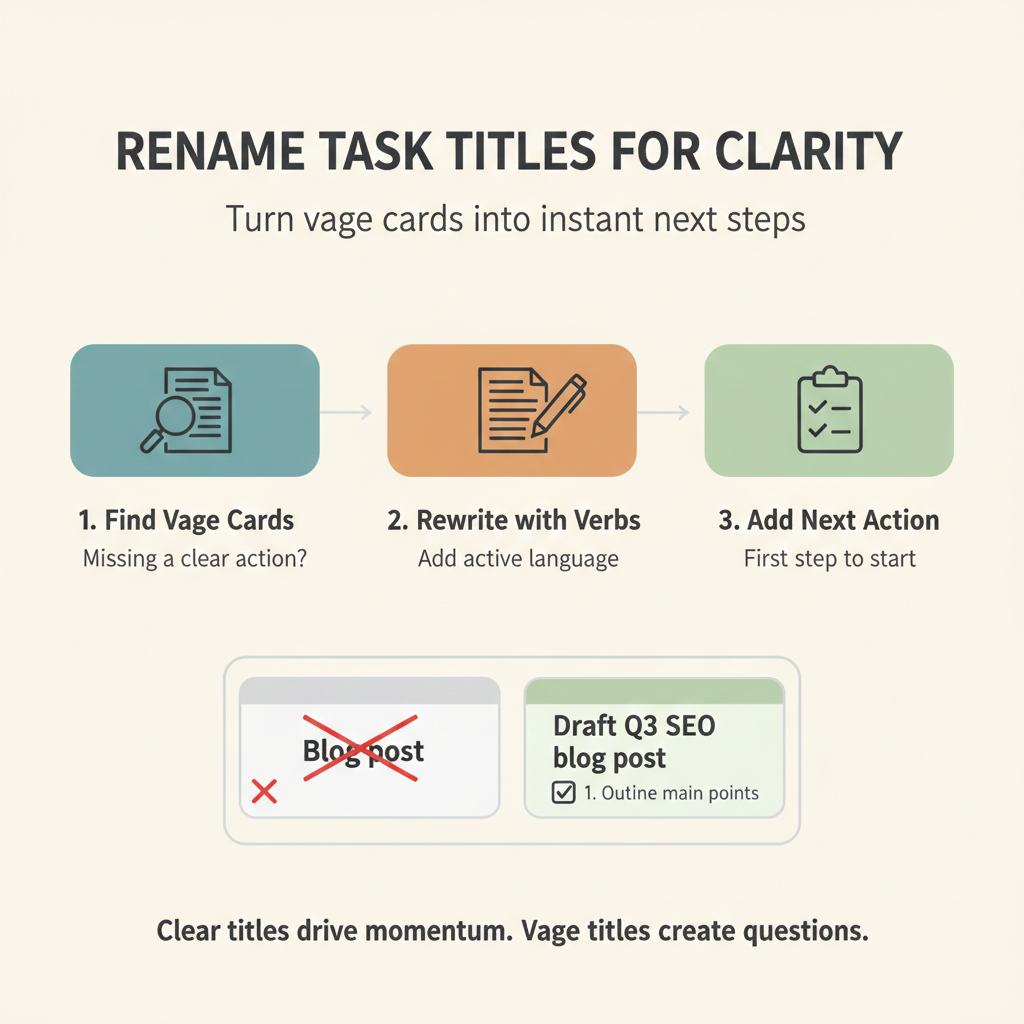
The 10-minute breakdown
- 2 mins: Find the vague cards
- 5 mins: Rewrite titles with active verbs
- 3 mins: Add one next-action line
The 10-minute fix
1. Find the vague cards (2 minutes)
Open your project board and scan In progress and Next. You are looking for titles that are just nouns, categories, or outcomes with no action.
Quick tell: if two people could interpret the title differently, it is too vague.
2. Rewrite titles with active verbs (5 minutes)
Use a simple pattern: verb + object + scope. You are not writing a novel. You are writing a start button.
Examples:
- Passive: Blog post
Active: Draft SEO outline for the Q1 launch post - Passive: Pricing page
Active: Review pricing page copy for clarity and accuracy - Passive: Onboarding
Active: Write 3-step onboarding email draft for new trials - Passive: Bug fix
Active: Reproduce checkout error on Safari and log steps - Passive: Customer request
Active: Reply to Acme about export timeline with next date
If you are stuck, start every title with one of these verbs: draft, review, decide, write, design, test, ship.
Quick rule: aim for one clear action, not a category. If the title still feels heavy, do a quick task breakdown until the next step is small enough to start.
3. Add one next-action line (3 minutes)
Rename is good. Rename plus a first step is better. Add one checklist item or one sentence at the top of the card description that answers: what do I do in the next 15 minutes?
If you want a consistent format, use an action plan pattern: next step, owner, deadline, done definition. It removes the "what do you mean by done?" follow-up.