Why choose Breeze
 Marketing
 Creative
 Sales
Sales Remote work
 Managers
 Product teams
 Project management
 Task management
 Kanban tool
 Time tracking
 Project reporting
 Project calendars
 Project timeline
 Team workload
 Project automation
 Project customization
 Chat
Chat Web forms
 Project roadmap
 AI
AI What's new
 Articles & guides
 Help center
 Mobile apps
 Integrations
 Developers & API
 Free tools
When a task list is better than a project management tool

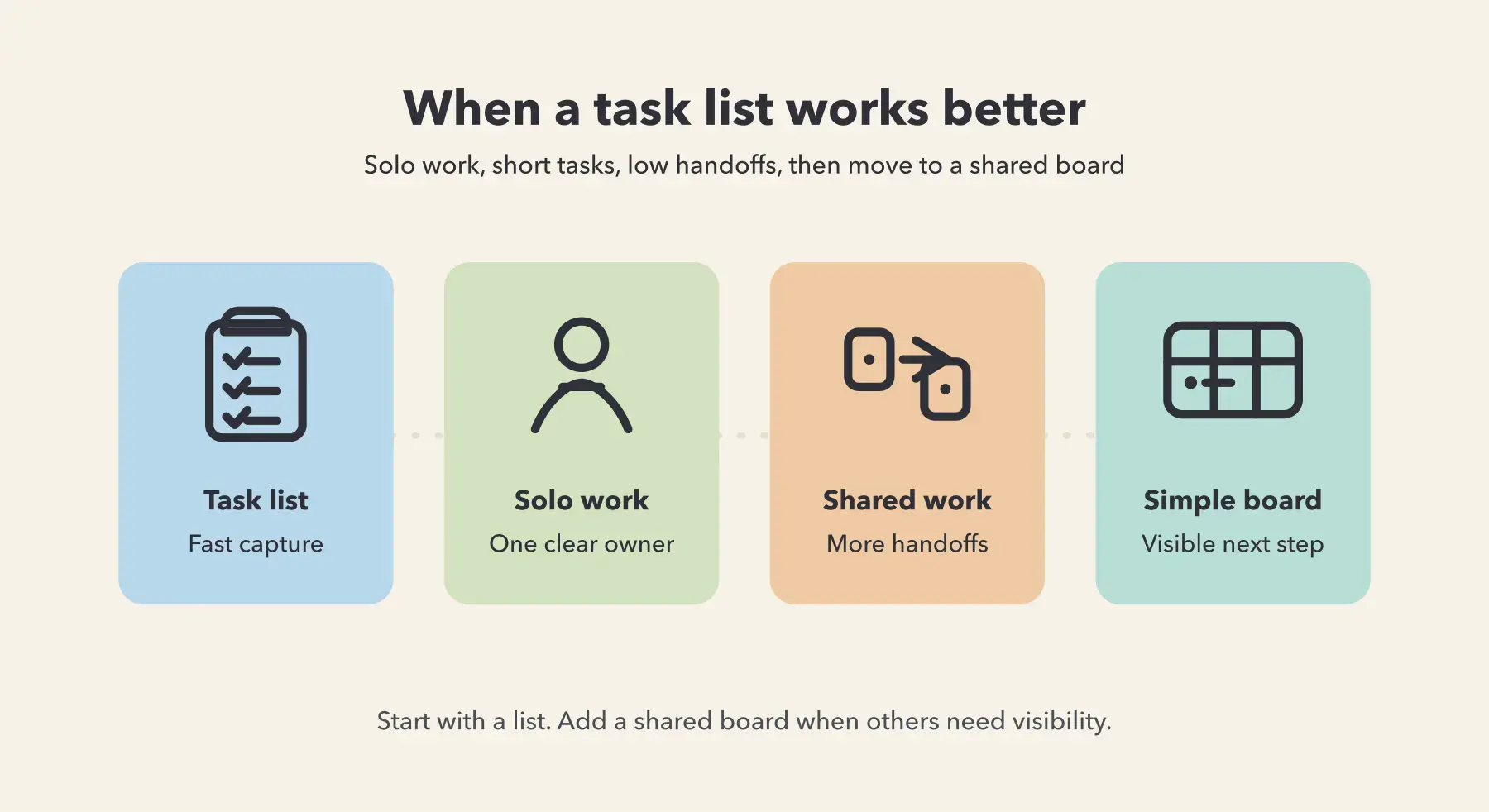
A task list is better than a project management tool when the work is short, low-risk, mostly owned by one person, and does not need regular handoffs or reporting. Once other people need to see status, files, and next steps without asking, a simple shared board like Breeze beats a plain list.
1. When is a task list better than a project management tool?
A task list is better when the main challenge is remembering, not coordinating, which is really the line between task and project management. If one person can finish the work with minimal back-and-forth, a list usually creates less overhead and stays more accurate.
The best system is the one you will keep updated while the work is happening. A plain list works well when tasks are small, the sequence is obvious, and nobody else depends on a live view of progress to do their part.
This is also where too much software can backfire. Rust, Thompson, and Hamilton describe feature fatigue as the gap between what looks attractive before use and what stays usable after use. Project tools create the same problem when normal updates start feeling heavier than the work itself.
2. What kinds of work fit a task list best?
Task lists fit work that is short-lived, low-risk, and mostly self-contained. If there are few dependencies, few approvals, and no real need for shared reporting, a list is often the cleanest option.
The easiest test is simple: if nobody besides you needs to act on the information in the list, it is probably enough.
Good task-list work usually looks like this:
- Personal execution: your own daily priorities, writing tasks, admin follow-ups, or prep work.
- Short checklists: repeatable finish steps, event prep, or packing lists where the main goal is not forgetting something.
- Low-stakes tracking: tasks that can move a day or two without creating confusion for someone else.
- Simple sequences: work that does not need comments, files, or a visible handoff trail.
If your workflow later needs more shared visibility, move toward simple workflows instead of heavy software.
3. What are the signs a task list is no longer enough?
A task list is no longer enough when other people start depending on your memory to understand what is happening. The warning signs are repeated status questions, missing files, fuzzy ownership, and work that stalls because the next person cannot see what changed.
At that point, the problem is coordination. A private list can show you what to do, but it cannot reliably show a team what is moving and what needs attention next.
These are the clearest signs you have outgrown a plain list:
- Status lives in chat: the list says one thing, but the real update is in Slack, email, or a meeting.
- Files and decisions drift: people ask where the latest version is because the list cannot hold the working context cleanly.
- Handoffs get vague: a task gets marked done, but the next owner still needs a message to know what changed.
- Deadlines become shared: once timing matters to several people, a private list stops being enough.
Asana calls this extra coordination burden work about work. If you spend more time explaining the work than doing it, the list has reached its limit. That is usually when teams start asking whether project management software is actually worth it.
4. Task list vs simple board vs project management tool: what is the difference?
The difference is not just feature count. A task list helps one person stay organized, a simple board helps a small team stay aligned, and a heavier project management tool helps larger or more regulated teams enforce process and reporting.
The right choice depends on how much shared visibility your workflow needs. If the work can stay accurate without comments, files, and a visible handoff path, a list is usually fine. If the team needs a live view of ownership and progress, a board becomes more useful.
| Option | Best for | Breaks down when | Typical overhead |
|---|---|---|---|
| Task list | Personal work, short checklists, and low-collaboration tasks | Several people need status, files, or handoff context without asking | Very low. Fast to update, but weak for shared visibility. |
| Simple board like Breeze | Small teams that need owners, dates, comments, files, and a shared workflow | You need heavy governance, advanced permissions, or complex reporting layers | Moderate. Enough structure to coordinate work without turning updates into admin. |
| Heavy PM tool | Complex cross-team planning, strict workflows, compliance, and portfolio reporting | The team mainly needs routine coordination and simple weekly visibility | Higher. More setup, more training, and more upkeep in exchange for deeper control. |
Table takeaway: most teams should not jump from a personal list straight to the heaviest possible tool. The better path is to add only the structure that solves today's coordination problem.
That middle layer matters. In Wellingtone's State of Project Management Report, 50% of respondents said they spend a day or more each month manually collating project status information. A simple shared board can remove a lot of that friction without forcing a team into enterprise-level process.
5. What should you use when a task list is too small but heavy software is too much?
Use a simple shared board when the work has outgrown a list but does not justify a heavy project management system. The goal is clear ownership, visible status, and one place where the latest context lives.
That is where Breeze fits well. It gives a team a shared board, comments, dates, files, and checklists without forcing a complex system first.
This middle option works best for teams that need quick answers to a few recurring questions: who owns this, what happens next, what is blocked, and where the latest file or decision lives.
If your current setup cannot answer those questions without extra pings, the issue is usually missing structure. A small project board usually fixes that faster than a more complicated tool with layers the team may never use.
6. How do you move from a task list to a simple board without creating admin work?
Move from a task list to a simple board by migrating only the work that truly needs shared visibility. Do not rebuild every old list. Start with one live workflow, keep the status flow short, and make the board the place where updates happen.
The common mistake is moving everything at once and recreating the same overhead you were trying to escape. A better approach is smaller: choose one repeating workflow, use 3 to 5 clear stages, and make every active card show one owner and one next step.
A simple transition looks like this:
- Start with active work only: keep old lists as reference, but move current tasks into the shared board.
- Define a short workflow: Backlog, Next, In progress, Review, Done is enough for many teams.
- Put context on the card: comments, dates, files, and decisions should live where the task lives.
Keep one rule: if the work changes, update the card. If status still lives in chat after the move, adoption drops fast. That is the same week-one drop-off pattern visible in many tool rollouts.
The safest upgrade is a two-week pilot in Breeze for one workflow that already generates a lot of status chasing. If the team gets fewer status questions and fewer lost files, you have found the right level of structure.
Common questions about when a task list is better than a project management tool
- Is a task list enough for a small team?
- A task list is enough for a small team only when work is simple, mostly solo, and does not require regular handoffs or shared visibility. Once teammates need live status, files, or next steps, a shared board works better.
- When should I move from a task list to project management software?
- Move when status questions become frequent, files and decisions get scattered, or deadlines depend on several people. Those are signs the problem is coordination, not just remembering tasks.
- What is the difference between a task list and a project board?
- A task list is mainly for personal organization, while a project board is for shared visibility. Boards make owners, progress, handoffs, and context easier for a team to follow.
- Is project management software overkill for simple work?
- Yes, project management software is often overkill for simple, short, low-risk work owned by one person. In those cases, a plain task list is usually faster and easier to keep current.
Next steps
A task list is better than a project management tool when work is simple enough that remembering is the problem and coordination is not. Once other people need reliable status, the right move is usually not heavier software first. It is a simple shared board.
pick one workflow that keeps creating status questions, move only that workflow into Breeze for two weeks, and see whether the team can find owners, files, and next steps without asking around.