Why choose Breeze
 Marketing
 Creative
 Sales
Sales Remote work
 Managers
 Product teams
 Project management
 Task management
 Kanban tool
 Time tracking
 Project reporting
 Project calendars
 Project timeline
 Team workload
 Project automation
 Project customization
 Chat
Chat Web forms
 Project roadmap
 AI
AI What's new
 Articles & guides
 Help center
 Mobile apps
 Integrations
 Developers & API
 Free tools
What simple project management actually means in practice

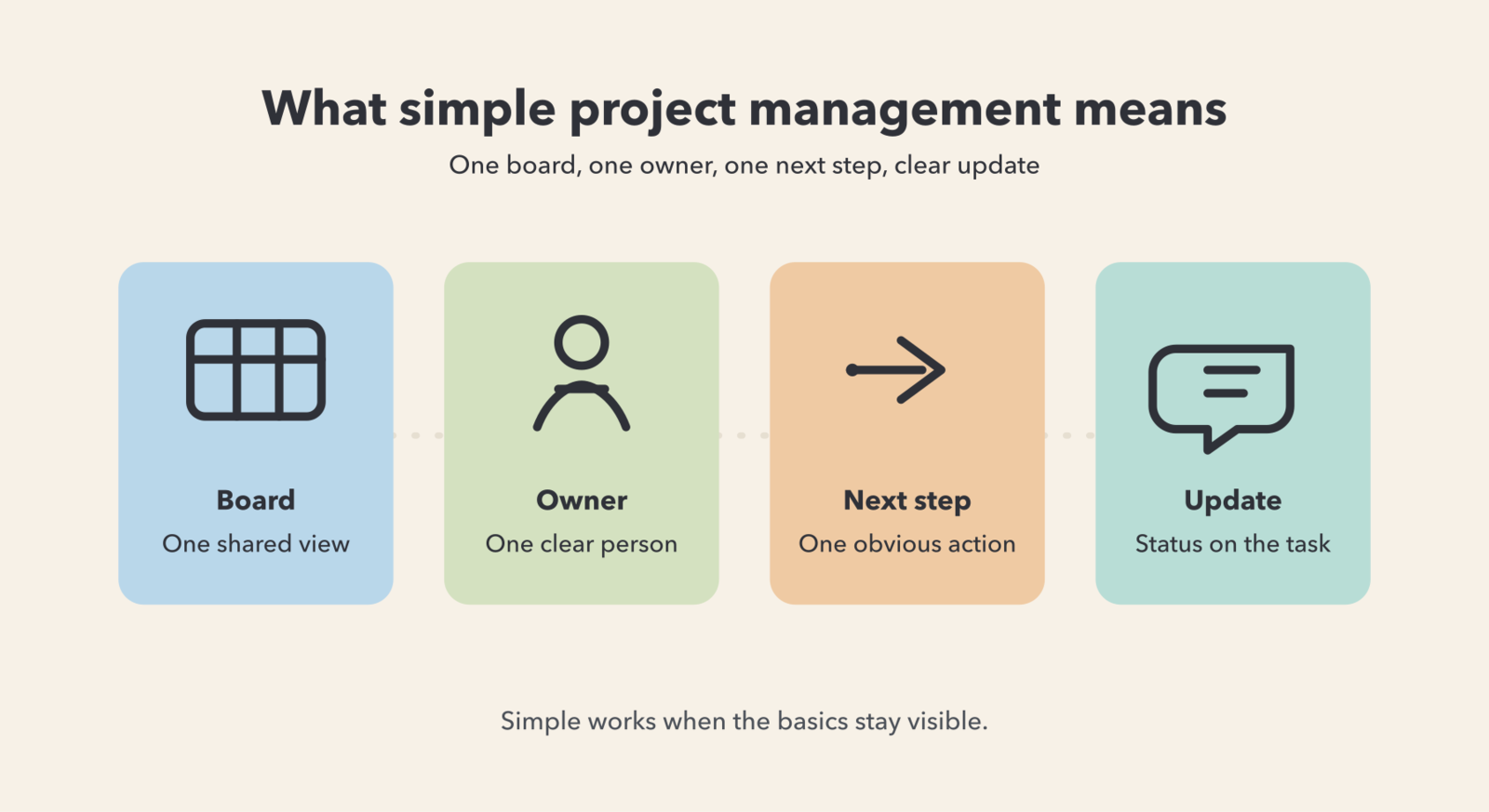
Simple project management means using the smallest system that still makes work clear: one board, one owner, one next step, and updates attached to the task instead of scattered across chat. It is not less accountability. It is less overhead per update, so the board stays current.
1. What does simple project management actually mean in practice?
Simple project management means someone can open the board and understand the current state without a meeting. They should be able to answer what is moving, who owns it, what happens next, and where the latest context lives in under a minute.
That is why simple does not mean stripped down. A simple system can still include comments, files, reminders, and checklists. What it avoids is extra interpretation: duplicate statuses, fields nobody trusts, and views that look smart in setup but do not help the team do the next piece of work.
If updating a task feels like admin work, people delay it. Then status moves back to chat, meetings expand, and the board stops being useful. In practice, simplicity is the removal of friction between "the work changed" and "the task got updated."
2. What is the minimum setup a simple project management system needs?
Most teams need less structure than they think. The minimum useful setup is one board with 3 to 5 columns, one owner for every active task, a due date when timing matters, comments on the task, the latest file attached, and a short checklist for repeatable finish steps.
In Breeze, a card can already hold the owner, comments, dates, files, and checklist, so the team does not need a complicated process just to keep context together.
A practical day-one setup looks like this:
- Short status flow: Backlog, Next, In progress, Review, Done.
- One owner per active card: collaborators can help, but one person owns the next move.
- Action-style titles: cards should read like work to do, not vague categories.
- Context on the card: comments, files, and the next step live where the task lives.
If you are setting this up with a team for the first time, this short project board rollout keeps the first version small enough to survive contact with real work. For repeatable tasks, a lightweight done checklist is usually more useful than another custom field.
3. What should you remove if you want project management to stay simple?
Remove anything that does not help the next person make the next move. The usual clutter is extra statuses, duplicate fields, required metadata that no one reads later, and parallel update channels where the board says one thing and chat says another.
Rust, Thompson, and Hamilton described feature fatigue as the gap between what looks attractive before use and what stays usable after use. Project tools create the same problem when teams admire dashboards, views, and layers during setup, then avoid them in daily work because a normal update takes too long.
These are common things to cut back first:
- Too many statuses: if people need a glossary to move a task, the workflow is too detailed.
- Multiple owners: shared ownership usually means unclear ownership.
- Fields without decisions: if nobody uses a field to act, do not require it.
- Unused views: keep the working view visible and let reporting earn its place later.
- Duplicate updates: stop rewriting the same status in Slack or email.
4. What does a simple workflow look like on a real team?
On a content team, simple project management means the whole workflow is visible on one screen. A board with Ideas, Drafting, Review, Scheduled, and Published is enough if every card shows one owner, one due date, the latest draft, and one clear next step.
Take a blog post as an example. In Ideas, the card only needs a working title and an owner. In Drafting, it should hold the brief, the latest document, and the due date. In Review, feedback stays on the card so the writer does not have to reconstruct comments from email and chat. In Scheduled, the card carries the publish date and final checklist.
This is where simple tools help. In Breeze, the comments, files, dates, and checklist live together, so the team does not have to decide which update belongs in which tool. If card titles drift into vague labels like "Blog" or "Newsletter," a quick verb pattern makes the board easier to scan because each card reads like an action.
5. When is simple project management enough, and when do you need more structure?
Simple project management is enough for most small and mid-sized teams whose real problem is coordination, not governance. In practice that points to lightweight software built for exactly this, not an enterprise suite. You need more structure only when the extra rules change real weekly decisions, such as formal approvals, cross-team resource planning, compliance needs, or portfolio reporting.
The useful comparison is not "simple versus advanced." It is "simple enough to keep current" versus "too complex to maintain" versus "too loose to trust."
| Part of the workflow | Simple in practice | Too complex | Too loose |
|---|---|---|---|
| Board structure | 3 to 5 clear stages that match how work actually moves | Many stages, sub-stages, and special cases people forget | No shared stages, so nobody can tell where work stands |
| Ownership | One owner for every active task | Several owners, watchers, and roles for each card | No clear owner, so follow-up happens in chat |
| Updates | Change the card when the work changes | Update the card, a report, and a chat thread | Give verbal updates only, so history disappears |
| Fields | Only fields that support timing, ownership, or priority | Many fields filled for completeness, not decisions | No dates or priorities, so timing stays vague |
| Handoffs | Next step and context are written on the card | Handoffs require templates nobody finishes | Handoffs depend on memory or a meeting recap |
| Reporting | The board already answers most status questions | Managers need custom reporting for basic visibility | Nothing is visible unless someone asks around |
Table takeaway: if the team keeps landing in the middle column, remove layers. If it keeps landing in the right column, add one rule or one field at a time until the board becomes trustworthy.
6. How do you keep a simple system from getting messy again?
Simple systems stay simple when the rules are few and the update path is fast. BJ Fogg's behavior model is a useful lens here: when a behavior becomes hard, people stop doing it consistently. That is exactly what happens when routine task updates start feeling like admin.
The fix is practical: make the right behavior easier.
- Use one rule: if the work changes, update the card.
- Ask status on the task: move questions and answers into the comments, not a side chat.
- Clean the board weekly: five minutes is enough to close finished work, fix owners, and surface blockers.
- Add structure slowly: only keep a new field or rule if it solves a repeated problem.
If updates slide back into chat after the first week, that is usually the normal week-one drop-off pattern. In Breeze, the practical fix is usually smaller, not bigger: fewer fields, clearer owners, and leaders checking the board before they ask for an update.
Common questions about simple project management
- Is simple project management just Kanban?
- No. A board is one format, but simple project management is really about using the least structure that still keeps work visible, owned, and easy to update.
- What features do small teams actually need in a project management tool?
- Most small teams need one owner per task, due dates, comments, files, checklists, and a short visual workflow. Everything else should earn its place by saving time every week.
- When should a team add more structure to a simple workflow?
- Add more structure when compliance, dependencies, formal approvals, or cross-team reporting change real weekly decisions. Do not add it just because the software allows it.
- Can simple project management work for non-technical teams?
- Yes. Non-technical teams often benefit most because simpler boards reduce duplicate updates and make handoffs easier to follow without extra meetings.
- How do you stop a simple board from turning into admin work?
- Keep the workflow short, require one owner, put updates on the card, and review the board weekly. If a field or rule does not help someone act, remove it.
Next steps
Simple project management means using the smallest system that keeps work visible, assigned, and easy to update. If the board answers what is moving, who owns it, and what happens next, it is doing the job.
Practical next step: pick one noisy workflow, build a 3 to 5 column board, and run it for two weeks with one rule: if the work changes, update the card. If you want to test that with real work, start the pilot in Breeze and keep the setup smaller than you think you need.