Why choose Breeze
 Marketing
 Creative
 Sales
Sales Remote work
 Managers
 Product teams
 Project management
 Task management
 Kanban tool
 Time tracking
 Project reporting
 Project calendars
 Project timeline
 Team workload
 Project automation
 Project customization
 Chat
Chat Web forms
 Project roadmap
 AI
AI What's new
 Articles & guides
 Help center
 Mobile apps
 Integrations
 Developers & API
 Free tools
How do you plan a launch without last minute panic?

Contents
- What needs to be ready before you announce a launch date?
- How do you build a no-panic launch checklist?
- How do you coordinate product, marketing, and support?
- How do you prepare support and docs before launch?
- How do you reduce launch risk on the day?
- What should you communicate during launch week?
- How do you follow up after launch?
- How do you run a post-launch retrospective that leads to action?
- Questions and answers
A calm launch is a checklist with clear owners, not a scramble with heroic late nights. If you have done the hard work, the goal is simple: make sure the world actually sees it, and make sure nothing small (like a broken link or a missing email) slips through.
The launch slice of the product development process includes final design checks, validation, and commercialization. If you want simple product management software for launches, Breeze fits naturally here because checklists, due dates, and one shared board are exactly what launches need.
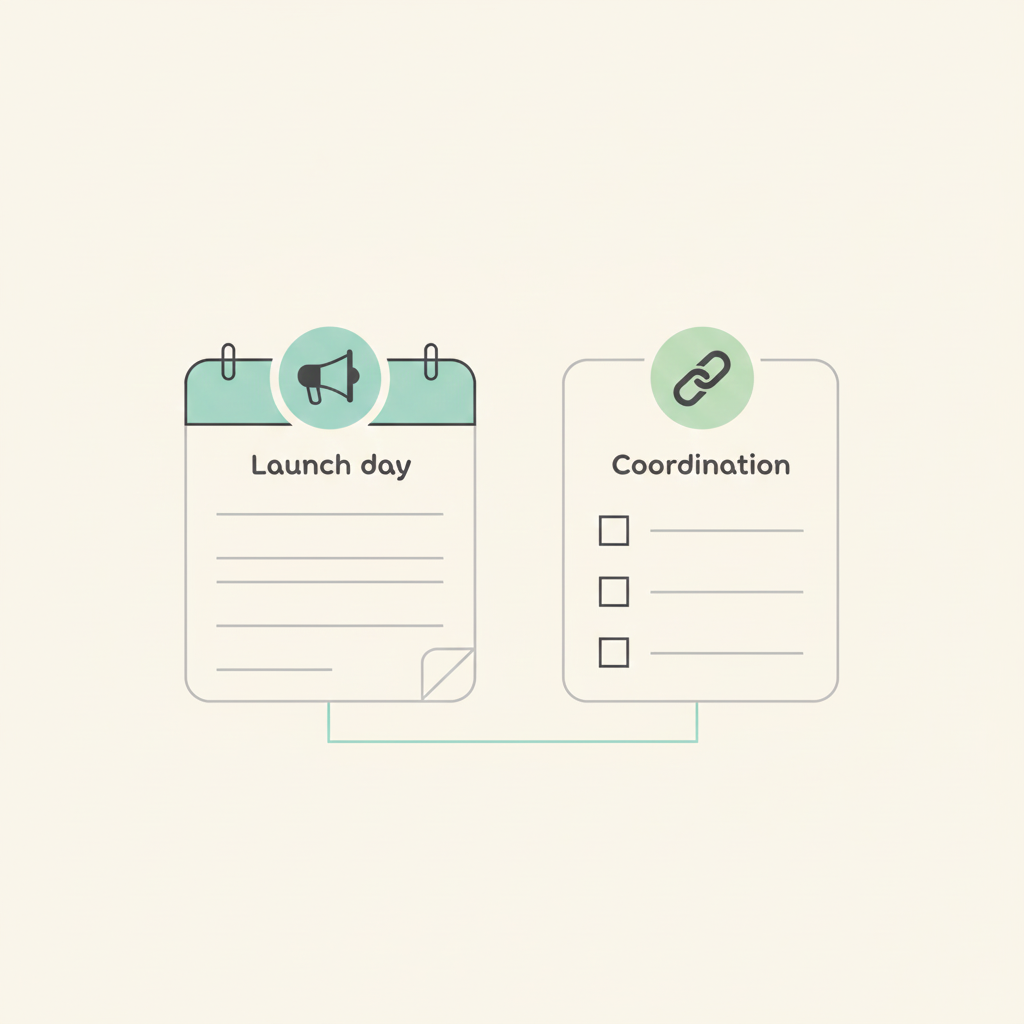
These launch steps sit inside the broader development stages. Earlier in the cycle, the idea checklist and prototype testing help you avoid launching something that is still fuzzy.
Key takeaways
- Set a launch date only after scope is stable and top risks are known.
- Treat launch work like owned tasks on a shared board, not a vague checklist.
- Keep dependencies visible across product, marketing, and support.
- Plan launch-week messaging ahead of time so you are not improvising under pressure.
- Plan follow-ups, because learning does not stop on release day.
1. What needs to be ready before you announce a launch date?
Before you announce a date, you need a stable scope, a known risk list, and a realistic path to "ready enough." The biggest cause of launch panic is committing to a date while the work is still fuzzy.
A simple readiness check is whether the top three user flows are designed and tested, known issues are listed with severity, support has draft answers, and marketing can explain the message and name the assets they still need. If any of those are unclear, the date is usually a guess disguised as confidence. When dates keep drifting, a single master schedule plus a few clear project milestones is usually enough to stop the chaos.
Put this readiness checklist on the main launch card in Breeze and assign owners to each item. If a checklist item does not have an owner, it does not exist.
2. How do you build a no-panic launch checklist?
You build a no-panic checklist by listing every small deliverable that usually gets forgotten. Then you group it by team and add due dates backwards from launch day. The checklist becomes the plan.
Checklists work because they reduce the chance of small misses under pressure. A famous example is the WHO checklist, where a short list helps teams catch preventable errors.
A good starter list usually looks like this: release notes drafted and approved, website copy updated and proofread, the email announcement written and tested, support docs updated with a quick internal brief, analytics events verified, and a rollback plan confirmed. The important part is not the exact items. It is that someone owns each one and the due dates are real.
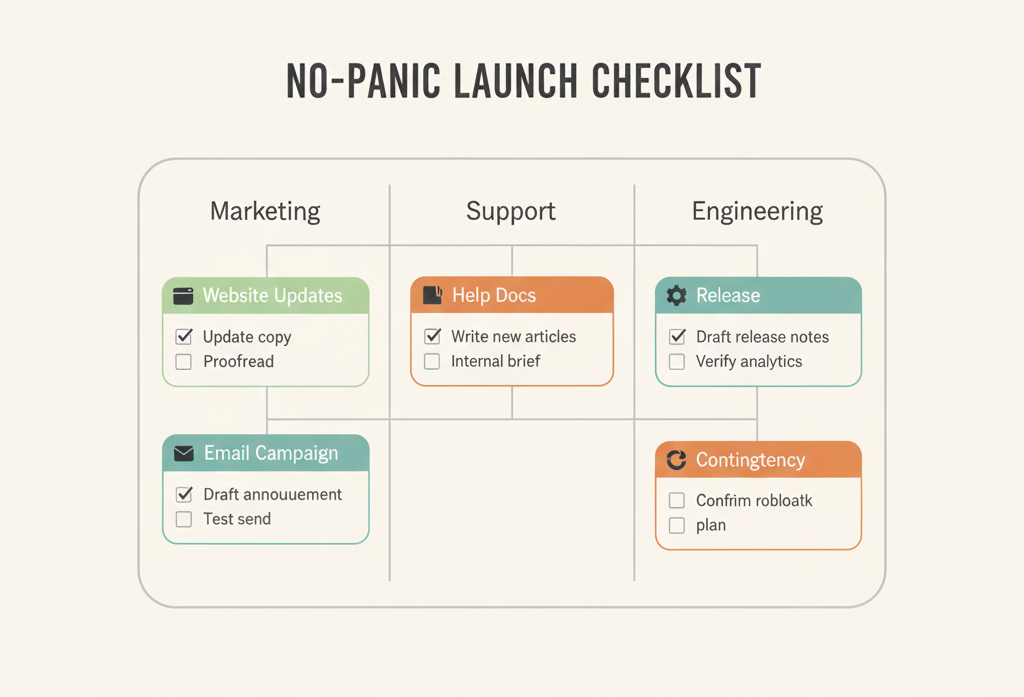
Breeze checklists work well here because they are attached to the work itself. You can keep the checklist on one card, or split into cards by area if the launch is bigger.
3. How do you coordinate product, marketing, and support?
You coordinate launches by making dependencies visible. Marketing needs to know what is ready. Support needs to know what will change. Product needs to know what is promised externally. One shared board is the simplest way to keep everyone honest.
This is also how you cut status meetings. When the plan is visible, people do not need to ask "where are we?" all day. Atlassian's meeting research shows how quickly meeting time can eat the week.
Here is a quick cross-team view you can copy into a Breeze board:
| Workstream | Example tasks | Owner | When |
|---|---|---|---|
| Product | Finalize scope, fix launch blockers, ship build. | Product lead | 2 to 4 weeks pre-launch |
| Design | Final UI polish, empty states, copy review. | Designer | 1 to 3 weeks pre-launch |
| Marketing | Landing page, email, social posts, press outreach. | Marketing lead | 1 to 2 weeks pre-launch |
| Support | Help docs, internal FAQ, macros, training. | Support lead | 1 week pre-launch |
| Sales | Pitch update, demo updates, objection handling. | Sales lead | 1 week pre-launch |
Recurring coordination pain is usually solved by visibility. A cross-team launch plan and async updates are two practical ways to keep work visible without adding more meetings.
4. How do you prepare support and docs before launch?
You prepare support and docs by writing down what changed, who it affects, and what users will ask first. Support should not discover the new feature from a customer email. A short internal FAQ and a few updated help articles prevent a lot of launch week stress.
A simple support and docs checklist is an internal FAQ (what changed, who it is for, and known limitations), a quick update to the help docs with steps and screenshots if needed, a couple of support macros for the most likely questions, and a clear escalation path for when a user is blocked. When those exist, support can answer calmly, and product can focus on fixes instead of repeating the same explanations.
Most teams skip this because docs feel like "extra work" until launch week. That is exactly why documentation fails in so many companies: it is separated from the work and no one owns updates. A lightweight fix is treating launch docs like internal processes, stored on cards with clear owners and a checklist that gets updated as the product changes.
If you are not sure what to document, start with the questions users ask when they are confused. Most first-week questions are predictable: where the feature lives, who can use it, the simplest first step, what to do if it fails, and what changed from the old way. If you cover those up front, you reduce tickets and you also reduce internal Slack noise, because the answers exist in one place.
You can keep one card called "support prep" in Breeze with links to the updated docs, the internal FAQ, and the final release notes draft. It sounds small, but it prevents a lot of scramble, because support and product are looking at the same source of truth.
Keep these as tasks on the same Breeze board as the product work. When docs and support prep live on a separate list, they become invisible until the last minute. A board that includes both makes the dependency obvious.
5. How do you reduce launch risk on the day?
You reduce launch risk by having a rollback plan, watching the right signals, and keeping a small response team available. Launch day problems are normal. Panic happens when no one knows what to do when something breaks.
A few practical risk reducers go a long way: write the rollback plan in one paragraph, pick two or three monitoring signals that clearly indicate trouble, keep support on standby with a clear escalation path, and add a short freeze window for non-essential changes. This is what turns "we will handle it" into something you can actually handle.
If the launch feels risky, do a smaller release first. A soft launch can mean enabling the feature for a small group, shipping to internal users, or releasing behind a simple flag. The point is to reduce the impact if something goes wrong. In Breeze, you can reflect this by adding a list called "soft launch" and only moving the card into "launch" after the smaller release is stable.
Put the rollback and monitoring tasks on the launch card checklist in Breeze. Assign an owner. Then make a short "day-of" list with the few actions that matter. Keeping it visible helps teams stay calm when the unexpected happens.
6. What should you communicate during launch week?
During launch week, communicate what changed, who it is for, and what to do next. Keep it short. People are skimming. Your job is to make it easy for the right users to try the new thing.
If you are not sure what to say, start with one concrete use case. A feature list is easy to ignore. A short story about a real workflow is easier to understand. This is also where a Breeze board helps, because the work is already grouped by what is actually shipping, so you are not guessing what to announce.
Launch week also gets messy when assets live in different places. If your team is chasing the latest screenshot, copy version, or approval thread, putting asset approvals on the same board stops the back-and-forth.
Here is a simple launch communication plan that covers the basics without turning into a campaign calendar:
| Channel | What to publish | Owner | When |
|---|---|---|---|
| One clear update and a next step. | Marketing | Day 1 | |
| Website | Updated page copy and pricing notes if needed. | Marketing | Day 0 |
| In-app | Short tooltip or banner for the target users. | Product | Day 0 to 2 |
| Support | Internal FAQ and help docs linked to tickets. | Support | Before Day 0 |
| Social | One simple post with the use case. | Marketing | Day 1 to 3 |
A simple launch-week rhythm is to start on day 0 with release notes plus a support heads-up, announce on day 1 via email and social, use days 2 and 3 to highlight one real use case instead of listing features, and spend days 4 and 5 collecting feedback and fixing the first obvious problems. You are not trying to squeeze every possible message into a week. You are trying to help the right people try the right thing.
Create a list called Launch week in Breeze and add cards for each message and each follow-up. When you attach the copy and the links to each card, you stop searching for "the latest version" during the busiest week.
7. How do you follow up after launch?
You follow up by measuring the metric you chose, watching support signals, and scheduling a small retrospective. The launch is not the end. It is the first real test in the real world.
A simple post-launch list in Breeze usually includes one retrospective card (what worked and what broke), a short set of feedback themes with real quotes attached, and a two-week follow-up plan that is small enough to finish. The point is to turn early feedback into a few improvements while people still care.
When follow-up keeps slipping, writing down the next two weeks as an action plan with owners and dates turns "we should" into "we will."
It also helps to plan one small improvement cycle immediately. Pick the top one or two issues from support and feedback, fix them, and tell users you did. That follow-up builds trust and improves adoption more than a second announcement. In Breeze, this can be its own mini list called "first week fixes" so it does not get lost behind new work.
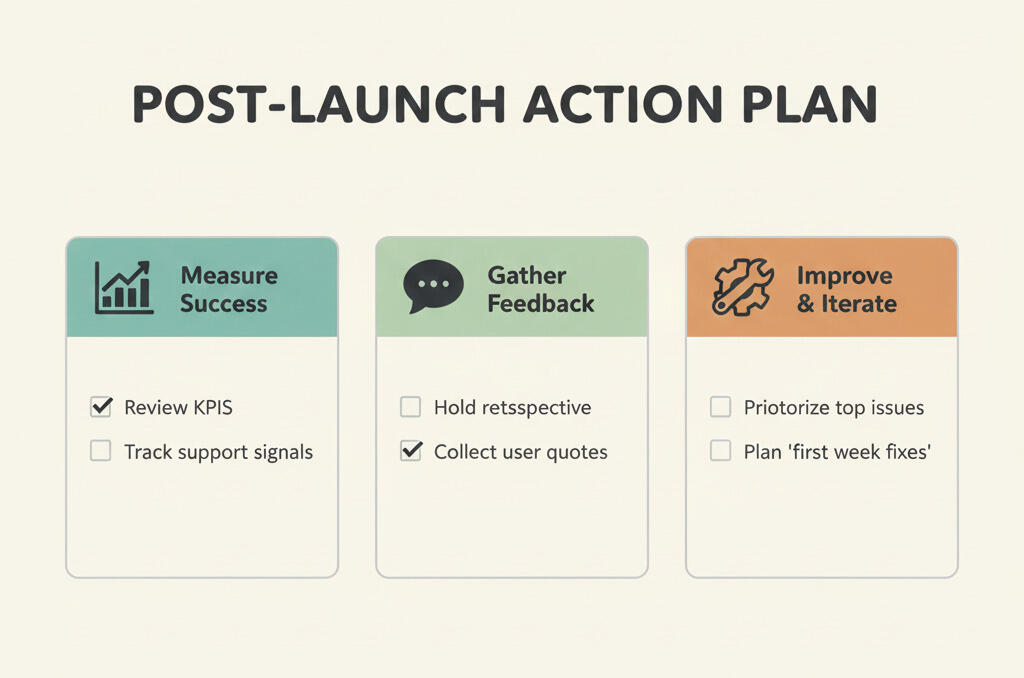
Most teams skip this part, then repeat the same mistakes. A 30 minute retrospective is one of the highest payoff steps in the whole process.
8. How do you run a post-launch retrospective that leads to action?
You run a useful retrospective by focusing on what you will change next time. Keep it short, time-boxed, and honest. The goal is not a perfect narrative. It is one or two concrete improvements that make the next launch easier.
Keep it blameless. If people feel attacked, they stop sharing the real problems, and the retrospective turns into polite noise. Focus on the system: unclear ownership, missing checklists, hidden dependencies, and last minute surprises. Those are fixable. Personal blame is not.
End the retrospective by assigning owners and dates to the top action items. If you cannot assign an owner, the action item is not real yet.
A simple retrospective agenda is four questions: what went well, what surprised you, what broke or created stress, and what you will change next time. If you can answer those honestly and capture the follow-up tasks, you are already ahead of most teams.
Create a retrospective card in Breeze with the bullets above, then link action items as new cards. A retrospective that does not create follow-up tasks is a vent session, not a process improvement. The development stages framing also helps connect launch learning back to the next cycle.
Questions and answers
- When is the right time to set a launch date?
- When the scope is stable and you know the top risks. If you are still debating what is in the release, set a target window, not a date.
- How do I stop last minute tasks from appearing?
- Assume they will appear and plan for them. Leave capacity in the last week, and keep a "nice to have" list that you can cut without guilt.
- Do I need a formal go or no go meeting?
- Not always. Many small teams can handle it with a checklist, a clear owner, and one final pass through the board in Breeze.
- What should be in release notes?
- What changed, who it helps, and what the user should do next. Skip the internal technical details unless your audience is technical.
- How do I manage a launch across multiple teams?
- Put all tasks on one board with owners and deadlines, and make dependencies visible. If each team keeps their own list, the gaps show up at the worst time.