Why choose Breeze
 Marketing
 Creative
 Sales
Sales Remote work
 Managers
 Product teams
 Project management
 Task management
 Kanban tool
 Time tracking
 Project reporting
 Project calendars
 Project timeline
 Team workload
 Project automation
 Project customization
 Chat
Chat Web forms
 Project roadmap
 AI
AI What's new
 Articles & guides
 Help center
 Mobile apps
 Integrations
 Developers & API
 Free tools
Monday.com vs simplicity: why you're paying for features you don't use

Monday.com is worth the money when your team actually uses the extra layers it sells: dashboards, automations, cross-team reporting, multiple views, and governance controls. If your work mostly comes down to owners, due dates, and updates, a simpler board like Breeze is usually the better buy.
1. Monday.com fit test: when is Monday.com worth the price?
Monday.com is worth the price when your team truly uses its extra layers every week. As of March 19, 2026, monday.com's official work management pricing page lists a free tier, then Basic at $9, Standard at $12, Pro at $19 billed annually, and Enterprise on request, so the value question is whether your team needs what those plans add.
monday.com positions itself for project, portfolio, process, and resource management. That is useful if you need reporting across boards, approvals, workload planning, or tighter permissions. It is less useful if your team mainly needs one board that stays current.
A practical way to think about it:
- Keep monday.com if: you need cross-board dashboards, real automations, approvals, or workload planning.
- Keep monday.com if: managers outside the team depend on reporting from the tool.
- Reconsider monday.com if: most people only use one board and still ask for status in chat.
- Reconsider monday.com if: the board only needs to answer who owns it, what is next, and when it is due.
The wrong reason to keep a tool is that it can do more. The right reason is that the extra depth saves time every week.
2. Unused features: what are teams often paying for but not using?
Teams usually overpay for monday.com by buying capability they never turn into habit. That can mean dashboards, AI credits, automations, integrations, timeline views, time tracking, formulas, or resource tools that looked smart in evaluation but never became part of daily work. Credits are the easiest of those to underestimate, because the monthly allowance runs out faster than teams expect.
You can see that breadth on the official pricing page. It is real value for teams that need control and reporting. For teams that never move past simple board use, it becomes shelfware.
That pattern has a name. Deborah Thompson, Rebecca Hamilton, and Roland Rust described feature fatigue as the tendency to value capability before use and usability after use. That fits project software almost perfectly.
Common examples of paid-but-lightly-used value in monday.com look like this:
- Dashboards: built once, then ignored by the working team.
- Automations: useful in theory, but not worth maintaining for a straightforward workflow.
- Multiple views: available everywhere, while the team still lives in one board.
- AI, formulas, and structure: impressive during evaluation, but not important enough to change daily behavior.
If the working habit is still "open the card, leave a comment, change the due date, move it forward," then you are paying for potential, not actual behavior.
3. Real cost: why does Monday.com feel expensive even when the per-seat price looks reasonable?
Monday.com feels expensive when the license is only the visible part of the cost. For small teams, the bigger cost is the extra thinking the tool demands: board structure, useful columns, permissions, views, and whether the real update belongs in the item or in Slack.
That is why the tool can feel heavy even when the seat price looks reasonable. Every extra layer creates more decisions, and simple teams often do not get enough return.
There are a few real cost categories that matter more than the advertised price:
- Setup cost: someone has to design the board structure well enough that the team trusts it.
- Training cost: people need to learn not only where to click, but what to ignore.
- Maintenance cost: automations, permissions, and reporting need someone to keep them clean.
- Double-update cost: the team updates monday.com and then repeats the same information in chat.
If the real update still happens outside the tool, you are paying for software without getting the behavior change that makes it worth it, and no tool can fix that on its own. That is usually the moment when a simpler system starts looking smarter.
4. Simpler setup: what do small teams actually need instead?
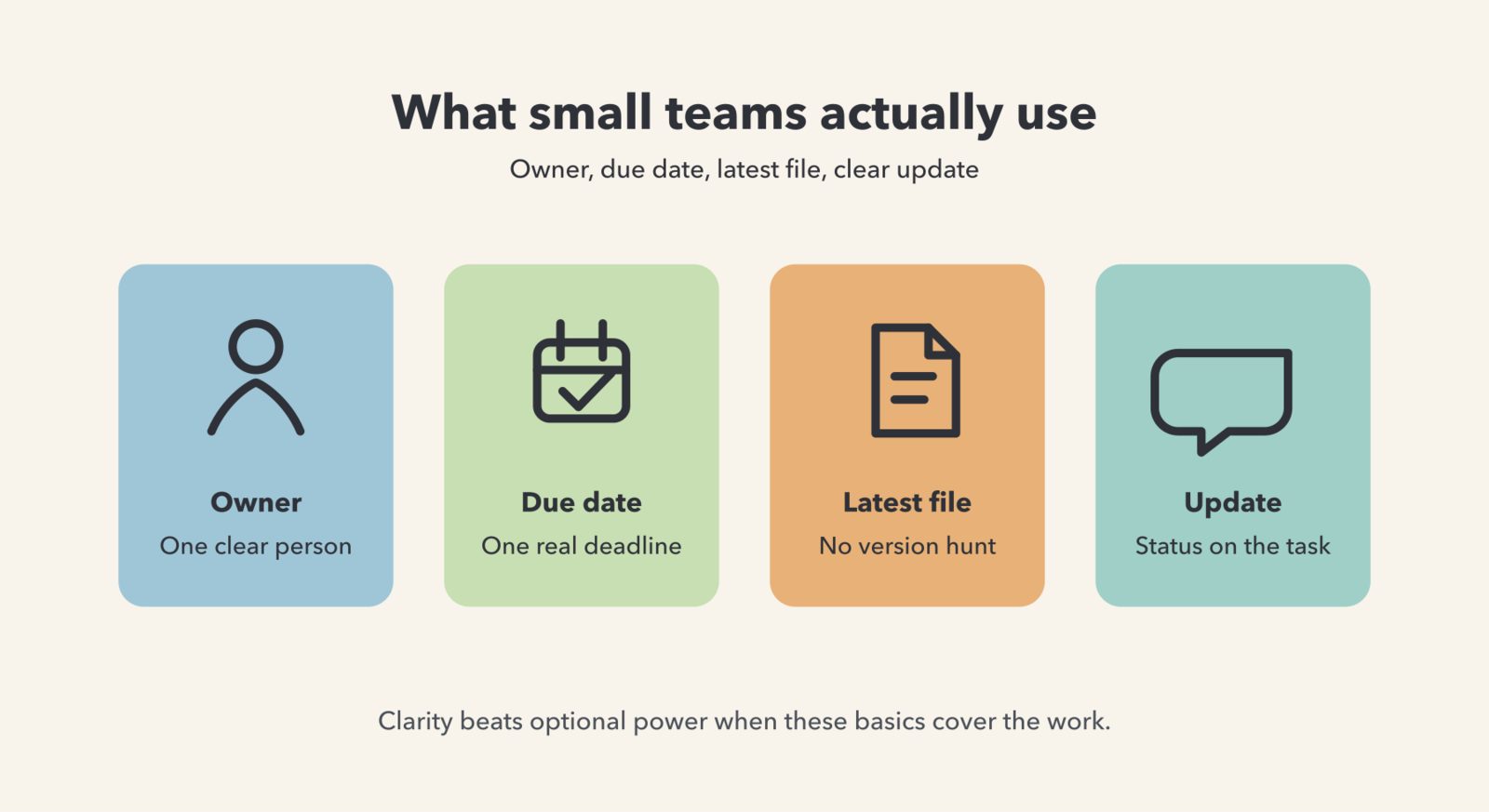
Most small teams do not need a work operating system. They need a clear board. The minimum useful setup is usually one board, one owner per task, one due date, comments on the task, the latest file attached, and a short checklist for repeatable work.
That is why simpler tools stick. They reduce the number of decisions required to keep the board current. Breeze fits naturally here because it focuses on the pieces people actually use every day: tasks, comments, files, dates, checklists, and a visual workflow that is easy to scan.
Take a content workflow as an example. A small marketing team often only needs lists like Ideas, Drafting, Review, Scheduled, and Published. Each card needs an owner, a due date, the latest draft, and one clear next step. If rework is a problem, add a simple done checklist so final steps stop slipping.
Simple tools are easier to keep honest. That means fewer views, fewer fields, and fewer choices, not more.
If you want another signal that the tool has outgrown the workflow, check these complexity signs. They usually show up before anyone says the software is the problem out loud.
5. Comparison table: how does Monday.com compare with a simpler workflow?
Monday.com wins when complexity is real. A simpler workflow wins when the team needs speed, visibility, and adoption more than optional power.
| Option | Best when | Overkill when | What you are really paying for |
|---|---|---|---|
| Monday.com | You need automations, dashboards, reporting across boards, multiple views, and tighter control | The team mostly updates status, owners, due dates, and files on one board | Flexibility, governance, reporting depth, and expansion room |
| Breeze | You want a lightweight board that people actually keep updated | You need enterprise governance, deep customization, or advanced cross-team reporting | Clarity, speed, low setup friction, and easier adoption |
| Spreadsheet + chat | The workflow is tiny, short-lived, and mostly solo | You need comments, files, accountability, handoffs, or durable status history | Low direct cost, but high manual follow-up |
Table takeaway: if your team mainly needs a shared source of truth for active work, monday.com is often more platform than you need, while Breeze covers the practical daily workflow with less drag.
6. Decision test: how do you know if you should simplify now?
You should simplify now if the current tool creates more upkeep than clarity. The fastest way to know is a two-week workflow pilot that measures whether a simpler board makes updates faster and status easier to find.
Run the test on one real workflow, not a fake demo. Pick something noisy, such as campaign production, onboarding, client requests, or recurring operations work. Move only active work, and make the pilot board the place where updates actually happen.
Use a short scorecard during the pilot:
- Update speed: can someone change status and leave context in under a minute?
- Adoption: are people actually opening and updating the board without being chased?
- Status questions: do "any update?" pings go down?
- Handoff quality: does the next owner know what to do without a separate meeting?
If the simpler board wins on those basics, that matters more than a longer feature list. If adoption drops after week one, that is usually the normal week-one drop-off pattern where the old habits stay in chat and the tool stays optional.
The winning question is simple: which setup keeps reality visible with the least effort?
Common questions about Monday.com vs simplicity
- Is Monday.com too complicated for small teams?
- Monday.com can be too complicated for small teams when they only need a shared board for owners, due dates, files, and comments. It becomes worth it when the team really uses automations, reporting, dashboards, and cross-team visibility.
- Why does Monday.com feel expensive for simple project tracking?
- It feels expensive because the real cost is not only the seat price. Small teams also pay in setup time, training, maintenance, and duplicate updates.
- What features do small teams actually need in a project management tool?
- Most small teams need one owner per task, due dates, comments, files, checklists, and a clear visual workflow. Everything else should earn its place.
- Should I switch from Monday.com to a simpler tool?
- Switch if monday.com adds more upkeep than clarity and your team still asks for status in chat. A two-week pilot with one workflow is usually enough to tell.
- Can I use Monday.com without all the advanced features?
- Yes, but that is exactly the value question. If you mostly use monday.com like a basic board, ask whether a simpler tool would give you the same visibility with less friction.
Next steps
Monday.com is a strong tool for teams that need its depth. But if your team mainly needs clear ownership, visible deadlines, and updates attached to the work, you are probably paying for power you do not use.
Practical next step: pick one noisy workflow and run it for two weeks in a simpler board. If you want a low-friction way to test that idea, try the pilot in Breeze and compare the result to your current setup.