Why choose Breeze
 Marketing
 Creative
 Sales
Sales Remote work
 Managers
 Product teams
 Project management
 Task management
 Kanban tool
 Time tracking
 Project reporting
 Project calendars
 Project timeline
 Team workload
 Project automation
 Project customization
 Chat
Chat Web forms
 Project roadmap
 AI
AI What's new
 Articles & guides
 Help center
 Mobile apps
 Integrations
 Developers & API
 Free tools
How do you test a product idea before you build it?

Contents
- What kind of prototype should you make first?
- What's the difference between an MVP and a prototype?
- How do you get honest feedback without getting defensive?
- How do you recruit the right testers?
- How do you run a test session that produces useful feedback?
- How do you run a simple test in one week?
- How do you decide if the results are good enough to build?
- How do you turn feedback into an actual build plan?
- Questions and answers
You should test your idea before you build it because building is the expensive part. A prototype is the dress rehearsal. It is better to find the holes in the script now than on opening night.
This is the prototyping and early testing slice of the product development process. You run it after definition, and you will usually loop between prototype, design tweaks, and another test before you build the full thing. Breeze helps because you can treat your prototype as a small board with tasks, feedback, and decisions all in one place. If you're comparing product management software, this workflow shows what you actually need day to day.
Even one afternoon of testing can save weeks of building the wrong thing.
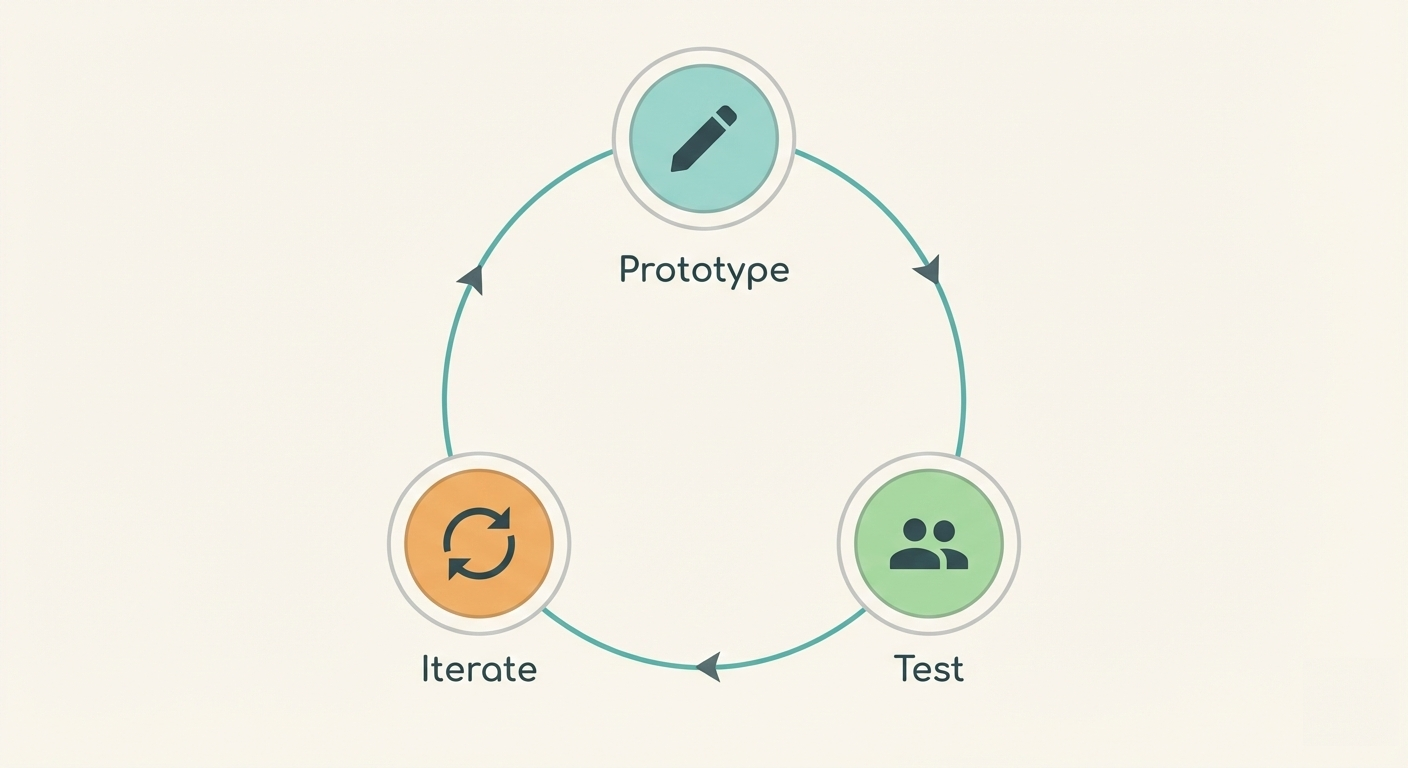
When you are still deciding what to test, idea validation helps you narrow the problem first, and the development stages show where prototypes and testing fit into the bigger picture.
Key takeaways
- Pick the smallest prototype that answers one real question.
- Focus on behavior: can people complete the task without help?
- Write down what you are trying to learn before you test.
- Keep feedback in one place so patterns and decisions stay tied to the work.
1. What kind of prototype should you make first?
Make the simplest prototype that still feels believable to your target user. For many ideas, that is a sketch or a clickable mockup. For services and internal tools, it might be a manual process you run for a week.
If you have ever heard "fake it till you make it," the Wizard of Oz idea is the clean version: the system looks real to the user, but you are doing parts of it manually so you can learn faster.
Common prototype types and when to use them:
| Prototype type | What it is | Best for | Trade-off |
|---|---|---|---|
| Sketch or paper flow | Hand-drawn screens or steps. | Early flow clarity | Harder to test realistic timing. |
| Clickable mockup | Figma style prototype that looks real. | Usability and comprehension | Can hide technical complexity. |
| Landing page test | A page that explains the idea and collects interest. | Demand and messaging | Does not prove people can use it. |
| Concierge test | You deliver the outcome manually. | Service ideas, B2B workflows | Not scalable, but very honest. |
In Breeze, create a list called Prototype and keep tasks tiny: one card for the mockup, one for recruiting testers, one for writing the test script, one for synthesizing results. If it does not fit on a small board, it is probably too big for a first test.
Keeping it small is not only about speed. It also prevents scope creep, because you are forced to decide what you are testing right now instead of trying to build a full product in disguise.
2. What's the difference between an MVP and a prototype?
A prototype is for learning. An MVP is for learning too, but it is closer to something you could actually ship. The MVP has the minimum set of features needed to deliver a real outcome, while a prototype can be incomplete as long as it answers the question.
Eric Ries describes an MVP as the fastest way to start learning from real use. The useful part is not the acronym. It is the idea that learning should be the first deliverable. If your MVP is turning into a full product, you probably skipped definition or your learning goals are not clear.
Add a checklist item that says "what are we trying to learn?" on the prototype card in Breeze. If the team cannot answer that in one sentence, pause and rewrite it.
3. How do you get honest feedback without getting defensive?
You get honest feedback by asking people to do tasks, not to rate your idea. Then you stay quiet and watch. When someone gets stuck, do not explain. Ask what they expected to happen. That is the real insight.
If you are worried five tests is not enough, it usually is. The usability argument for five user testing is simple: you will find the big problems fast, and you can iterate instead of waiting for a perfect study.
A simple script is to start with "Show me how you would do X today," then ask them to try the prototype, and follow up with questions like what felt confusing or slower than expected and what they would change first. Keep it task-based and resist the urge to sell. If they need you to explain it, that is feedback.
In Breeze, make one card per tester and paste notes as bullets with timestamps. Tag the note with labels like 'confusing', 'missing', and 'delight'. When you filter by label, patterns jump out without you overthinking it.
4. How do you recruit the right testers?
You recruit the right testers by finding people who actually have the problem you are trying to solve. Friends and coworkers can help you practice your script, but they are rarely good evidence unless they match your target user.
A practical way to do this is to write one sentence describing the target user and the situation they are in, then recruit five people who match that description. Offer a small thank you and make the time commitment clear. Before you schedule, use one screening question that confirms they have the pain, so you do not waste sessions on people who are simply curious.
If recruiting is hard, lower the friction. Make the session shorter, offer a clear thank you, and schedule quickly. Even a simple gift card or donation can help, but clarity is usually the bigger lever: "20 minutes, one task, you will see a rough prototype" gets better responses than "Can I pick your brain?"
In Breeze, create one card per tester and add their context in the card description: role, current tools, and what they said the pain is. This is also where you track scheduling and follow-ups, so you are not juggling a spreadsheet and a calendar note.
5. How do you run a test session that produces useful feedback?
You run a useful test session by watching someone try to complete a task, then asking what they expected to happen. The goal is to learn where your model of the world does not match theirs. Opinions are secondary. Behavior is the signal.
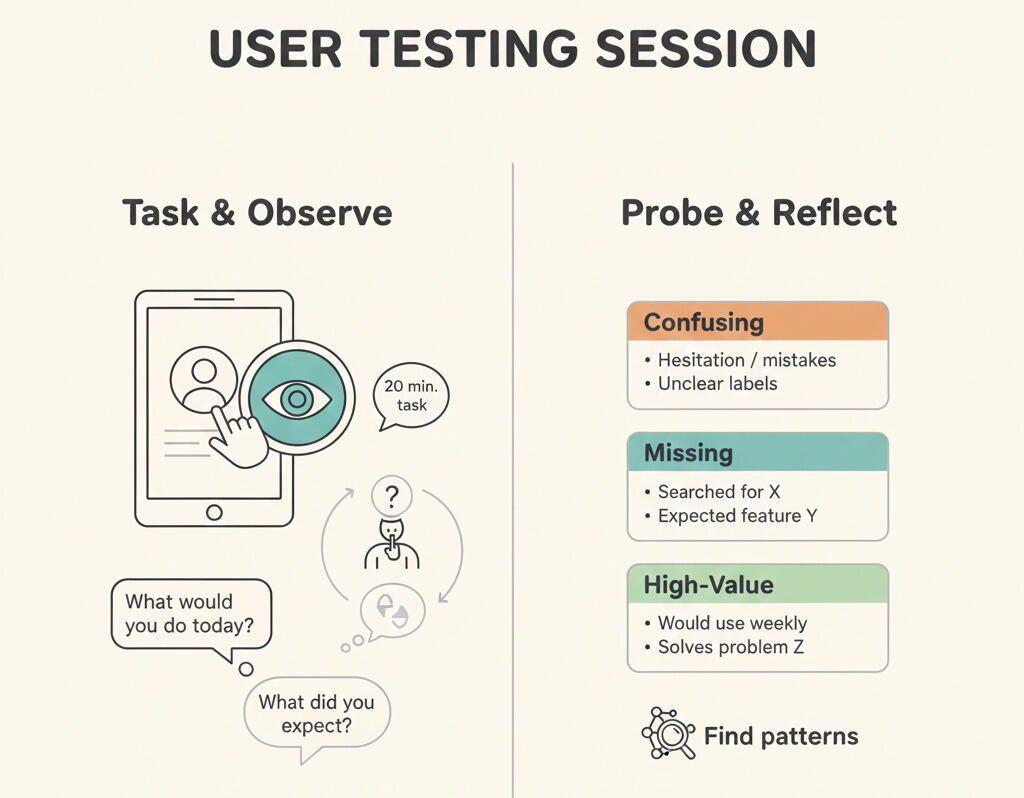
A good 20 minute session is simple. Warm up by asking how they do the task today. Give a scenario and watch them try it with the prototype. Probe where they hesitate or get confused. Wrap by asking what would make them use it again next week. That last question is a quiet way to measure value without turning the session into a survey.
Keep notes as short bullets on the tester's Breeze card. Tag the bullet with labels like "confusing" and "missing" so you can group patterns later. If you are tempted to explain the product mid-session, pause and write down the urge. That urge is usually a sign your design is not clear yet.
6. How do you run a simple test in one week?
You run a one week test by narrowing to one question and one user type. Then you recruit a small set of testers, run short sessions, and synthesize the results immediately. The speed matters because you want to adjust the prototype while it is fresh.
A realistic one week plan is to spend day 1 writing the question and building the smallest prototype, day 2 recruiting five testers and scheduling sessions, days 3 and 4 running sessions and capturing notes, and day 5 grouping feedback into themes and deciding what you will change next. You can track that whole week with a handful of Breeze cards and due dates.
If you want the week to feel less chaotic, treat the end of the week like a milestone: a decision and a short next step. Thinking in terms of project milestones keeps the test moving without turning it into a long research project.
Breeze makes this easy to manage because it is just a short list of cards with due dates. Each tester card can hold notes, recordings, and follow-up questions. When the week ends, you still have a clean record of what happened.
7. How do you decide if the results are good enough to build?
You decide by comparing results to your success criteria, not to your excitement level. If people can complete the key task, understand the value quickly, and would be disappointed if it went away, you have something. If they are confused, indifferent, or need you to sell them, you still have work to do.
A simple decision rule is to build when you see clear task success and repeated "I need this" reactions, iterate when confusion is clustered in one area you can fix, and drop the idea when the pain is not strong or the solution is not preferred. The point is to make the decision based on what you observed, not on your excitement level.
In Breeze, capture the decision on the main prototype card, then create follow-up cards for the next iteration or for build planning. That way the why stays attached to the work, not buried in a meeting note.
Showing outcomes early is easier when you can share progress without forcing people into your tools. When you move toward a real release plan, launch planning and launch updates keep the communication tied to the work.
8. How do you turn feedback into an actual build plan?
You turn feedback into a build plan by grouping what you learned into themes and turning the most repeated themes into tasks. A good prototype test does not only tell you what is wrong. It tells you what to do next.
A simple synthesis flow is to pull notes from all tester cards into a short set of themes, write one sentence for each theme explaining what is broken and why it matters, create one task card per fix and link it back to the tester cards, then pick one success metric for the next iteration and test again. This keeps learning connected to work, not stuck in a document.
The table below is a useful cheat sheet for turning common feedback into concrete work. It helps you avoid vague tasks like "improve UX" and instead create cards that are actually testable.
| Feedback you hear | What it usually means | Best next action | Breeze move |
|---|---|---|---|
| "I do not get it." | The value or next step is unclear. | Rewrite the first screen and simplify the flow. | Create a copy task and link to tester cards. |
| "Where would I click?" | Affordances and hierarchy are weak. | Improve visual cues and button placement. | Add a design fix card with screenshots attached. |
| "This feels like work." | Too many steps or too much data entry. | Remove a step or auto-fill the default. | Add a flow-simplify card and tag it "friction". |
| "I would not trust this." | Missing proof, permissions, or clarity. | Add explanations, confirmations, or audit signals. | Create a trust-improvement card and assign an owner. |
| "I would use it, but not now." | Timing or trigger is wrong. | Reframe the use case or change onboarding. | Add a positioning card linked to notes. |
| "I already do this." | Your advantage is not strong enough. | Clarify what is faster, simpler, or cheaper. | Create a differentiation card and attach competitor notes. |
In Breeze, this is where your board shifts from "testing" to "building." Keep the original tester cards for context, then create build cards that reference them. When someone asks why a change was made, you can point to a real quote and a real moment, not a vague feeling.
Once you have the themes and tasks, you can turn them into a lightweight plan. A simple project plan works well alongside the board when you need to clarify scope, owners, and timing in one place. And if you prefer to think in deliverables, an action plan keeps the next two weeks focused on what you will actually ship.
Questions and answers
- Do I need a no-code tool to prototype?
- No. You can start with sketches or a clickable mockup. No-code tools help when the test needs realistic interaction, but the simplest prototype is usually enough for the first round.
- How many testers should I recruit?
- Start with five. You will learn more from five sessions you actually run than from fifty signups you never talk to.
- What if people are too nice?
- Ask them to do a task and watch where they struggle. Behavior is harder to fake than opinions.
- Should I test with friends?
- Only if they match your target user and will be honest. Otherwise, use friends to test the test, then find real users for the real sessions.
- How do I keep feedback organized?
- Put it in one place, label it consistently, and tie it to the version being tested. A simple Breeze board with one card per tester is usually enough.