
 Why choose Breeze
 Marketing
 Creative
 Sales
Sales Remote work
 Managers
 Product teams
 Project management
 Task management
 Kanban tool
 Time tracking
 Project reporting
 Project calendars
 Project timeline
 Team workload
 Project automation
 Project customization
 Chat
Chat Web forms
 Project roadmap
 AI
AI What's new
 Articles & guides
 Help center
 Mobile apps
 Integrations
 Developers & API
 Free tools
Best project management software for creative studios and agencies in 2026

This guide is for creative studios, design agencies, and brand shops - teams that bill clients for the work, run multi-round approval cycles, and juggle several engagements at once. If you're an in-house marketing team running campaigns for one brand instead, our marketing project management software guide is the better fit. If you're a product or UX design team that lives in Figma, the section on managing design work itself below is the part that applies to you.
Studio and agency PM has its own shape: project profitability per client, billable vs. non-billable time, retainer burn-down, scope-creep tracking, and clients who need their own login to see status without seeing everything. Generic PM tools cover the surface; the difference between "okay" and "actually useful" shows up in the agency-specific corners.
Disclosure: Breeze publishes this comparison and is one of the tools listed below. We work well for small studios but we're not an agency-management platform - if you need a dedicated client portal, deep proofing, or full billable/retainer accounting, we'll point to Teamwork, Function Point, Streamtime, or Adobe Workfront where they fit better. Bias acknowledged.
How we chose these tools
We weighted candidates on the things that actually matter for client-billable creative work, not generic PM features:
- Multi-client management - clean separation between client engagements, with per-client time tracking, asset libraries, and approval flows.
- Time tracking tied to billable rates - the difference between "we tracked hours" and "we know what each engagement is earning."
- Client-facing access - portals or guest accounts where clients see status and approve work without seeing your other clients' projects.
- Review and proofing depth - round-by-round feedback on creative assets, with named revisions (R1, R2, R3) and clear sign-off - or honest acknowledgment when a candidate doesn't replace dedicated proofing tools (Filestage, Ziflow, Frame.io).
Quick answer: best PM software for creative studios and agencies in 2026
- Best for small studios under 10 people: Breeze
- Best for client-service agencies with portals: Teamwork.com
- Best for larger creative ops with proofing: Wrike (for Marketers/Creative tier)
- Best for studios that already standardize on customization: ClickUp
- Best for briefs, mood boards, and creative docs: Notion
| Tool | Best for |
|---|---|
| Breeze | small studios under 10 people |
| Teamwork.com | client-service agencies with portals |
| Wrike | larger creative ops with proofing |
| ClickUp | studios that already standardize on customization |
| Notion | briefs, mood boards, and creative docs |
What to look for if you're a studio or agency
The shopping criteria for studio/agency PM differ from generic team PM in specific ways. The list below is what we'd evaluate against, weighted in order of how often they decide the answer:
- Time tracking with billable rates: Hours per task, per client, per role - with billable vs. non-billable splits. If your tool can't tell you which client is profitable, you're flying blind.
- Client portals or guest access: A way for clients to see their work, comment, and approve without seeing your other clients. Email-only approval works for tiny studios; it doesn't scale.
- Multi-round revision tracking: Named rounds (R1, R2, R3) with clear status, not generic "comments." When clients ask "what changed in R3?", the tool should answer.
- Capacity and workload across roles: Creative directors, senior designers, juniors, copywriters, account managers all have different rates and availability. Your tool should make over-allocation visible.
- Integration with creative software: Adobe Creative Cloud, Figma, Sketch, Frame.io, Filestage, Slack - the tool should sit alongside your creative stack, not replace it.
- Brief and mood-board workflow: Or clean integration with the doc tool you use for briefs. Briefs that live as PDF attachments tend to get lost.
List of project management software for creative teams
Below are the best project management software options for creative teams that need to manage campaigns, assets, review cycles, and delivery deadlines:
Breeze
- Pricing: Simple pricing at $9 per user per month with all features included; save 10% with yearly billing
- Rating: 4.4/5 on Capterra
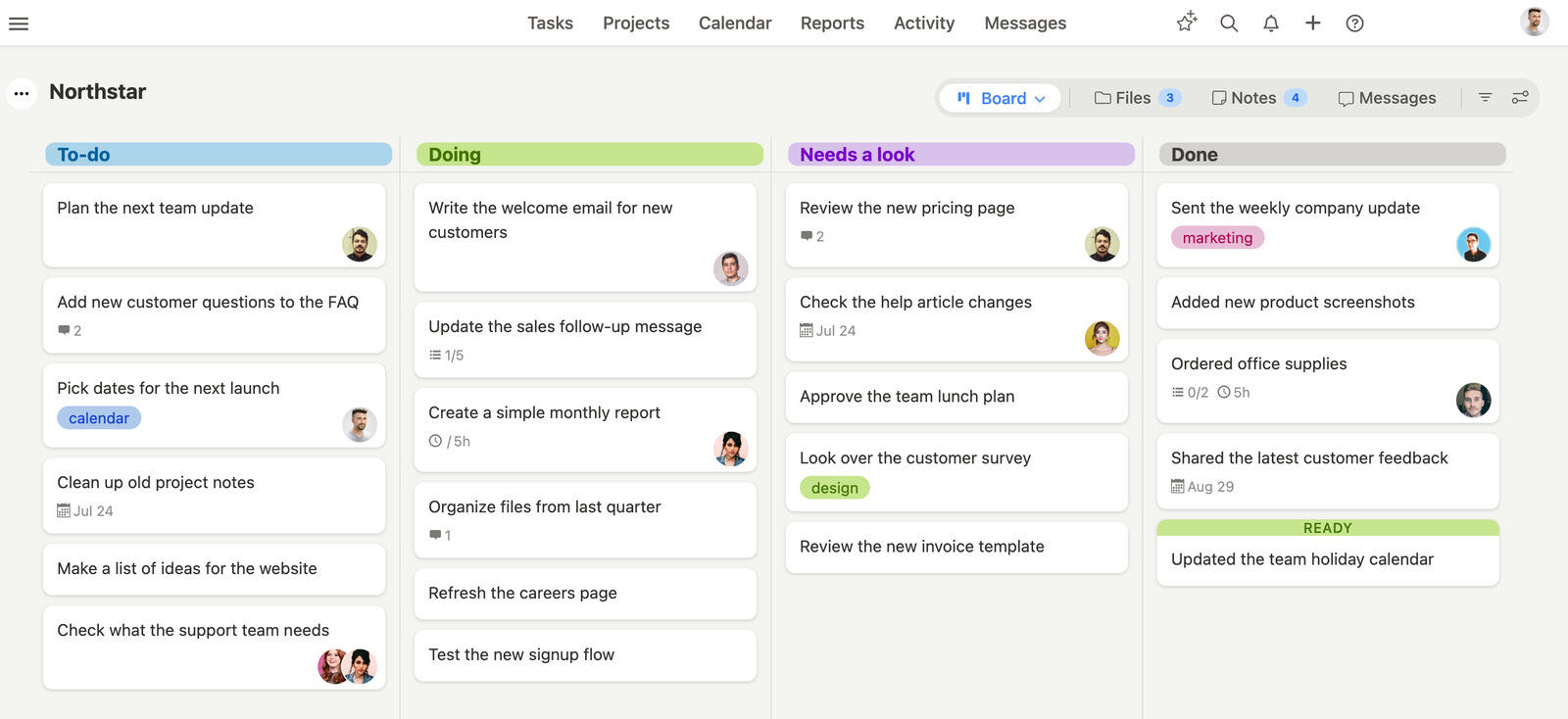
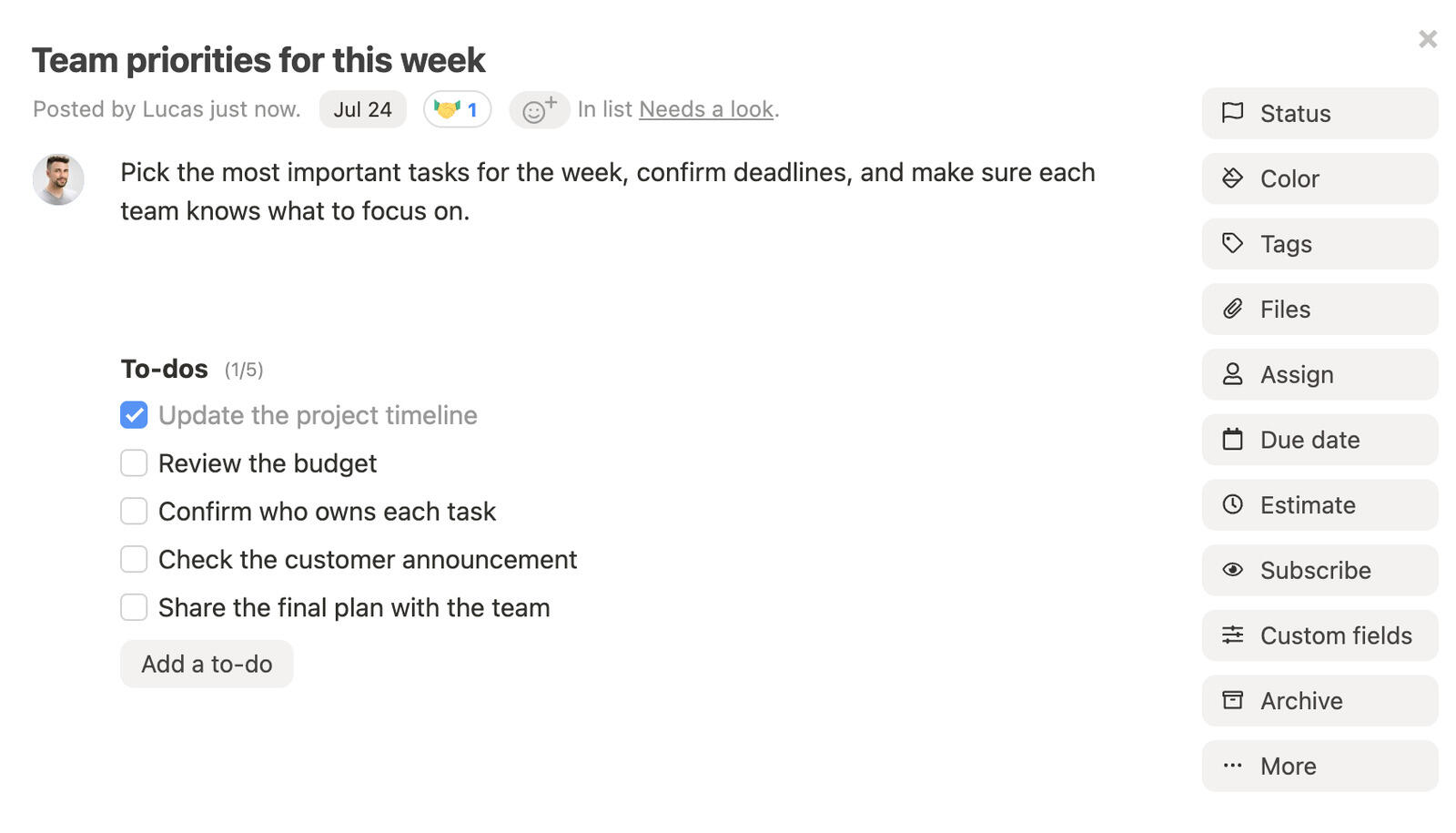
Breeze fits small studios (1–15 people) that want time tracking, client visibility, and project status in one tool without the agency-software learning curve. Built-in time tracking with hourly rates means you can see profitability per client engagement; task boards keep designers, copywriters, and account managers aligned without the dashboard sprawl that bigger tools accumulate.
Where Breeze fits a studio or agency:
- Native time tracking: Hours per task tied to billable rates, with reporting on which engagements are earning vs. losing.
- Per-project guest access: Clients can see their projects without seeing other clients' work.
- Workload visibility: See who's overloaded across creative directors, designers, and account managers before deadlines slip.
- Status reporting: Project status reports for client updates without manual rollup work.
- Predictable pricing: $10 per user per month, all features included - no creative-tier upsell.
Where Breeze isn't the right fit: studios above ~15 people that want a polished client portal, agencies running formal proofing rounds (use Filestage or Ziflow alongside), or creative ops teams that need full retainer accounting (Function Point, Streamtime, or Workfront fit better).
What users say about Breeze:
“It simplifies task management and project organization. It is easy to use and comprehend for everyone, making it ideal for monitoring tasks, team progress, and project status.“
Source: Capterra
Notion

- Pricing: Free for personal use, with team plans starting at $10 per user per month
- Rating: 4.7/5 on Capterra
Notion is best in this list for the briefs side of studio work, not the project tracking side. Mood boards, creative briefs, brand guidelines docs, presentation outlines, retros - this is where Notion is genuinely better than any PM tool here. The database side can also handle simple project tracking, but at any agency past about eight people, the seams show: no native time tracking with billable rates, no real workload view, no client portal that doesn't expose other clients.
Where Notion fits a studio or agency:
- Brief and mood-board workflow: Templates for creative briefs that designers actually want to read.
- Brand guideline docs: Per-client style guides that update in place rather than living as PDF v17.
- Internal wiki: Onboarding, process docs, and post-mortem retros for studio operations.
- Light task tracking: Workable for solo or two-to-three-person studios; outgrown faster than expected past that.
Where Notion isn't the right fit: any studio that needs billable-hour tracking, client portals, or capacity management. Pair Notion (briefs/docs) with a real PM tool for those needs.
If you want to compare similar tools, we also have a list of Notion alternatives.
What users say about Notion:
“I highly recommend Notion and do recommend Notion to colleagues. It's one software I see people adopt the easiest on a recommendation. I use it for daily for organizing my work load, client notes where appropriate, and action points. I use it for managing responsibilities at home too.”
Source: Capterra
Monday.com

- Pricing: Starting at $9 per user per month
- Rating: 4.6/5 on Capterra
Monday.com works for studios that already lean visual and want colorful boards as the primary way to see work. The "Best for creatives" templates are good starting points, and the recently-renamed monday work management tier covers most studio basics. The catch is the agency math: minimum 3 users, then 5, then 10, with creative-relevant features (time tracking, Gantt) on the Pro tier and above. For a studio of seven people, it can get expensive fast.
Where Monday.com fits a studio or agency:
- Visual board feel: Studios that already think in boards (designers especially) take to it quickly.
- Workflow automation: Useful for handoffs between account, design, and review - up to monthly run caps.
- Client guest access: Per-board guest seats, but cost depends on tier and team size.
- Time tracking and Gantt: Available, but locked to Pro tier and above.
Where Monday.com isn't the right fit: small studios on a budget, or studios that need full retainer accounting. The pricing tier jumps and feature gating do most of the alienation; the product itself is fine.
If you want to compare similar tools, we also have a list of Monday.com alternatives.
What users say about Monday.com:
“The platform is intuitive and easy to navigate, making project management and team collaboration feel streamlined and organized. I appreciate the customization options and the flexibility to tailor workflows, though there’s a bit of a learning curve with the more advanced features. Overall, monday.com has helped improve productivity, keep tasks transparent, and ensure that everyone stays on the same page.”
Source: Capterra
Wrike

- Pricing: Free for up to 5 users, with paid plans starting at $10 per user per month
- Rating: 4.3/5 on Capterra
Wrike is one of the few mainstream tools with a dedicated creative tier (Wrike for Marketers/Creative), and it earns the spot for medium-to-large agencies (~25+ creative seats). It includes built-in proofing on creative assets, custom request forms for project intake, and resource management designed for studios with many parallel client engagements. The price reflects all that - this is not a cheap tool - but for studios that have outgrown lighter PM tools, it's the most direct upgrade on this list.
Where Wrike fits a studio or agency:
- Built-in proofing: Round-by-round creative review on the same platform, not bolted on.
- Resource management: Capacity views across creative roles with utilization reporting.
- Custom intake forms: Brief and request workflows that route to the right team automatically.
- Scalability: Holds up at 50+ users where ClickUp and Asana start showing performance lag.
Where Wrike isn't the right fit: small studios under 10 people, where the admin overhead doesn't pay back. The setup work that makes Wrike powerful at scale is overkill for a 5-person agency.
If you want to compare similar tools, we also have a list of Wrike alternatives.
What users say about Wrike:
“This software is so simple and yet so effective. It has provided all the tools I need to work more efficiently with projects as well as manage and track them. Other software can be so tricky and complicated to use when it comes to that, but Wrike makes it easy in that regard. The data management is also very user friendly as well. Overall a great project software!”
Source: Capterra
ClickUp

- Pricing: Free for basic use, with premium plans starting at $9 per user per month
- Rating: 4.6/5 on Capterra
ClickUp fits studios that have someone willing to own the configuration. Out of the box, it's not creative-specific; with two or three weeks of setup (custom statuses, views, ClickApps for time tracking and goals), it can be shaped into a serviceable studio PM tool. The flexibility is the appeal and the warning: studios without an admin to maintain it will accumulate configuration debt.
Where ClickUp fits a studio or agency:
- Custom statuses per project type: Different workflows for branding work vs. campaign work vs. retainer work.
- Time tracking ClickApp: Built in, with billable rate support; turn it on per workspace.
- Multiple views per list: Same project, viewed as board for designers and Gantt for account managers.
- Forms for client intake: Brief intake routed to the right team list.
Where ClickUp isn't the right fit: studios that want a tool that works well on day one without configuration. The maintenance burden is real and grows with feature adoption.
If you want to compare similar tools, we also have a list of ClickUp alternatives.
What users say about ClickUp:
“What I liked about ClickUp is that it is effective in task management due to collaboration tools such as file attachments, and document sharing. These tools helped my team to stay coordinated and manage tasks collectively, improving our overall efficiency”
Source: Capterra
Trello

- Pricing: Free for basic use, with paid plans starting at $5 per user per month
- Rating: 4.5/5 on Capterra
Trello fits studios of one to four people who think in cards and don't need billable-hour reporting. It's the cheapest option on this list, the easiest to onboard a new client onto, and the hardest to outgrow gracefully. Most studios that use Trello well have it paired with a separate time tracker (Toggl or Harvest) for billing.
Where Trello fits a studio or agency:
- Single-board projects: One board per client engagement, with To do / In progress / Review / Done columns.
- Client guests on a board: Easy to add a client as a board guest for visibility.
- Power-Up flexibility: Time tracking and Gantt available via Power-Ups, but the bill adds up.
- Onboarding speed: A new freelance contractor is productive on day one.
Where Trello isn't the right fit: studios past five people, or any studio that needs cross-board reporting. Trello deliberately doesn't roll up across boards, which is the ceiling most studios hit by year two.
If you want to compare similar tools, we also have a list of Trello alternatives.
What users say about Trello:
“I have used Trello at many workplaces and environments and it has been found to help me be more effective at tracking my personal to-do lists as well as project-based tasks in addition to wider-ranging initiatives. Overall, it helps serve as a second brain in many ways.”
Source: Capterra
Teamwork.com

- Pricing: Starting at €13.99 per user per month
- Rating: 4.4/5 on Capterra
Teamwork is the most agency-shaped general PM tool on this list. It was built specifically for client-service work - client portals, billable hours, retainer tracking, and project profitability are all native, not add-ons. For agencies above 10 people that have outgrown lighter tools, Teamwork is the upgrade path that doesn't require sales calls (unlike Function Point or Workfront). Pricing is per-user, climbs with seats, but matches the value if you're actually running an agency model.
Where Teamwork.com fits a studio or agency:
- Native client portal: Clients log in, see only their work, approve deliverables, and add comments without seeing other clients.
- Retainer and billable tracking: Burn-down per retainer, billable vs. non-billable splits, profitability reports.
- Resource scheduling: Capacity views with creative roles and rate cards.
- Built-in invoicing: Time-to-invoice export without bouncing through accounting software.
Where Teamwork isn't the right fit: studios under 10 people that don't yet need a client portal, or any team that doesn't run a client-billable model (a lighter tool like Breeze or Trello is cheaper and faster).
What users say about Teamwork.com:
“Teamwork has proven to be an indispensable tool in managing my team's projects effectively and efficiently. Its comprehensive set of features, user-friendly interface, and seamless integrations make it a must-have for any team looking to enhance collaboration and streamline its project management process. I wholeheartedly recommend Teamwork to organizations of all sizes looking to optimize their productivity and achieve their goals. “
Source: Capterra
Asana

- Pricing: Free for basic use, premium features start at $10.99 per user per month
- Rating: 4.5/5 on Capterra
Asana fits studios that span creative and non-creative work and want a single tool for both. Native Asana doesn't have built-in proofing or billable-hour rates, so studios that adopt it usually pair it with Filestage or Frame.io for proofing and Harvest or Toggl for time-to-billing. The Asana proof feature exists on Advanced and above but is shallow next to dedicated proofing tools.
Where Asana fits a studio or agency:
- Mixed-team studios: Works well when account, design, and ops all live in one tool.
- Form-based brief intake: Asana Forms route briefs to the right project automatically.
- Workflow rules: Auto-move tasks between phases, with cleaner UX than ClickUp's automations.
- Goals and portfolios: Useful for studios with internal initiatives alongside client work.
Where Asana isn't the right fit: studios that need built-in billable-hour tracking, retainer math, or client portals. You'll be paying Asana plus Harvest plus Filestage to get there - at which point Teamwork is usually cheaper and tighter.
If you want to compare similar tools, we also have a list of Asana alternatives.
What users say about Asana:
“Asana has made my productivity increase greatly. When I share tips and tricks with my team they're amazed at how much more efficient they can be. I don't think I could work without Asana. If my company didn't provide Asana for us, I would still use it.”
Source: Capterra
Basecamp

- Pricing: Flat rate of $299 per month for unlimited users or $15 per user per month
- Rating: 4.3/5 on Capterra
Basecamp's flat-rate $299/month for unlimited users is genuinely useful for agencies above ~25 people, where the per-user math on every other tool here gets painful. Basecamp's "Clientside" feature creates a clean separation between team-only and client-visible content on the same project, which is one of the better client-portal experiences on this list. The trade-off is what Basecamp deliberately doesn't do: no time tracking, no Gantt, no real reporting. You'll need a paired tool for those.
Where Basecamp fits a studio or agency:
- Flat-fee pricing at scale: $299/month for unlimited team members at agencies of 25+.
- Clientside: Per-project switch between team-only and client-visible content.
- Hill Charts: Studios that buy into Basecamp's "Shape Up" methodology like the visual progress framing.
- Auto check-ins: Automated daily/weekly status questions reduce status meetings.
Where Basecamp isn't the right fit: small studios under 10 people (the flat fee is too expensive for the team size), or agencies that need time tracking, billable-hour reporting, or Gantt views (Basecamp doesn't try to compete on those).
If you want to compare similar tools, we also have a list of Basecamp alternatives.
What users say about Basecamp:
“Basecamp has been an excellent tool for keeping track of everything that needs doing. Users can look through their tasks, add comments, and send alerts to the people in charge of the projects.”
Source: Capterra
Airtable

- Pricing: Free for basic use, with advanced features starting at $10 per user per month
- Rating: 4.7/5 on Capterra
Airtable is on this list specifically for studios using it as an asset library or production tracker, not as a project manager. Brand asset libraries (logo variants, color palettes, photography), production schedules across many deliverables, and creative talent rosters are all Airtable strengths. It's not a great task tracker on its own - designers don't want to update database rows - but as the source-of-truth layer underneath a separate PM tool, it earns the spot.
Where Airtable fits a studio or agency:
- Brand asset library: Per-client tables of approved assets, with version history and usage rights metadata.
- Production schedules: Multi-deliverable tracking across photo shoots, video edits, design rounds.
- Creative talent management: Freelancer rosters with rates, skills, and availability.
- Interface views for clients: Custom-built read-only views for client status without exposing the base.
Where Airtable isn't the right fit: as the only tool. It's a layer in the stack, not the whole stack. Pair with a real PM tool for daily work.
If you want to compare similar tools, we also have a list of Airtable alternatives.
What users say about Airtable:
"I appreciate that Airtable allows me to integrate with other tools and apps, such as Zapier, Google Analytics, Slack, and more, to automate my workflow and sync my data. I also like that Airtable enables me to share and collaborate on my projects with my team, stakeholders, and clients. Airtable is a tool that adapts to my workflow, not the other way around."
Source: Capterra
Smartsheet

- Pricing: Starting at €11 per user per month, with advanced plans available for larger teams
- Rating: 4.5/5 on Capterra
Smartsheet is the spreadsheet-led answer for studios where account managers think in rows and columns. It has a Brandfolder integration (same parent company) for asset management, and a Smartsheet for Marketers/Creative tier with proofing, intake forms, and resource management. Pricing and feature gating push it toward larger creative ops teams (50+ users); below that scale, Wrike or Teamwork tend to win the same shopping list.
Where Smartsheet fits a studio or agency:
- Spreadsheet-native UX: Account managers and project managers from finance backgrounds adopt it instantly.
- Brandfolder integration: Native DAM connection for studios already using Brandfolder.
- Resource management: Capacity planning across roles with utilization reporting.
- Proofing on higher tiers: Built-in proofing on Business and above, but Filestage/Ziflow are still deeper.
Where Smartsheet isn't the right fit: small studios, or studios where designers do most of the daily updating - the spreadsheet UX is the wrong mental model for designers.
What users say about Smartsheet:
“I have only been using SmartSheet for about a year and at first I wasn't sure if I'd like it. But after a short period of time I saw the benefits of the tool and use it more often than I thought I would.”
Source: Capterra
Adobe Workfront
- Pricing: Custom pricing, quoted by Adobe
- Rating: 4.1/5 on G2
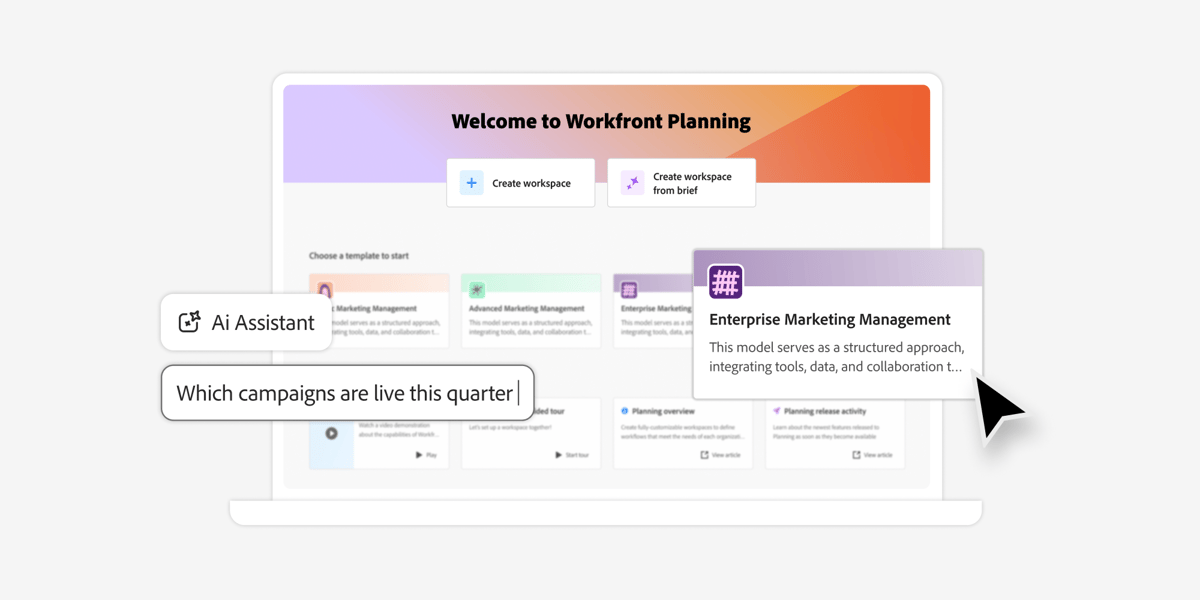
Workfront is the one on this list built for formal review and approval at scale, which is why it shows up in design operations rather than in small studios. If your work already runs through Adobe tools and you have layered sign-off with named approvers, it fits the shape of that process rather than asking you to bend it.
Where Adobe Workfront fits a studio or agency:
- Layered approvals: Built for review flows with several stages and formal sign-off.
- Workload and capacity planning: The design ops case, where resourcing across many concurrent requests is the actual job.
- Request intake at volume: Strong when the queue, not the project, is what needs managing.
- Adobe ecosystem alignment: Useful when creative operations already live in Adobe tools.
Where Workfront isn't the right fit: teams under roughly 50 creative seats. The licensing cost and the administration it needs do not pay back at that scale, and most studios of that size are better served by something lighter on this list.
What reviewers say about Adobe Workfront
Reviewers describe Workfront as the tool that finally gave a large creative operation a single source of truth for requests and approvals, and resourcing visibility is the benefit raised most often. The consistent reservations are the implementation effort, the administration it needs to stay tidy, and a cost that reviewers say only makes sense above a certain team size.
Summarised from G2 and Capterra reviews, read 24 August 2026.
MeisterTask

- Pricing: Free for basic use, premium plans from $13.50 per user per month
- Rating: 4.7/5 on Capterra
MeisterTask earns its place for design work specifically because its board stages can be shaped to a real design process rather than a generic to-do flow. Concept, first round, internal review, client review and amends is a sequence most tools make you approximate; here it is just the columns.
Where MeisterTask fits design work:
- Custom stages: Match the columns to the steps your design process actually has.
- MindMeister integration: Moves ideation into structured tasks without a re-typing step.
- Comments and files on the task: Keeps feedback attached to the work rather than in a thread somewhere else.
- Automations on stage changes: Useful when the same handoff happens on every job.
Where MeisterTask isn't the right fit: teams needing cross-project reporting or a hierarchy deeper than boards and tasks. It is good at one project at a time and thin above that.
What reviewers say about MeisterTask
Reviewers repeatedly call MeisterTask the most pleasant board to actually look at each day, and the custom stages plus MindMeister link are what design teams single out. The reservations cluster on depth: reviewers who need cross-project reporting or a deeper hierarchy than boards and tasks say they outgrew it.
Summarised from G2 and Capterra reviews, read 24 August 2026.
Managing design work itself: revisions, feedback and versions
Everything above is about running a studio. Managing the design work inside it is a narrower problem, and it is where generic project tools most often fail, because the unit of work is not a task that gets completed once. It is an artefact that goes round a loop.
Three things separate a tool that handles design work from one that merely holds it:
- Revisions are versions, not comments: Round three needs to be findable next to rounds one and two. Where a tool only keeps the latest file with a comment thread attached, the history of what changed lives in people's memory.
- Feedback lands on the artefact: Notes attached to the file beat notes attached to the task, which beat notes in chat. Every step away from the artefact adds a translation, and translations are where amends get missed.
- Approval is a state, not an opinion: "Approved" needs to be something the work is, visible to everyone, and not something buried in an email from a client.
The honest position for most studios: a project tool tracks the rounds and the deadlines, and a dedicated review tool handles annotation on the artefact. Expecting one tool to do both is where the disappointment usually comes from. What a project tool should give you is the loop count and the blocking state, so you can see that a deliverable is on round four and waiting on the client rather than merely open.
If you are tracking design work for a single team rather than across clients, the useful test is whether the tool shows you what is waiting on someone outside the team. That, rather than task volume, is what design timelines actually run aground on.
FAQ
- Is creative PM software different from marketing PM software?
- Yes - the audience is different. Marketing PM is built for in-house teams running campaigns for one brand: content calendars, channel reporting, campaign analytics. Creative PM is built for agencies and studios serving multiple clients: billable hours, retainer math, multi-round client approvals, brand asset libraries per client. The same tool can serve both, but the features that matter differ.
- What's the best creative PM tool for small studios under 10 people?
- Breeze is the most direct answer for small studios that want time tracking and client visibility without an agency-software learning curve. Trello is fine if you're mostly visual and don't need billable-hour reporting. Teamwork is better once you're past 10 people and clients want their own login.
- Which tool fits agencies that need client portals, proofing, and billable-hour tracking?
- Teamwork is the strongest agency-specific fit on this list - it's built for client service work and includes a client portal natively. Wrike for Marketers is the next tier up for larger creative ops teams. For deep proofing, pair any of these with a dedicated tool like Filestage or Ziflow.
- Do I need an agency-specific tool, or will a general PM tool work?
- If your studio has under 15 people and clients accept email approvals, a general PM tool with time tracking will cover you. Above that, or once clients want their own login, agency-specific tools (Teamwork, Function Point, Streamtime) earn their place. Adobe Workfront only makes sense above 50 creative seats.
Takeaway
Creative studios and agencies live or die on three things general PM tools don't always handle well: profitability per client engagement, multi-round client approvals, and capacity across creative roles. Pick a tool that handles those natively, or accept that you'll be running it alongside a separate time tracker, proofing tool, and asset manager.
The honest sort: under 10 people, Breeze or Trello cover you. Around 10–25 people with clients who want a portal, Teamwork is the upgrade. Above that, Wrike for Marketers is the most direct creative-ops fit; Smartsheet for spreadsheet-led shops; Workfront for enterprise. Notion and Airtable belong as supporting layers (briefs and asset management), not as the primary PM tool.
If you're an in-house marketing team rather than an agency, our marketing project management software guide is the better fit. For pure design-ops teams that live in Figma, the revisions and review section covers the narrower problem.




