Why choose Breeze
 Marketing
 Creative
 Sales
Sales Remote work
 Managers
 Product teams
 Project management
 Task management
 Kanban tool
 Time tracking
 Project reporting
 Project calendars
 Project timeline
 Team workload
 Project automation
 Project customization
 Chat
Chat Web forms
 Project roadmap
 AI
AI What's new
 Articles & guides
 Help center
 Mobile apps
 Integrations
 Developers & API
 Free tools
Why we built Timen: simple time tracking for teams

Today we are introducing Timen, our new time tracking tool for teams. We built it because too many teams still have to force a simple workflow through software that adds extra admin, cleanup loops, or a monitoring-heavy feel. Most teams do not need that. They need to track hours, keep entries tied to the right client and project, review the week clearly, and move into reports or invoices without rebuilding the numbers somewhere else. Timen is our answer to that: a dedicated tool for tracking time, reviewing it in a calendar, running clear reports, and creating invoices from the same work.

1. Why we built Timen
We built Timen because this problem kept showing up around real client work. Teams would track time in one place, fix missing entries somewhere else, summarize it in reports later, then still rebuild the final numbers for billing. The workflow was technically possible, but it took too many steps around a job that should be straightforward.
We also kept seeing the same friction in day-to-day use. Starting a timer should take a second. Fixing a missed entry should be easy while the day is still fresh. Reviewing the week should feel visual and clear, not like digging through long lists and spreadsheets. And once the time is correct, the path into reporting and invoicing should be short.
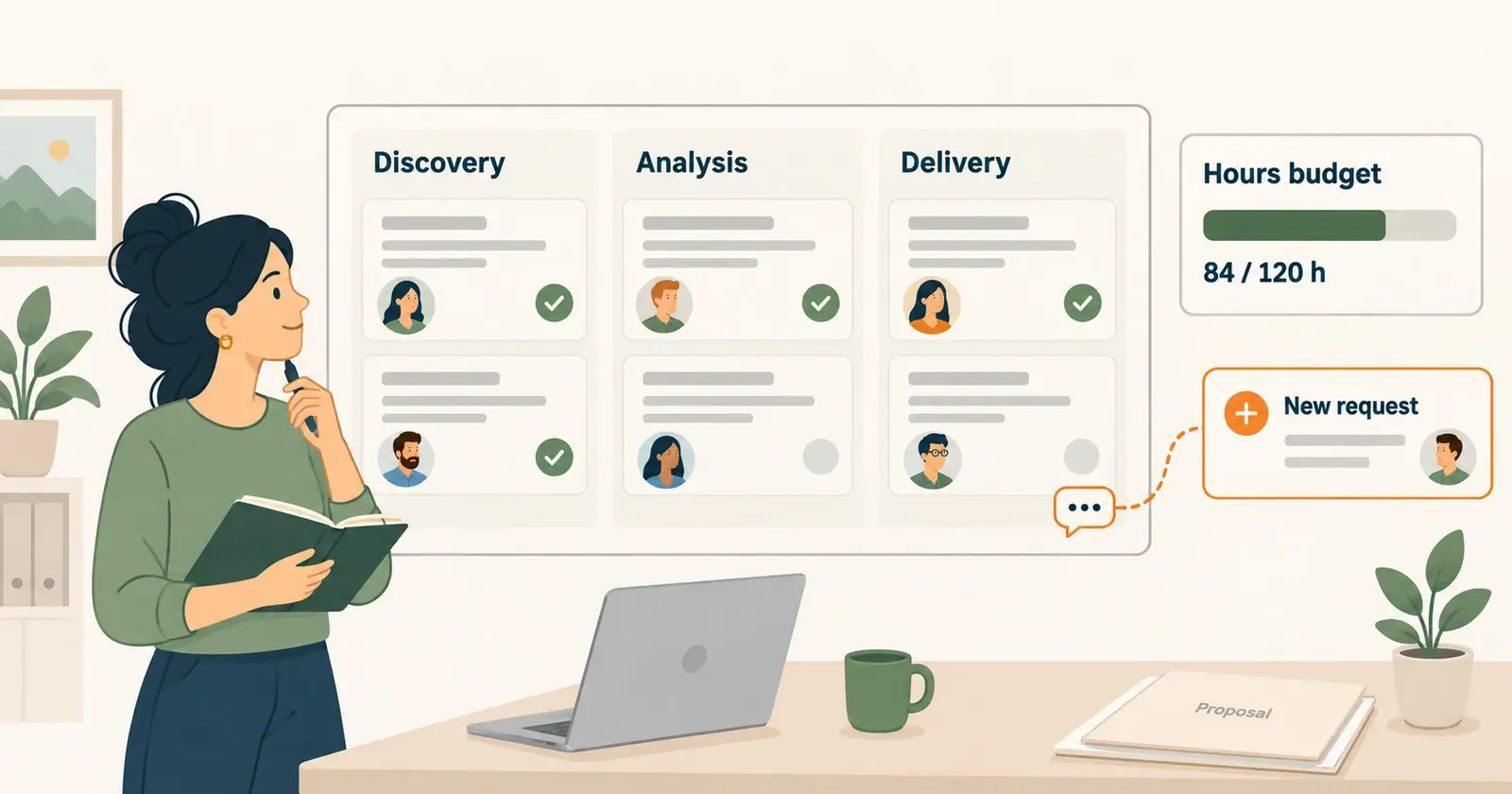
Just as importantly, we did not want to force this into Breeze as if time tracking were only a secondary feature. Breeze is built for planning work, assigning it, and keeping delivery visible. Timen solves a different problem. It is built for teams whose workflow depends on tracking time accurately, reviewing it quickly, and using it later for reports or billing.
That is why Timen became its own product. We wanted a dedicated tool that stays focused on the whole time workflow from start to finish: capture the work, clean it up quickly, trust the numbers, and use them without extra reconstruction later.
2. Who Timen is for
Timen is a good fit for teams that need time tracking to stay practical. That includes small teams, agencies, consultants, freelancers, and client-service businesses that bill by hours or need a reliable record of where team time went. It also fits teams that want internal visibility without building a bigger reporting system around the app.
The product is especially useful when work moves between tracking, review, reporting, and billing on a regular basis. A team might start with the timer during the day, fix gaps later from the calendar, group the results in reports, then create an invoice from the reviewed time. That is the path Timen is built for.
Who it probably is not for
Timen is not built for employee surveillance or monitoring-heavy workflows. It is also not the right tool for companies that want a huge all-in-one system with layers of enterprise governance, payroll controls, or broad operational modules. If your priority is complex workflow governance across many departments, you probably need something else. Timen is for teams that want time tracking, reports, and invoicing to feel clear and usable every day.
3. What teams can do in Timen
Timen is built around one connected workflow instead of a pile of separate features. A team can track time while work is happening, fix gaps later if the day gets messy, review the results in a calendar, then use the same time for reports and invoicing without rebuilding the process at each step.
Track time without friction
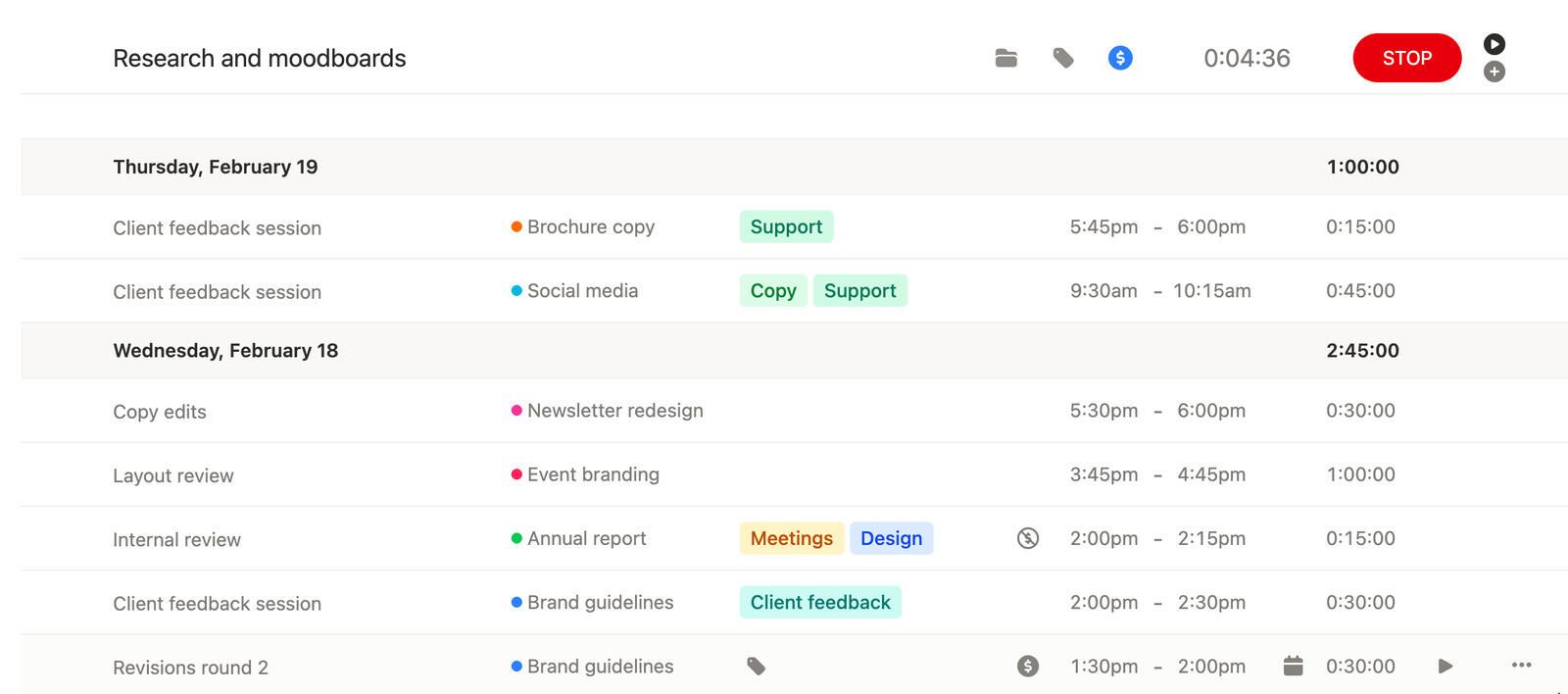
Timen starts with a simple timer that is quick to start and stop. If someone forgets to start it, stops late, or needs to catch up after a meeting-heavy day, manual edits stay close to the same workflow so teams can keep time accurate without extra admin. Entries also stay tied to the right client and project from the start, so time stays useful later instead of turning into anonymous hours that need cleanup before reporting or billing.
Review time in a calendar
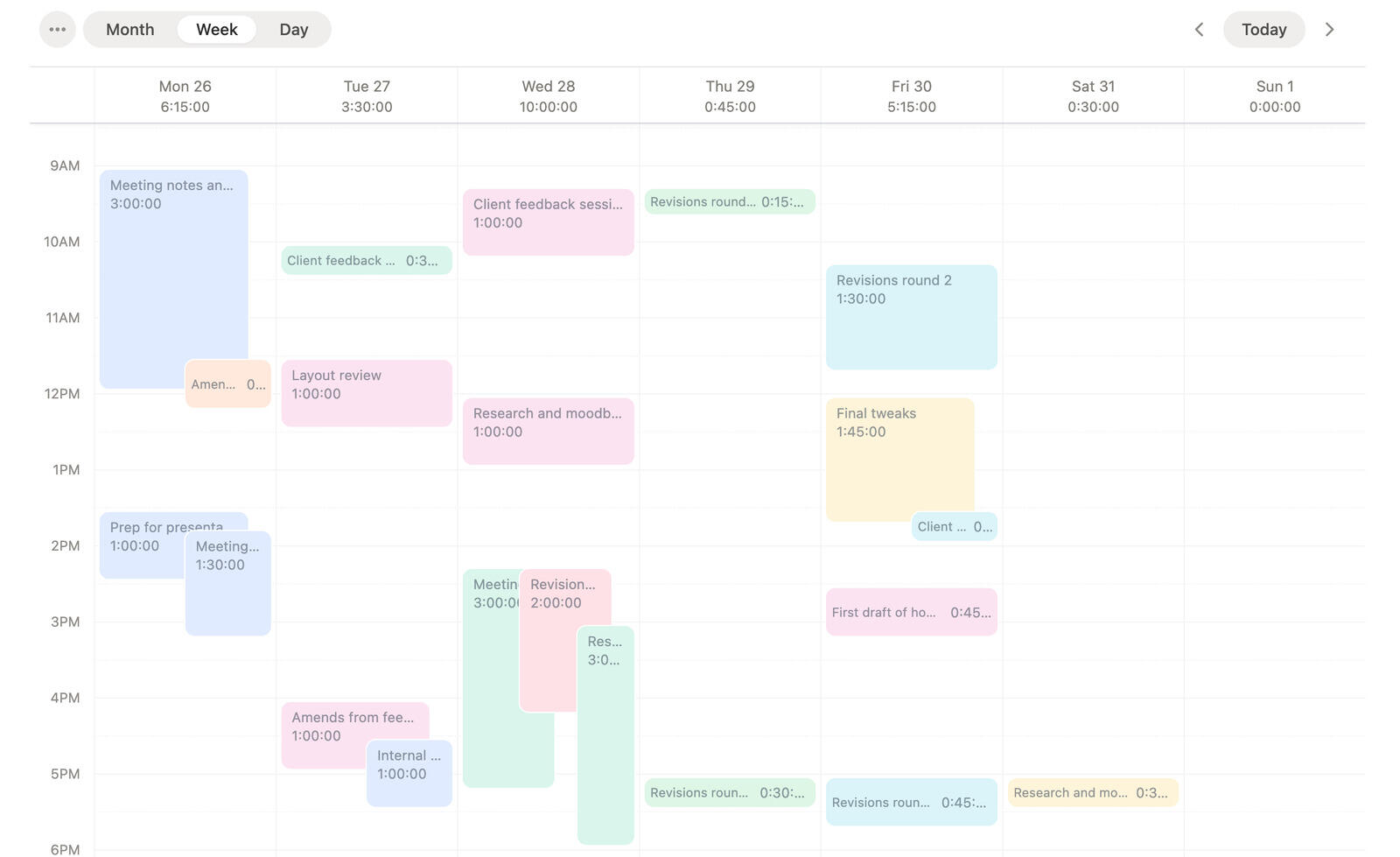
The calendar gives teams one place to create and review entries, then switch between day, week, and month views. That makes it easier to review the week, find missing time, see how the work actually looked, and keep timesheets current while the details are still fresh. Instead of cleaning up a long list later, teams can correct issues directly in the timeline where the context is easier to understand.
Run reports that answer real questions
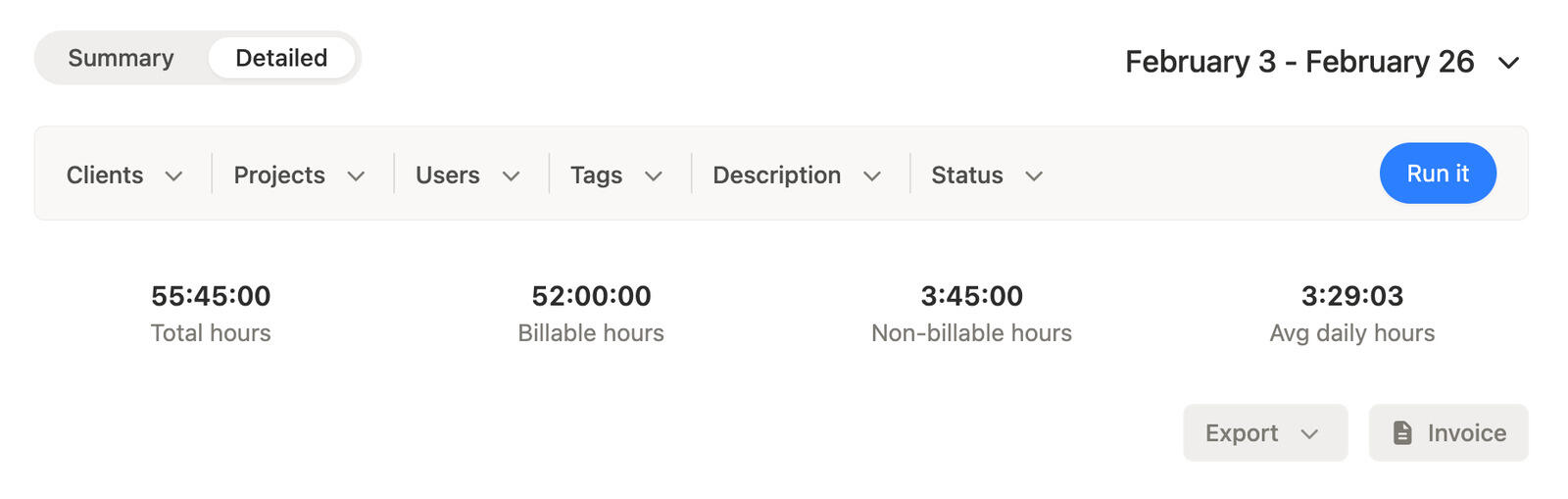
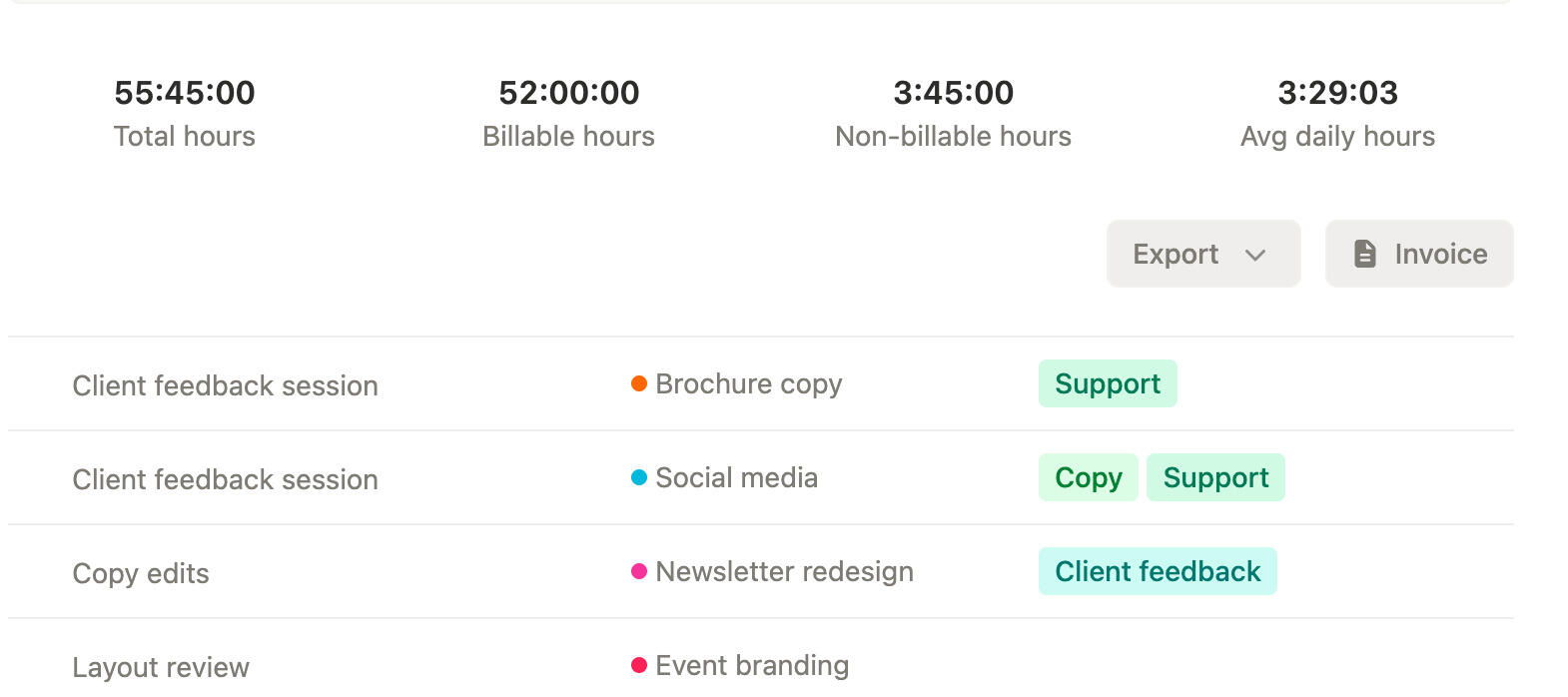
Reports in Timen are built for questions teams ask all the time: where did the hours go, what needs review, and what should be billed. Teams can use summary and detailed reports, filter by date, clients, projects, users, tags, and more, then export to CSV, PDF, and other formats when the numbers need to leave the app. That means they can answer operational and billing questions quickly instead of moving tracked time into another spreadsheet just to get a usable answer.
Create invoices from tracked time
Invoices can start from time the team has already reviewed in reports. That means billing does not require rebuilding the same numbers somewhere else. Timen lets teams create invoices from reports, manage invoice statuses, set currencies and tax rates, add manual line items when needed, and keep invoiced entries marked so the same work is not billed twice, which lowers the risk of charging for the same time twice.
4. What makes Timen different
What makes Timen different is not that it tries to do everything. It is that the product stays focused on one clear idea: the whole time workflow should feel light enough to keep current every day.
That is why the product is intentionally narrower than a giant all-in-one platform. We did not want teams to choose between a fast timer and trustworthy reports, or between a calendar that is easy to review and invoicing that is easy to use. The goal was not feature sprawl. The goal was a connected workflow that stays simple from tracking through billing.
We did not try to build the biggest time tracking platform. We wanted to build one that feels easy to use every day. A time tracking tool is only useful if people keep it current, and people only keep it current when the workflow feels lighter than the alternative.
5. Breeze vs Timen
Breeze and Timen solve adjacent but different problems. Use Breeze when project planning, task tracking, deadlines, ownership, and delivery visibility are the center of your workflow. Use Timen when the core job is tracking time, reviewing it, reporting on it, and billing from it. In other words, Breeze helps teams manage the work. Timen helps them manage the time connected to that work.
Some teams will use one or the other. Some will use both. If you manage projects in Breeze but also need a dedicated place to track billable time, review it in a calendar, and create invoices from it, Timen is the clearer fit for that part of the workflow. If you want the Breeze side of that setup explained in more detail, this guide on how to track projects with project boards is the most relevant starting point.
| Need | Better fit |
|---|---|
| Project planning and task tracking | Breeze |
| Time tracking, reports, and invoicing | Timen |
| Project delivery plus billable time | Breeze + Timen |
Table takeaway: pick Breeze when the center of gravity is delivery, pick Timen when the center of gravity is time and billing, and use both when you need each job handled in a dedicated tool.
Common questions about Timen
- What is Timen?
- Timen is our new time tracking tool for teams that need simple tracking, calendar-based review, clear reports, and invoicing without a lot of extra admin around the process.
- Who is Timen for?
- Timen is a good fit for small teams, agencies, consultants, freelancers, and other client-service businesses that need to track time and turn it into reports or invoices.
- Should I use Breeze or Timen?
- Use Breeze when your main need is project planning and task tracking. Use Timen when your main need is time tracking, reporting, and invoicing. Use both when you need each job handled in a dedicated tool.
- Is Timen meant for employee surveillance?
- No. Timen is designed to help teams keep time clear and useful for review, reporting, and billing, not to create a monitoring-heavy workflow.
What should you do next?
We built Timen as a dedicated time tracking product because too many teams still deal with more admin around time than the job itself should require. The goal was to make the path from tracked hours to reviewed time, clear reports, and invoices much shorter and much easier to trust.
If that sounds like the way your team works, try Timen.