Why choose Breeze
 Marketing
 Creative
 Sales
Sales Remote work
 Managers
 Product teams
 Project management
 Task management
 Kanban tool
 Time tracking
 Project reporting
 Project calendars
 Project timeline
 Team workload
 Project automation
 Project customization
 Chat
Chat Web forms
 Project roadmap
 AI
AI What's new
 Articles & guides
 Help center
 Mobile apps
 Integrations
 Developers & API
 Free tools
How does time management actually drive team productivity?

Time management drives productivity in two very different ways, and most advice only talks about one of them. At the individual level, picking a method like time blocking or pomodoro can claw back an hour or two a day. At the team level, the bigger lever is reducing waste in how the group spends time together - fewer status meetings, clearer task ownership, a shared definition of done, and less context switching between half-finished work. If you're a team lead or small-business owner trying to figure out which time management practice is actually worth adopting, the honest answer is that personal techniques help a little and team-level habits help a lot.

What follows is a practical look at where time management really moves the needle, which popular methods scale to a team and which stay stuck at the desk, and what to fix first if your week feels full but your output doesn't.
What does time management actually change inside a team?
Time management changes two things that affect productivity directly: how often people get into focused work, and how often the team has to stop and re-coordinate. Everything else - the planners, the colour-coded calendars, the productivity apps - is downstream of those two outcomes. If a method increases focus time and reduces re-coordination, it works. If it doesn't, it's mostly decoration.
Most teams overestimate the first effect and ignore the second. A developer who installs a pomodoro timer might save themselves 30 minutes a day. A team that moves its daily 30-minute status meeting to a written async update inside a shared board saves that same 30 minutes for every person on the team, every day. The team-level change has roughly five to ten times the impact, and it usually takes less effort to roll out.
A useful test before adopting any new time management practice: does it help one person work better, or does it remove a source of friction the whole team is paying for? Both are worth doing, but if you only have energy for one change this quarter, the second category is where to spend it.
Which time management methods are worth your time?
Here's an honest comparison of the four methods that come up most often. The point isn't to crown a winner. It's to show which ones translate into team workflows and which ones are really personal-productivity tools wearing a team hat.
| Method | What it's good for | Where it breaks down | Team-scale fit |
|---|---|---|---|
| Pomodoro (25-min focus, 5-min break) | Solo focus work, breaking through a stuck task, anyone prone to procrastination. | Falls apart in collaborative work, meetings, or anything that needs a flow state longer than 25 minutes. | Personal only. Don't try to enforce it across a team. |
| Time blocking | Protecting deep-work hours, planning a week with mixed admin and creative work. | Brittle when priorities shift mid-week or when clients drive your calendar. | Works at team level only if leadership respects the blocks. Otherwise it's just decoration. |
| Task batching | Grouping similar work - emails, code reviews, invoices - to reduce context switching. | Some work can't wait for the batch. Urgent client questions still need same-day answers. | Strong team fit. A team that batches reviews and answers can cut interruptions sharply. |
| Eisenhower matrix (urgent/important) | One-off triage when your list is out of control and you need to cut. | Most tasks land in the same quadrant. The matrix doesn't decide for you, it just slows you down. | Useful as a shared vocabulary for prioritisation conversations, not as a weekly ritual. |
If you read that table and feel like batching is doing most of the heavy lifting, you're not wrong. Batching is the one method that consistently reduces team-wide friction rather than just improving one person's focus.
Where most teams actually lose hours
The real time leaks in most teams aren't distractions or procrastination. They're meetings, unclear handoffs, and context switching between too many open projects. Personal time management methods can't fix any of those, which is why teams that adopt them often feel busier without producing more.
Status meetings are the easiest one to see. HBR's meeting research found that 71% of senior managers see meetings as unproductive. A weekly 45-minute meeting with eight people costs six hours of collective time. If most of that meeting is people reading their updates aloud, the same information could live as four-line updates inside a project board, read in two minutes by anyone who cares. Teams that move that update into a shared task tracker usually free up two to three hours per person per week and lose nothing in coordination.
Unclear handoffs are the second leak. When a task moves from designer to developer to QA without a clear definition of done, it bounces back and forth. Each bounce burns 20 to 40 minutes of context-rebuilding. A simple checklist on the task - what's attached, what's tested, what's still open - cuts this down quickly.
Context switching is the third, and it's the most underestimated. APA research on task-switching suggests recovering full focus after a single interruption can take 20 minutes or more, and a team member who jumps between three projects in a morning is paying that cost three times. The fix isn't a productivity app. It's structural: fewer projects in flight per person and grouping the work itself.
What changes when a team stops treating time management as a personal habit
The teams that get the most out of time management treat it as a workflow design problem, not a self-help project. The shift sounds obvious, but in practice it changes what you actually do on Monday morning.
The before state is familiar. Each person has their own system - a notebook, a calendar, a couple of sticky notes, maybe a personal task app. Updates happen in meetings, chat, email, and occasionally on the project board. Nobody has a clear view of who is working on what, so the answer to "where are we on X?" requires a meeting. People feel busy because they're constantly switching contexts to answer those questions.
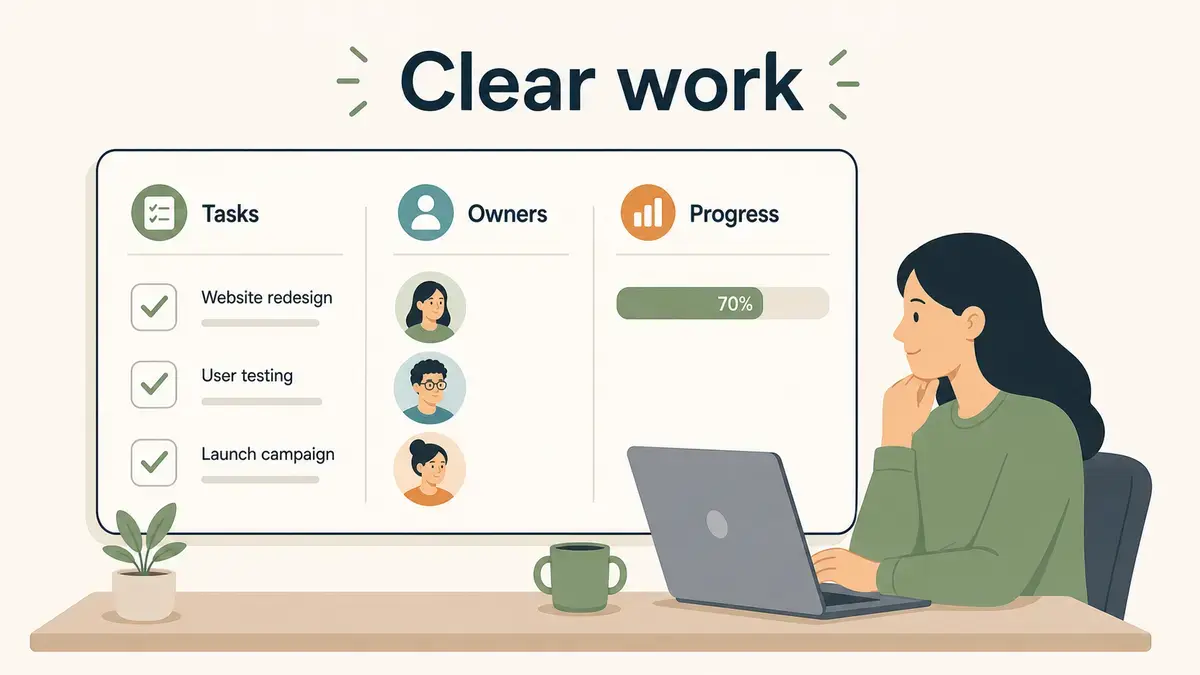
The after state is quieter. Tasks live in one place, with an owner, a due date, and a checklist for what done looks like. Updates happen on the task itself, in writing, so they're visible to anyone who cares without needing to attend a meeting. Meetings shrink because most of what used to happen in them is now visible asynchronously. Inside Breeze, this usually looks like a board per project, a clear assignee on every card, and a habit of writing the next step in the card comments instead of in chat.
None of this requires a productivity philosophy. It requires that the team agrees on where the work lives and what done means. Once those two things are in place, individual time management methods become a small finishing touch rather than the whole strategy.
Who benefits most from time management work, and who's solving the wrong problem
Time management work pays off differently depending on the kind of work the team does, the size of the team, and where the current bottleneck sits. A few patterns are worth naming directly.
Best fit: small teams with too many open projects
If your team is between three and fifteen people and you regularly have more projects in flight than people, time management changes will move the needle fast. The biggest gains usually come from reducing work in progress, batching similar tasks, and putting status into a shared board. A small product team running five projects with four people will produce more by cutting to three projects than by speeding any of them up, an insight backed by Asana's anatomy of work report on knowledge-worker overload.
Useful but secondary: individual contributors with focus problems
If the issue is that you personally lose hours to interruptions or shallow work, pomodoro or time blocking will help. These are real wins for the individual, but they don't change anything about how the team operates. If the rest of the team is still in chaos, your protected hours will get eaten by meetings and Slack questions no matter how disciplined your calendar is.
Wrong problem: teams blaming time management for understaffing
The most common mismatch is a team that's genuinely understaffed deciding the fix is better time management. No scheduling method will conjure up the missing person. If your team's workload has grown by 50 percent over a year and headcount hasn't, the honest answer is to cut scope or hire, not to install another productivity habit. Time management techniques can shave 10 to 20 percent of waste off a healthy team. They can't paper over a 50 percent capacity gap.
Which time management changes are worth adopting, by use case
Rather than ranking methods abstractly, it's more useful to match the change to the problem you actually have. Here are the patterns that show up most often and the practice that fits each one.
If the problem is too many status meetings
Move the standing update into a written async format, the same idea behind killing the status meeting. A short comment on each in-progress task inside a project board, posted before the meeting time, usually replaces 80 percent of what the meeting did. Keep a weekly synchronous session for discussion of blockers only, and watch how short it gets. This is the highest-leverage single change most teams can make.
If the problem is unclear ownership and bouncing tasks
Pick one tool, put every task in it, and require an owner and a definition of done before work starts. This sounds basic, but most teams that feel busy without producing have skipped one of those two steps. Breeze, Trello, Asana, and similar boards all support this - what matters is that the team actually uses one of them as the source of truth rather than letting work live in three different chat threads.
If the problem is personal focus and procrastination
Try pomodoro for a week or two. It's the lowest-cost method to test, it works without anyone else's buy-in, and it either helps you or it doesn't. If it does, keep using it - and if starting is the harder problem, the related fixes are about overcoming procrastination. If it doesn't, drop it. Don't try to scale it to your whole team.
If the problem is context switching across too many projects
Reduce work in progress before adding any new technique. The single biggest productivity gain available to most teams is finishing the half-built things before starting the new ones. A simple WIP limit on a Breeze kanban board - no more than two in-progress cards per person - usually surfaces this immediately. The tasks aren't getting done because nobody can focus long enough to finish any of them.
If you only do one thing from this list, do the first one. Replacing recurring status meetings with written updates is the change with the best ratio of effort to time recovered, and it scales with the team.
The short version
Time management at the individual level is a small lever. The big lever is reducing the time the team spends re-coordinating, attending meetings that could have been written down, and switching between too many open projects. Pick one personal method if you want, but spend your real effort on the team-level habits that compound across everyone.
The practical next step: look at your team's calendar for the past two weeks and count the hours spent in recurring meetings. If the number is uncomfortable, that's your starting point - not a new app, not a new technique, just one meeting moved into a written update on a shared board.