Why choose Breeze
 Marketing
 Creative
 Sales
Sales Remote work
 Managers
 Product teams
 Project management
 Task management
 Kanban tool
 Time tracking
 Project reporting
 Project calendars
 Project timeline
 Team workload
 Project automation
 Project customization
 Chat
Chat Web forms
 Project roadmap
 AI
AI What's new
 Articles & guides
 Help center
 Mobile apps
 Integrations
 Developers & API
 Free tools
How to kill status meetings forever

Every status meeting has the same problem. You are asking a useful question, but you are asking it in the worst place: a call. People give vague updates, you forget half of them, and the work still is not any clearer afterward.
The fix is simple: move "what are you working on?" into a single spot on the project board. Then set a daily update deadline so you can read the updates in two minutes instead of hosting a 30-minute Zoom.
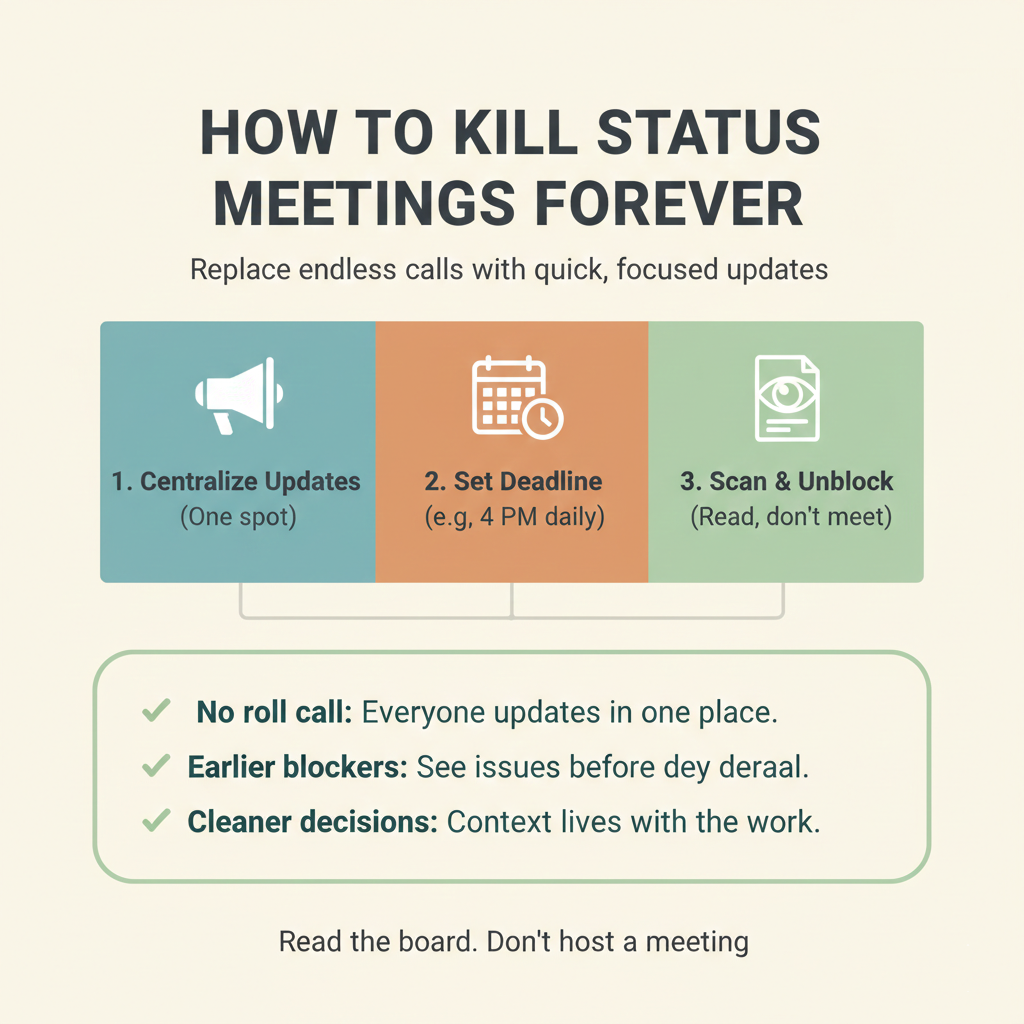
The 10-minute breakdown
- 3 mins: Create one update spot
- 4 mins: Set the daily update deadline
- 3 mins: Replace the meeting with a scan
The 10-minute fix
1. Create one update spot (3 minutes)
Pick one place where status will live. It can be a project feed, a single thread, or a dedicated Updates page in whatever tool you already use.
Name it Daily update and make it the default answer to "what are you working on?" If someone asks in chat, point them to the update spot so the status stays attached to the work instead of scattered across tools.
2. Set the daily update deadline (4 minutes)
Pick a daily cutoff time when updates are due, like 4:00 PM. Tell the team the rule: one short update per person before the deadline.
Use the same three lines every time so you can scan quickly:
Yesterday: [what moved]
Today: [what will move next]
Blocked: [what is stuck and what you need]
If a person is spread across multiple projects, ask them to link to the one or two tasks that matter most. The goal is decisions and unblockers, not a long report.
3. Replace the meeting with a scan (3 minutes)
Tomorrow morning, skip the status call. It is the smallest version of running a whole project without status meetings. Open the daily updates and scan the Blocked lines first. If a blocker needs a decision, reply with the decision. If it needs input from someone else, forward the request with context in the same place as the update so it does not get lost.
One rule makes this work: respond to blockers the same day. When people see that updates get action, they keep posting them and the meeting stays dead. If you want a simple written format to copy, use lightweight status reports.