Why choose Breeze
 Marketing
 Creative
 Sales
Sales Remote work
 Managers
 Product teams
 Project management
 Task management
 Kanban tool
 Time tracking
 Project reporting
 Project calendars
 Project timeline
 Team workload
 Project automation
 Project customization
 Chat
Chat Web forms
 Project roadmap
 AI
AI What's new
 Articles & guides
 Help center
 Mobile apps
 Integrations
 Developers & API
 Free tools
Best project management software for engineering firms in 2026

Engineering consultancies need to coordinate deliverables and keep the hours within the fee. BQE CORE, Deltek Vantagepoint, Monograph and BigTime connect planning with time and billing. If accounting already handles the financial side, Breeze, Asana, Wrike or another general project tool may be enough for reviews, deadlines and client updates. Start by deciding whether you need better project accounting, clearer delivery tracking or both.
The focus is civil, structural, mechanical, electrical and environmental consultancies managing drawings, calculations and reports through review and revision. Design-build firms may also need the site workflows covered in the construction software comparison. Software development, hardware lifecycle management and CAD or BIM authoring have different requirements and are outside this comparison.

Disclosure: Breeze publishes this comparison and is one of the tools listed below. We do not do fee-by-phase accounting, resource forecasting, drawing management or earned value, and we say so in the Breeze entry. Where a professional services platform is the better answer, we point you there.
How we compared the tools
The comparison focuses on how a consultancy moves from an agreed scope to approved deliverables and a paid invoice. These criteria guide the recommendations; they are not a numerical product score.
- Deliverables and revisions: Can people see what is in internal review, with the client or awaiting reissue?
- Hours and fees: Can the tool show time spent against a phase budget?
- Utilisation and workload: Does it report billable hours and help plan future assignments? Those are related but different measures.
- External access: Can clients and sub-consultants review the relevant work, and what does their access cost?
- Pricing: Which modules, user minimums and implementation costs apply?
- Review feedback: The summaries below describe recurring themes in the linked Capterra reviews, read in full. They are paraphrases, not quotations, and each rating is the score and review count shown on that listing.
Quick answer: best project management software for engineering firms in 2026
- Best all-in-one for firm operations: BQE CORE
- Best for larger A&E firms with an ERP need: Deltek Vantagepoint
- Best for fee-by-phase planning at a small firm: Monograph
- Best for utilisation and billing at a published price: BigTime
- Best simple deliverable boards with time tracking: Breeze
- Best for dependency chains and workload: Asana or Wrike
- Best for schedules and fee tables in a grid: Smartsheet
Compare the professional services tools if you need fees, timesheets and invoices connected. Compare general project tools if the immediate problem is review status, deadlines or workload. A useful shortlist may contain both types, but each should have a clear job.
| Tool | Best for | Starting price |
|---|---|---|
| BQE CORE | time, billing, accounting and project management in one system | quote-based, modular |
| Deltek Vantagepoint | ERP-grade project accounting for larger A&E firms | quote-based |
| Monograph | fee-by-phase planning and invoicing for small A&E firms | $45 to $490 per month billed annually, exact plan after a demo |
| BigTime | utilisation, time and billing with a published price | $20 per user per month, Essentials |
| Breeze | simple deliverable boards, time tracking and client access | $9 per user per month, all features |
| Asana | dependency chains and workload across projects | free for 2 users, then $10.99 per user per month annually |
| Wrike | larger firms with a dedicated project manager | free plan, then $10 per user per month annually |
| ClickUp | one configurable workspace for everything | free plan, then $7 per user per month annually |
| Smartsheet | spreadsheet-style schedules and fee tables | $9 per member per month annually, no free plan |
How do fees, revisions and utilisation shape the choice?
A drainage report might move through calculations, drafting, internal checking, client review and reissue. A task board can track those stages. The harder question is whether the remaining fee covers the work still to do. If that calculation happens in a separate spreadsheet every week, look closely at phase budgets and project accounting.
Utilisation measures the share of available hours spent on billable work; profitability also depends on rates, costs and write-offs. A workload view helps plan assignments, but it is not automatically a utilisation report. Check whether the tool uses estimated hours, logged time or task counts, and whether those figures support the decisions your practice makes.
Revision control is a separate requirement. Keeping a file on a task helps people find it, but formal issue registers, transmittals and controlled numbering may require a document management system. Confirm where the approved version lives and how people identify it before relying on a project board for issued drawings.
Clients, architects, sub-consultants and reviewers also affect deadlines. Decide who needs to edit the project, who needs to comment and who only receives issued documents. Limited guest access can be useful, but it may not cover every external role.
List of project management software for engineering firms
Here are the nine tools, starting with the four built for professional services and A&E firms and moving to the general tools that engineering teams use for deliverables, review cycles and workload:
BQE CORE

- Pricing: Quote-based. BQE prices per user and sells CORE as a Foundations base module plus optional Accounting, CRM, HR and Payroll modules, so the cost depends on which you add. No published per-user rate.
- Rating: 4.5/5 on Capterra from 792 reviews.
BQE CORE connects projects, time, expenses and billing for professional services firms. It can link hours to project phases and activities so that managers can review work in progress and prepare invoices from the same records. Resource planning and different contract types make it worth considering when project delivery and firm finances need to be managed together.
Where BQE CORE fits
- One system for operations: time, expenses, invoicing, accounting and CRM under one login.
- Contract flexibility: invoice templates for the range of fee structures consulting engineers use.
- Resource planning: allocate staff to phases and activities by week and see utilisation and forecast.
- Reporting depth: project profitability, WIP and realisation reports that principals use for firm-level decisions.
- Integrations: QuickBooks, Xero and Microsoft 365 for firms that keep part of the stack elsewhere.
Where BQE CORE may not fit: Practices that only need deliverable tracking, or lack time and budget to configure billing, reports and staff training. Firm size alone does not decide the fit.
What users say about BQE CORE
The reviewer base is mostly architecture, planning and civil engineering firms, so the sample is the audience. What they buy it for is one system holding project management, time, expenses, invoicing and accounting instead of three. Customer service is its highest score at 4.6, and reviewers describe reaching the same person on the phone and getting quick answers. Small firms report short implementations and entry-level staff picking up time entry with almost no training, and several say they chose it over Deltek Vantagepoint or QuickBooks on cost and setup effort.
The complaints are consistent. There is a learning curve up front because of the sheer feature count, and some reports and settings are not intuitive. Speed comes up repeatedly — one principal with two years on the product describes running reports and navigating as slow and cumbersome. The sharpest criticism for a firm buying it as a project tool comes from the same reviewer: it is not really geared for project and task management. Project structure is also rigid when a job changes shape, and moving time between phases when a project goes from hourly to percentage is awkward. Ease of use scores 4.4.
Source: Capterra
Deltek Vantagepoint

- Pricing: Quote-based, sold on an annual contract with implementation. Deltek does not publish a per-user price for Vantagepoint.
- Rating: 4.0/5 on Capterra from 490 reviews.
Deltek Vantagepoint combines client opportunities, projects, resource planning, timesheets and accounting for project-based firms. It is worth considering when several offices or disciplines need shared financial reporting. It builds on Deltek Vision; Ajera is a separate product, so compare the two rather than treating Vantagepoint as a replacement for both.
Where Deltek Vantagepoint fits
- ERP-grade project accounting: multi-company, multi-currency, government contract compliance and audit trails.
- Pipeline to project: pursuits and proposals feed the resource forecast before the project is won.
- Resource planning: firm-wide utilisation and forecast by person, discipline and office.
- Billing at scale: complex fee structures, sub-consultant pass-through and retainage.
- Reporting: earned value, realisation and multiplier reports that larger firms run the business on.
Where Deltek Vantagepoint may not fit: Teams that need a lightweight delivery tracker or cannot support a substantial implementation. Evaluate the accounting requirements and setup effort before choosing by firm size.
What users say about Deltek Vantagepoint
This is the lowest overall score in this list, and the sub-scores say where it loses the points. Reviewers do not doubt the capability: it holds up at scale, one environmental scientist tracks hundreds of projects on it without crashes, and the modules genuinely connect, so an opportunity becomes a project, a timesheet, an invoice and a payment in the same record. Firms that used to overrun budgets credit it with stopping that. The reviewer base is architecture, planning, civil and mechanical engineering.
Ease of use scores 3.6 and value for money 3.7, both well below anything else here. Reviewers describe navigation as dated and disjointed, with basic tasks taking several steps, and say new users need training before they are productive. Performance slows on large databases. Progress billing is time-consuming to produce, and reports are hard to extract unless you already understand the data model — one reviewer's point is that the system will happily accept time charged to a mistyped project number without questioning it. Customer service scores 4.0. Note that the listing mixes Vantagepoint reviews with reviews of its predecessor, Deltek Vision.
Source: Capterra
Monograph

- Pricing: Monograph does not publish a flat per-seat price. Its pricing page shows a range of $45 to $490 per month billed annually, with annual plans paid up front and the exact plan cost shown after a demo.
- Rating: 4.5/5 on Capterra from 236 reviews.
Monograph is built for architecture and engineering firms at the smaller end, and the core idea transfers directly: a project is a set of phases with a fee each, and the timeline shows planned, logged, invoiced and paid amounts against every phase. Timesheets feed the same numbers, so when an engineer logs six hours to detailed design, that phase's fee bar moves. It is lighter than BQE and Deltek, which is the point, and it replaces the fee-tracking spreadsheet a small consultancy usually keeps by hand.
Where Monograph fits
- Fee by phase: plan fees per phase, track burn against them and invoice from the same record.
- Hours linked to phases: Logged time feeds project budget reporting, provided entries are kept current.
- Staffing view: see who is planned on which phase in which week across all live projects.
- Accounting sync: QuickBooks integration keeps invoices out of double entry.
- Familiar structure: Phases, milestones and fees match common architecture and engineering workflows.
Where Monograph isn't the right fit: Firms that need full accounting rather than a QuickBooks sync, work that does not follow a phase structure, and anyone who wants a free trial before committing to an annual plan.
What users say about Monograph
Almost every reviewer is an architecture or planning firm, most of them under fifty people, and the praise is unusually specific. Fee, phase and staffing projections tie together into a profitability picture where owners see firm health, project managers see their own jobs and staff see what to log time against. Interface quality is named as often as any feature — one business manager says the design is good enough that her team of architects now enjoys looking at the data. Customer service scores 4.7, the highest in this list. Firms that named their alternative chose it over Deltek Vantagepoint, Total Synergy and BQE CORE.
The recurring criticism is that it is a young product and the gaps show, particularly in reports: reviewers want more customisation and PDF output, and overhead and PTO tracking is weak. Invoicing spans several tabs, and one firm reported invoices omitting consultant work and previously invoiced amounts. The sharpest review in the set is a one-star from February 2026: a firm found that previously billed amounts did not carry across for projects migrated in, could not raise invoices, was told the team was too small to fix it quickly, and moved back to Harvest. There is also no cheaper guest seat, so part-time contract staff are expensive to include. Ease of use scores 4.4.
Source: Capterra
BigTime

- Pricing: Essentials starts at $20 per user per month. All plans include time tracking, invoicing, expense management and payments; higher tiers add resource planning, project budgeting and deeper reporting. BigTime publishes the Essentials figure and asks for a demo for the rest.
- Rating: 4.6/5 on Capterra from 662 reviews.
BigTime connects time, expenses and invoicing without replacing the accounting system. It is worth comparing when approved hours, billing rates and project budgets need to stay together. The published Essentials price gives a starting point; check the plan needed for resource planning and the reports you expect to use.
Where BigTime fits
- Utilisation reporting: Billable time by person, team and period to support staffing and financial reviews.
- Rates per role: senior, engineer and technician rates on the same project without a workaround.
- Invoices from time: approved timesheets become draft invoices, with WIP visible before billing.
- Budgets per task: fee and hours per task, with burn against both.
- Published entry price: Essentials provides a starting point for budgeting; confirm the cost of the required plan.
Where BigTime isn't the right fit: Firms that want full accounting inside the tool, teams whose main pain is deliverable tracking and review cycles rather than billing, and anyone who wants the deeper resource planning that only arrives on the higher tiers.
What users say about BigTime
Speed of time entry is the most repeated praise: a weekly grid where a person finds the client, types the hours and adds a comment in seconds, from a desktop or a phone. One vice-president reports time entry taking a quarter as long as on their previous system. From there the chain runs cleanly into manager review, different rates per work type and a client invoice. The QuickBooks sync is the reason several firms picked it, and it runs through the day rather than as an overnight batch. Customer service scores 4.6, with reviewers naming assigned success managers and praising live chat.
The weaker half is project management: reviewers say those features could be more intuitive, and in practice they treat BigTime as a time-and-billing system that also tracks projects. Custom reports usually mean contacting support. Invoice approval cannot be filtered by team lead, so every lead sees every invoice. Cost comes up too — one reviewer had to drop low-priority projects because the plan they could afford lacked the features they needed. The Android app draws the worst reviews, including a one-star after months of unresolved email support with no phone option. Ease of use scores 4.5.
Source: Capterra
Breeze
- Pricing: $9 per user per month with every feature included, or $14 per month for a single-user Solo plan. Annual billing takes 10 percent off. Client users are free and unlimited. 14-day free trial.
- Rating: 4.4/5 on Capterra from 45 reviews.
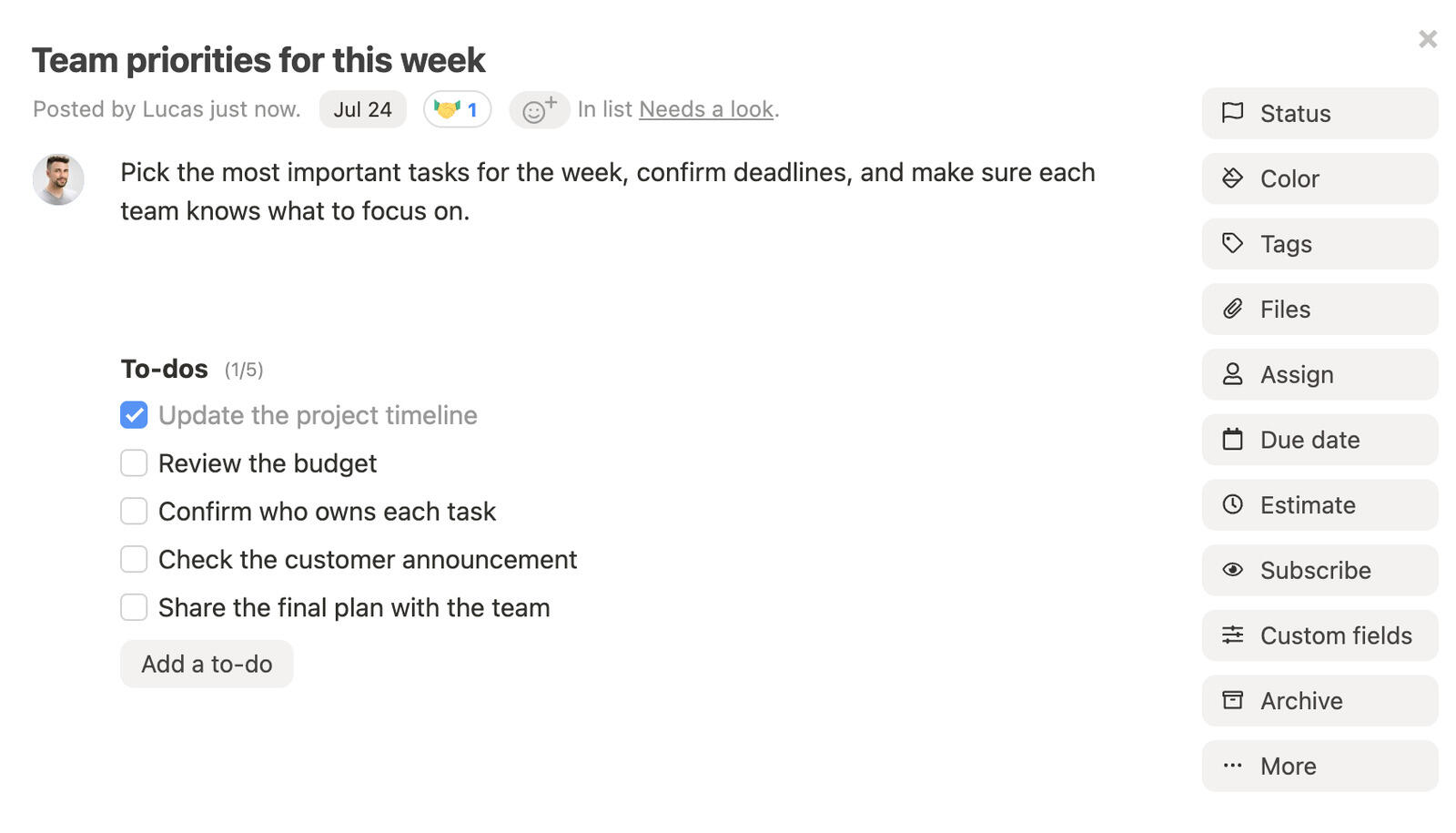
In Breeze, a deliverable can be a task moving through lists such as in progress, internal check, client review and revision. The task holds an owner, due date, checklist, files and discussion. Time entries record hours on the work, while reports summarize them by project and person. This is a practical setup for tracking delivery; it does not replace controlled document issue or phase accounting.
A client user can access the projects they are invited to and comment on deliverables without a paid seat. Sub-consultants may also use that role if its permissions cover their work. If they need to edit or manage tasks, check the role before planning the rollout.
Where Breeze fits
- Review cycle as columns: every deliverable's status visible on one board, per project or across all of them.
- Client access: Free client users can comment on invited projects. Check permissions before assigning the role to sub-consultants.
- Hours on the deliverable: a timer or manual entry per task, billable or not, against a budget in hours and a rate.
- Templates: build the deliverable list for a standard job once and start every new one from it.
- Workload view: who has what due this week and next, across projects.
Where Breeze isn't the right fit: There is no fee-by-phase accounting, no utilisation forecast, no controlled document numbering and no earned value, and the budget is hours and a rate rather than a fee. Firms that need project accounting should compare BigTime or Monograph, with a separate delivery tracker if needed.
What users say about Breeze
Forty-five reviews is a small sample next to the rest of this list, and what runs through them is what Breeze leaves out: a light interface with nothing to wait for, and little training needed before a client or a new hire is working on a board. Built-in time tracking, billable time included, is used daily, and one reviewer picked it specifically because the time tracking is not a stopwatch bolted on. Tasks can carry more than one assignee, sub-task lists can go to different people, and a person can see their own work and priorities across every project at once. Reviewers who switched name Jira as too complex, Trello as unable to show work across projects, and ClickUp as cluttered and slow.
The criticisms follow from the same design. It is not as feature-deep as the heavier tools, reporting is basic with no way to group people into roles such as senior and junior for a report, checklists cannot be templated across projects, and the Gantt chart does not derive a critical path from estimates. Ease of use scores 4.3 and customer service 4.4.
Source: Capterra
Asana

- Pricing: Personal is free for up to 2 users. Starter is $10.99 per user per month billed annually or $13.49 monthly. Advanced is $24.99 annually or $30.49 monthly. Enterprise is quote-based.
- Rating: 4.5/5 on Capterra from 13,673 reviews.
Asana can link the geotechnical report to the foundation design that depends on it, making the effect of a late input easier to see. Advanced adds portfolios and workload views for coordination across projects. It also includes native time tracking, although invoicing and project accounting need other tools.
Where Asana fits
- Dependencies that move dates: deliverables linked so a late input flags what follows.
- Portfolios: every project's timeline on one view to spot deadline collisions.
- Workload: allocation by person and week on the Advanced tier.
- Templates and rules: a standard project with the review cycle already built, and automation when a deliverable changes status.
- Guests: free guest access for clients and sub-consultants on the paid tiers.
Where Asana may not fit: Firms that want fees and invoices connected to time in one system, or cannot justify Advanced for the reporting and time features they need.
What users say about Asana
Reviewers name the interface first — clean enough that non-technical staff adopt it without a rollout — and then the task structure: assignees, deadlines, subtasks and dependencies, viewed as a list, a board or a timeline, with portfolios grouping projects for reporting. Several describe it working as the shared record of who owes what, which removes the standing status meeting held to find that out.
Notification noise is the dominant complaint, and reviewers say the tool needs house conventions or you accumulate duplicate tasks and inconsistent project structures — one describes managing the project management tool turning into a job of its own. Advanced reporting and automation sit on higher tiers. Two specific gaps recur: a task cannot be assigned to more than one person, and comments carry no edit or audit log, so an edited or deleted update leaves no trace. Ease of use scores 4.4 and customer service 4.3.
Source: Capterra
Wrike

- Pricing: Free plan for basic task management. Team is $10 per user per month billed annually for 2 to 15 users. Business is $25 per user per month billed annually for 5 to 200 users. Pinnacle and Apex are quote-based. 14-day free trial.
- Rating: 4.4/5 on Capterra from 3,039 reviews.
Wrike is worth considering for firms that need detailed schedules, workload planning, request forms and review workflows. PDF proofing can help with comments, though it is not the same as formal document control. Time tracking starts on Business. The trade-off is the setup needed to make those features fit the practice.
Where Wrike fits
- Gantt depth: interactive schedules with dependencies and critical path across projects.
- Workload planning: see who is over-allocated across concurrent deliverables.
- Request forms: structured intake for client change requests and internal review requests.
- Proofing: mark up PDFs and route approvals inside the tool.
- Time tracking: built in from the Business tier.
Where Wrike may not fit: Teams that need only a simple review board, or whose main problem is fee accounting. Business has a five-user minimum, and configuration takes time.
What users say about Wrike
Wrike wins on configurability, and reviewers who compared it say so directly — one marketing technologist demoed more than ten tools, including Basecamp, monday.com and Asana, and chose Wrike for its custom field management, request forms and organisational structure. Request forms routing intake into the right workflow is a recurring reason teams pick it. Custom dashboards and reports give visibility into status, timelines and dependencies, and the spreadsheet-style table view is what draws people off Excel.
The learning curve is the dominant complaint and it is not a first-week problem: blueprints, automations, workflows and rules take sustained investment, and reviewers point out that people joining and leaving means relearning and rework indefinitely. The interface gets cluttered once many projects and automations are live, and performance lags on very large data sets. Navigation and search draw criticism too — finding an old conversation takes several steps, and one reviewer complained at length about a search feature that exists, which is its own kind of discoverability problem. Ease of use scores 4.2 and customer service 4.3.
Source: Capterra
ClickUp

- Pricing: Free plan. Unlimited is $7 per user per month billed annually or $10 monthly. Business is $12 per user per month billed annually or $19 monthly. Enterprise is quote-based.
- Rating: 4.6/5 on Capterra from 4,628 reviews.
ClickUp combines tasks, time tracking and configurable views. Custom fields can record a fee or revision number, while Gantt charts and workload views help with planning. Check the plan limits for each feature, especially time reporting and billable entries. The flexibility is useful if someone can maintain the setup.
Where ClickUp fits
- Time tracking: Record hours on tasks; check the plan required for billable entries and timesheet reporting.
- Custom fields: revision, issue status, fee and client on every deliverable.
- Many views: list, board, Gantt, workload and dashboards on the same tasks.
- Docs and proofing: specifications and markups inside the workspace.
- Entry price: A low starting price, with limits to check against the features you need.
Where ClickUp may not fit: Teams that want minimal configuration, or require project accounting and billing rather than time records and custom fields.
What users say about ClickUp
The reason reviewers give for choosing it is consolidation: tasks, documents, dashboards, automations and team communication in one place, replacing a mix of Trello, Basecamp and spreadsheets. Custom fields, custom statuses and automations bend it to a workflow that does not match anyone's template, and the dashboards get named repeatedly — completion rates, utilisation, pipeline, targets against actuals. Time tracking and goals are built in, and reviewers rate the value high for the feature count.
The cost of that flexibility is setup. A steep learning curve is the most repeated criticism, with reviewers describing an interface that feels overwhelming and cluttered while you are configuring it — one owner rated it one star purely on how long it took to get running, and a sales director's IT staff spent three days building one automation because the logic is not obvious. Reviewers also report lag when adding tasks quickly, when loading large boards or reports, and when searching deeply nested hierarchies. The mobile app is noticeably weaker than the desktop, and notification volume is high. Ease of use scores 4.3 and customer service 4.5.
Source: Capterra
Smartsheet

- Pricing: No free plan. Pro is $9 per member per month billed annually for 1 to 10 members. Business is $19 per member per month billed annually for 3 or more members. Enterprise is quote-based. 30-day free trial with no card.
- Rating: 4.5/5 on Capterra from 3,545 reviews.
Smartsheet is for the firm whose deliverable schedule and fee table already live in Excel and that prefers to keep a grid-based planning process. Each sheet is a grid with dates, predecessors and a Gantt view attached, and formulas can hold the fee per phase next to hours logged, which can help track a phase budget. You are building it yourself, though, and every project needs the same care a spreadsheet does.
Where Smartsheet fits
- Spreadsheet model: rows, columns and formulas a principal already knows how to read.
- Gantt and dependencies: deliverable schedules with predecessor logic and a critical path.
- Fee columns: planned fee, logged hours and percent complete side by side per phase, by formula.
- Forms and alerts: collect sub-consultant updates by form and remind people automatically.
- Reports across sheets: roll every project's phases into one firm-wide report.
Where Smartsheet may not fit: Teams that prefer boards, need native invoicing or want time tracking without an integration. Business has a three-member minimum purchase.
What users say about Smartsheet
Spreadsheet familiarity is what reviewers name first: a team already fluent in Excel is productive immediately. From there the praise is for automation — alerts, update requests and approvals that move rows between sheets and remove a layer of chasing — and for dashboards that roll many sheets into a portfolio view. Real-time collaboration with cell comments, attachments and an activity log is the third recurring positive.
The criticism starts where the spreadsheet metaphor stops being one: formulas apply to an entire column rather than a cell, cross-sheet references take several steps, and rows cannot be edited in bulk. Advanced workflows and dashboards carry a real learning curve, and reviewers say they would not recommend it to an occasional user. A licensing change reduced what external collaborators can do without a paid seat, and costs climb once reporting and editing collaborators are added. Ease of use and customer service both score 4.3.
Source: Capterra
Which engineering project management software should you choose?
If preparing an invoice means reconciling timesheets and phase budgets by hand, compare the billing workflow in BQE CORE, Deltek, Monograph and BigTime. Use a typical contract, including an amendment or write-off, to see what each tool handles.
If accounting is already covered, test a project with several deliverables and a review cycle. Breeze can organize the stages and client comments; Asana and Wrike can help with linked deadlines and workload; ClickUp offers more configuration; Smartsheet keeps the schedule in a grid. Check the plan required for each feature.
Two tools can be sensible if their responsibilities are clear. For example, a structural practice might use a billing system for approved hours and a project board for deliverable status. Decide which system owns the time records and how updates move between them, so the combination does not create duplicate entry.
Questions engineering firms ask before choosing
- Do engineering firms need a Gantt chart to manage projects?
- A board with due dates may be enough for a handful of deliverables. A dependency chart helps when a late input affects several later tasks or projects. Asana, Wrike, ClickUp and Smartsheet offer Gantt views; compare the scheduling behaviour and plan limits with the work you need to coordinate.
- Which of these tools handle drawing revisions and transmittals?
- Do not assume a project attachment is a controlled drawing register. Check version history, approval status, transmittals and numbering against your issue process. If those controls are required, use a document system that supports them alongside project planning.
- What is the difference between this and construction project management software?
- Construction software focuses on executing the build, including site records, trade coordination and contract administration. This comparison focuses on a consultancy's deliverables, review cycles and fees. Design-build firms may need both sets of features; the construction comparison covers the site requirements.
Try a complete review and billing cycle
Choose with a real engagement in mind. Track a deliverable through review, account for a revision, check the remaining fee and prepare the client report. That will show whether the tool fits better than comparing dashboards alone.
If your main need is delivery visibility, try Breeze with a current project. If phase budgets and invoicing drive the decision, start by testing the professional services tools.