 Why choose Breeze
 Marketing
 Creative
 Sales
 Remote work
 Managers
 Product teams

 Project management
 Task management
 Kanban tool
 Time tracking
 Project reporting
 Project calendars
 Project timeline
 Team workload
 Project automation
 Project customization
 Chat
 Web forms
 Project roadmap
 AI
 What's new
 Articles & guides
 Help center
 Mobile apps
 Integrations
 Developers & API
 Free tools
Microsoft To Do is retiring: where a team's shared lists go next

Microsoft To Do is retiring. Microsoft announced on November 18, 2026 that the To Do apps on the web, Windows, Mac, iOS and Android will retire on June 30, 2027, for work and school accounts and for personal Microsoft accounts alike. Work and school users can use Planner, where a redesigned My tasks view starts rolling out in December 2026. Microsoft offers no replacement for personal accounts.
Existing Microsoft To Do tasks and lists will not migrate to Planner. They stay visible in Planner until June 30, 2027, and then they stop being viewable there. Shared-list members, assignments and permissions do not carry over either, so a list your team shares has to be rebuilt somewhere. Microsoft says an export tool is coming before the retirement date, but it is not available yet.

Disclosure: Breeze publishes this page and is one of the three options below. It does not import from Microsoft To Do directly.
Contents
- When does Microsoft To Do shut down?
- What is the Microsoft To Do replacement for your account?
- Do existing tasks move to Planner?
- Microsoft To Do vs Planner: what changes?
- Can you export Microsoft To Do tasks today?
- Where should each shared list go?
- Planner, Breeze or Todoist?
- What to do before June 30, 2027
- Questions about the To Do retirement
When does Microsoft To Do shut down?
The To Do apps shut down on June 30, 2027. Microsoft set that date in its Planner blog post introducing unified tasks and plans, and the support article moving from To Do to Planner repeats it for every platform. The To Do service, APIs and sync will retire later. Microsoft has not announced those dates.
| When | What happens | Who it affects |
|---|---|---|
| November 18, 2026 | Microsoft announces the retirement and the move to unified plans in Planner | Everyone using To Do |
| December 2026 | The redesigned My tasks view in Planner starts rolling out | Work and school accounts |
| Before June 30, 2027 | Microsoft says it will publish a way to export To Do data | Everyone using To Do |
| June 30, 2027 | The To Do apps retire, and old To Do tasks stop being viewable in Planner | Work, school and personal accounts |
| Later, no date yet | The To Do service, its APIs and sync retire, with separate notice | Apps and integrations that read To Do |
Retiring the apps does not by itself delete your task data; the support article treats retention as a separate matter. Because the APIs continue beyond that date, a third-party app that syncs with To Do may keep working past June 30. Neither is a reason to wait. Once the apps are gone, you have no first-party way to open a list and check it.
What is the Microsoft To Do replacement for your account?
Planner is the Microsoft To Do replacement for work and school accounts, and Microsoft includes it in Microsoft 365. Personal Microsoft accounts, including Microsoft 365 Personal and Family subscribers, have no Microsoft replacement: Microsoft says Planner is not available for them and they "will need to choose another app".
| Your account | Microsoft's answer | What you do |
|---|---|---|
| Work or school | Planner, with private tasks in My tasks and shared work in plans | Check with your admin that Planner is switched on for you |
| Personal, including Microsoft 365 Personal and Family | No replacement | Pick another task app before June 30, 2027 |
| Both | Each account is handled separately | Review the lists in each account on their own |
Check the account type even if you use To Do for work. A two- or three-person business may share lists between personal accounts without having Microsoft 365 for work. Those lists have no Microsoft destination.
Do existing tasks move to Planner?
No. Microsoft says existing To Do tasks and lists "will not migrate to Planner". They are already visible in Planner and stay visible there until June 30, 2027, but they are not copied into the new private plan where Planner now stores the tasks you create. After that date you can no longer view or manage them in Planner.
So every list you want to keep has to be rebuilt by hand or carried across by an import tool. For a personal grocery list that takes a minute. For a team list with fifty open items, due dates, notes and three people assigned, it is an afternoon, and it is the part people put off.
Shared lists lose the most. The support article says shared-list membership, assignments and permissions will not transfer. In Planner, shared work lives in plans with task assignments, a different model from a To Do list you invited people to with a link. Someone has to create the plan, add the people and assign the tasks again.
Microsoft To Do vs Planner: what changes?
Planner is built for shared work: plans, buckets, assignments and views such as Board and Grid. To Do was built around one person's lists and reminders. Microsoft's own comparison lists the gaps you will notice first:
- Reminders: Planner sends due-date notifications. It does not have To Do's reminders that you schedule for a single task at a set time.
- Desktop and offline: Planner runs on the web and in Teams. Microsoft is not planning native Windows or Mac apps to replace To Do's, and the web and Teams versions do not work offline in the same way.
- Attachments: files are not currently supported on tasks in the new private plan.
- List groups, printing and email lists: list groups have no direct equivalent, and printing or emailing a list is not planned for the replacement.
- Outlook categories: Planner labels do not sync with them.
Planner adds features a shared To Do list never had: buckets, a board, a grid with filters, and, on the paid tiers, a timeline. The Planner pricing page lists Planner as included in Microsoft 365. Planner Plan 1, at $10 per user per month paid yearly, adds subtasks, dependencies, milestones and the Timeline view. If the team wants a timeline from its plan, the steps for a Gantt chart from Planner cover which plan has one.
Can you export Microsoft To Do tasks today?
Not with a Microsoft tool. The support article says Microsoft "will provide a way to export your To Do data before the apps retire" and will add instructions, supported data and limits when they are ready. It also warns that an export is a copy for your records: it "does not mean that the content can be imported into Planner or another application".
What works today:
- Print the list: in To Do on the web or the Windows app, open the three-dot menu on a list, choose whether to include steps and notes, and select Print list. Saving it as a PDF from the print dialog gives you a dated record. Long task names may be cut off.
- Import into another app: some task apps read To Do directly. Todoist has a Microsoft To Do importer that copies the lists you pick, on every plan including Free, and leaves To Do untouched.
- Rebuild the open items: for a list of a dozen tasks, typing them into the new tool is often quicker than any import. In Breeze, pasting several lines into the task box creates one task per line.

Print first, then move. A printout or PDF taken before you start rebuilding is a fixed copy to check the new app against, and it stays readable after June 30, 2027, when the To Do apps are gone. Compare repeating tasks and reminders in particular: Todoist's importer turns repeating schedules it cannot match into one-time tasks and skips reminders over your plan's limits.
Where should each shared list go?
Choose a destination for each list: personal tasks fit a personal app, while shared chores and client projects need different levels of structure. This sample team of five has six lists to sort:
| Shared list | Open tasks | What it really is | Where it fits |
|---|---|---|---|
| Office admin | 14 | Recurring chores with one owner each | Planner, or a shared project in any task app |
| Client: dental clinic site | 22 | A project with stages and a deadline | A project tool with a board |
| Client: bakery rebrand | 17 | A project with stages and a deadline | A project tool with a board |
| New starter checklist | 9 | A template you reuse | A project template |
| Ideas | 31 | A backlog nobody owns | Archive the PDF, keep the five worth doing |
| Maria's own tasks | 12 | One person's to-dos | Her own task app or Planner My tasks |
Sample data. The client lists are projects, but To Do has no stages, board or way to see both clients' deadlines together. Almost a third of the open items sit in the unowned ideas list. Archive that list as a PDF and move only the five ideas worth doing.
Count your own lists the same way before choosing a tool. If most of them are personal lists and chores, a task app is enough. If two or more are client or project lists, you are choosing a project tool, and that is a different comparison from "what replaces To Do".
Planner, Breeze or Todoist?
For most work accounts Planner is the default because you already pay for it. Breeze fits a team whose shared lists are really client projects. Todoist fits personal accounts and one-person lists, and it can read To Do directly. Prices are from each vendor's pricing page; review summaries come from Capterra and G2.
| Option | Best for | Price | Moves To Do lists |
|---|---|---|---|
| Microsoft Planner | Work and school accounts already on Microsoft 365 | Included in Microsoft 365; Plan 1 $10 per user per month paid yearly | No, old tasks stay viewable until June 30, 2027 |
| Breeze | Teams whose lists are client or team projects | $9 per user per month billed yearly, or $10 billed monthly | Through Todoist or CSV, not directly |
| Todoist | Personal accounts, households, one-person lists | Free; Pro $5 per month billed yearly | Yes, with its To Do importer |
Microsoft Planner
Choose Planner if your team signs in with work accounts and lives in Teams and Outlook.

- Pricing: Planner is included in Microsoft 365 business plans. Planner Plan 1 is $10 per user per month paid yearly and adds subtasks, dependencies, milestones and the Timeline view. Planner and Project Plan 3 is $30 per user per month paid yearly.
- Rating: 4.3/5 on Capterra from 298 reviews, 4.2/5 on G2 from 237.
It is the path Microsoft built for exactly this move, and Microsoft says all new Planner features now go to these unified plans. Private tasks go into My tasks and shared lists become plans. The cost is the rebuild: no list moves on its own, and each shared list needs a plan, its people and its assignments set up again.
Where Planner may not fit: personal accounts cannot use it at all, and anyone who relied on To Do's per-task reminders, desktop apps or offline use will find those missing.
What reviewers say about Microsoft Planner
Reviewers mostly praise how easy it is to start and how tightly it fits Teams and Outlook, which is why many chose it in the first place. The complaints are about depth and change: the free tier is close to a plain task list, reporting is limited, and the interface keeps moving as Microsoft merges Planner, Project and To Do, so people have to relearn where things are.
Breeze
Choose Breeze if the lists you are moving are client or team projects and you want them on boards with dates across every project.

- Pricing: $9 per user per month billed yearly, or $10 billed monthly, with every feature included. A Solo plan for one person is $14 a month. Client users are free. 14-day free trial, no free plan.
- Rating: 4.4/5 on Capterra from 45 reviews, 4.1/5 on G2 from 22.
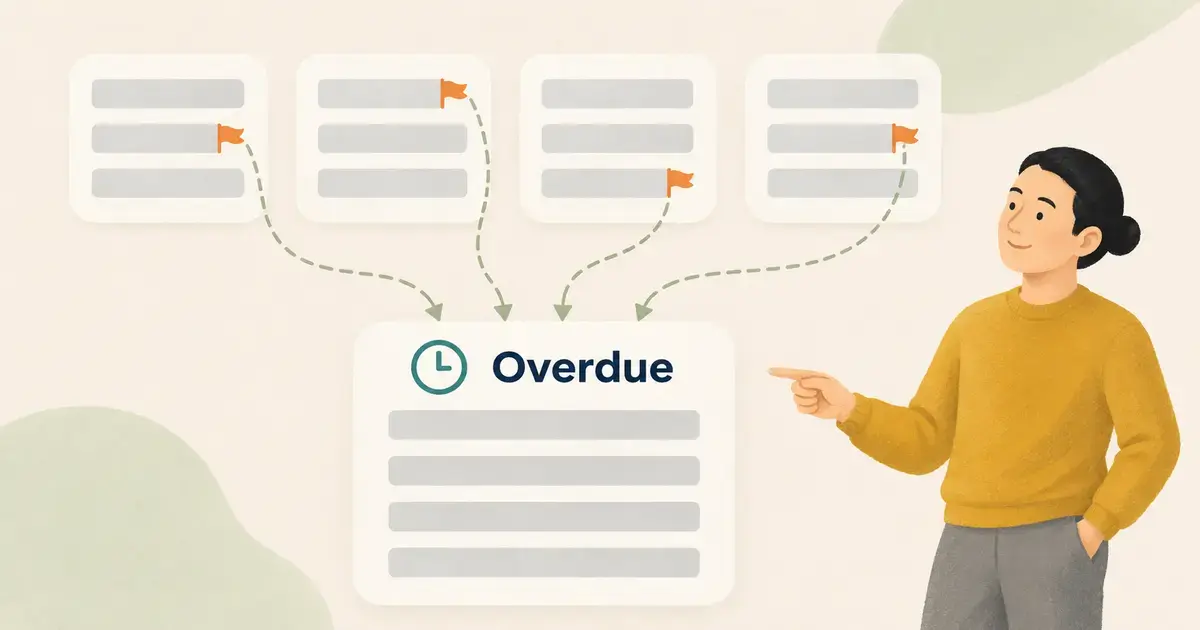
Each client list becomes a project with its own board, and the Tasks page shows every project's work in one place, grouped into overdue, due today, due this week and later. Recurring tasks cover the chores list, and the iPhone, iPad and Android apps cover the phone habit. Breeze cannot read To Do directly. The route is a CSV import or paste, or To Do into Todoist first and then Breeze's Todoist import, which brings tasks, tags, comments and subtasks.
Where Breeze may not fit: a work account team that is happy in Teams already has Planner paid for. It is also more than a single person needs for a personal list.
What reviewers say about Breeze
Most reviewers describe Breeze as light: quick to set up, little training, and easy for clients to find their way around. Many use its time tracking every day. The criticism is that it lacks the depth of the large platforms for complex projects and that team-wide reporting is basic. Both review samples are small.
Todoist
Choose Todoist if you use To Do with a personal account, or the list belongs to one person.

- Pricing: Beginner is free with 5 personal projects, recurring tasks and task reminders. Pro is $5 per month billed yearly ($60 a year) with 300 projects and custom reminders. Business is $8 per user per month billed yearly.
- Rating: 4.6/5 on Capterra from 2,664 reviews, 4.5/5 on G2 from 831.
Todoist is the closest match to how To Do feels: quick capture, reminders and recurring tasks on every device. Its To Do importer asks which lists to copy, tells you first how many projects they need, and turns repeating schedules it cannot match into one-time tasks. It does not invite the other members of a shared list.
Where Todoist may not fit: the free plan holds five projects, so six lists means paying or merging. Teams running client projects outgrow a task list quickly, as the options beyond task lists show.
What reviewers say about Todoist
Fast capture is what reviewers praise most: a task goes in within a second from a shortcut, widget or browser extension, and dates typed in plain words are understood. The common frustrations are reminders and other useful features kept for paid plans, and the limits that show when a team tries to run real projects in it.
What to do before June 30, 2027
Inventory your lists, save a copy and move one active shared list before moving the rest. Use these four steps to prepare for June 30, 2027:
- Now: list every To Do list in each account, mark which are shared and with whom, and print or save each one as a PDF.
- Sort them: personal list, shared chores, project or template. Archive the lists nobody owns.
- Move one list first: pick an active shared list, move it and run it in the new place for two weeks before moving the rest.
- Before spring 2027: check Microsoft's support article for the export tool and take a full export when it appears, even after you have moved.
If your lists turn out to be mostly projects, compare alternatives to Planner before committing the team to it. For a single list that just needs a home, a free online to-do list is enough. And if the team does choose Breeze, the plans and pricing page lists what the one plan includes.
Questions about the To Do retirement
- Is Microsoft To Do being discontinued?
- Yes. Microsoft says the To Do apps on the web, Windows, Mac, iOS and Android retire on June 30, 2027, for work, school and personal accounts. The service and its APIs retire later, on dates Microsoft has not announced.
- Will my Microsoft To Do tasks be deleted on June 30, 2027?
- Microsoft says the app retirement does not itself schedule your task data for deletion. Existing tasks do not move to Planner, though, and after June 30, 2027 they can no longer be viewed or managed there, so keep your own copy.
- What should I use instead of Microsoft To Do with a personal account?
- Microsoft offers no replacement for personal accounts, including Microsoft 365 Personal and Family, because Planner is not available for them. You need another task app; Todoist, for example, can import To Do lists directly on its free plan.