Why choose Breeze
 Marketing
 Creative
 Sales
Sales Remote work
 Managers
 Product teams
 Project management
 Task management
 Kanban tool
 Time tracking
 Project reporting
 Project calendars
 Project timeline
 Team workload
 Project automation
 Project customization
 Chat
Chat Web forms
 Project roadmap
 AI
AI What's new
 Articles & guides
 Help center
 Mobile apps
 Integrations
 Developers & API
 Free tools
How do you write a project status report that actually gets read?

A status report has one job: tell the reader what they need to know to either help, decide, or stop worrying. Everything else is noise. If you lead with a clear headline (on track, behind, or blocked), call out specific risks, and surface the decisions you actually need from the reader, you have written something useful. If you start with a recap of last week's meetings, you have written something nobody will finish.

Most reports fail because they were written for the person typing them, not the person reading them. The writer wants to prove they have been busy. The reader wants to know if anything has changed and whether they need to act on it. The rest of this post is about how to close that gap, with patterns we see play out across teams using Breeze to push project updates to clients, execs, and stakeholders. This overlaps a lot with writing an executive summary, since both serve the same half-attentive reader.
What should a project status report actually contain?
A status report should contain four things: a headline, what moved, what is blocked, and what is next. That is the whole shape. The reader should be able to read the first line and know how worried to be, then choose whether to keep reading.
The headline is a single status flag. On track, at risk, or off track. Whatever scale you use, pick one and never change it. Readers learn your format after two or three reports, and they will resent you for moving the goalposts. If the project was green last week and red this week, the report should answer the obvious follow-up before it gets asked.
Under the headline, the body breaks into three short sections. Progress covers what shipped since the last report. Blockers cover what is in the way and who needs to act on it. Next covers what is happening before the next report. HBR's writing on communication keeps coming back to this shape: lead with the answer, support with the evidence. Each item is specific. "Onboarding flow is 70 percent through QA, two bugs left, sign-off expected Thursday" tells the reader something. "Working on onboarding" tells them nothing.
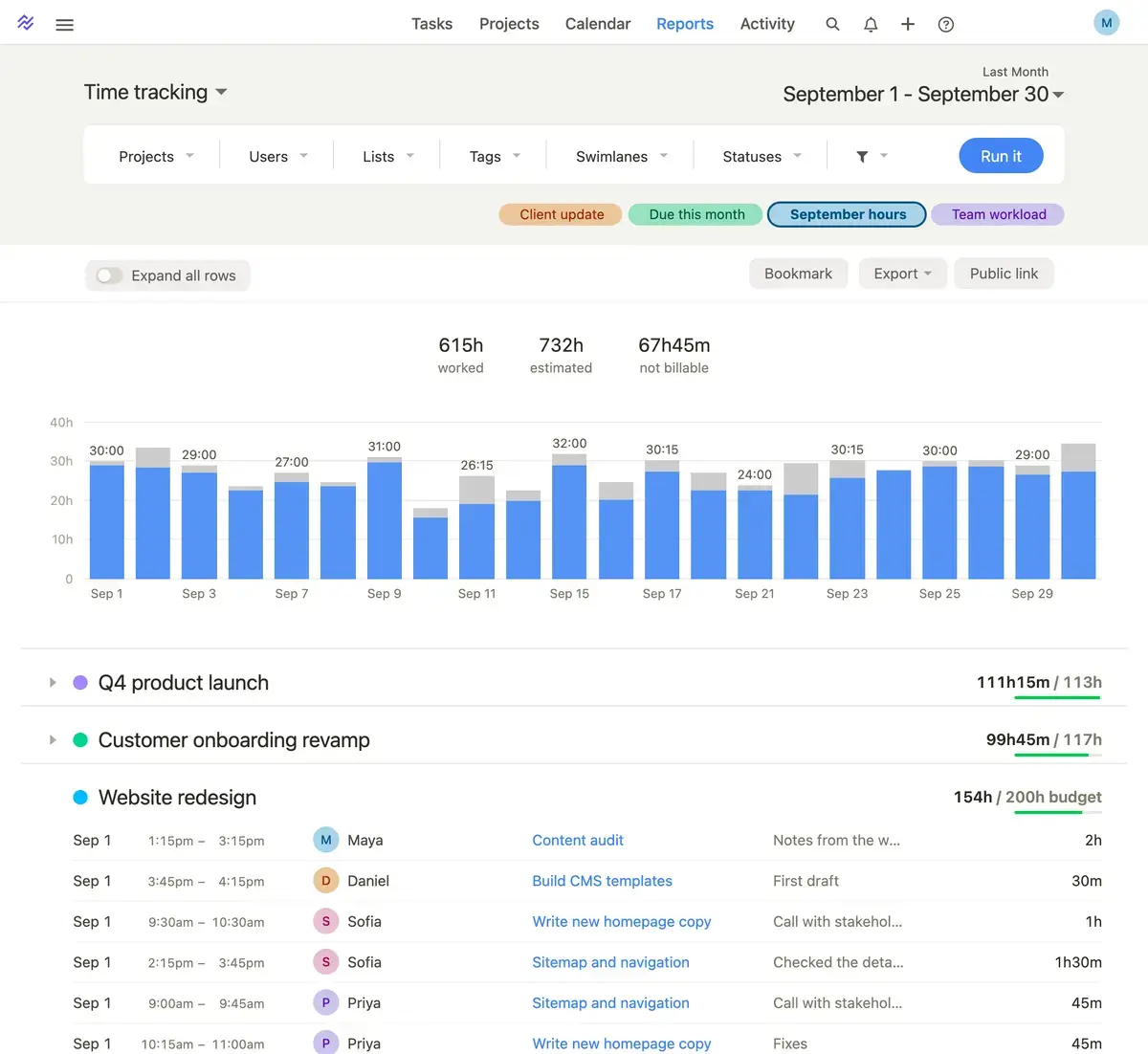
If you are pulling status data from a project board in Breeze, most of this is already in front of you. The tasks that moved columns, the items still sitting in review, the cards with due dates this week. The report is a translation layer between that data and a reader who does not want to open the tool. The same data also makes it easier to track project milestones without manual gathering.
Short report or long report - which one stakeholders actually read
Most disagreements about status reports come down to length. Writers think more detail signals effort. Readers think it signals padding. Short reports get read more often, but long reports are sometimes needed for formal reviews. Here is how the two compare in practice.
| Area | Short status report | Long status report | What tends to happen |
|---|---|---|---|
| Read rate | Usually read in full | Often skimmed for the headline only | Stakeholders learn to look at the first line and stop |
| Best for | Weekly internal updates and trusted client work | Monthly reviews, executive steering committees, regulated work | Match the format to how the reader will use it |
| Risk surface | Forces you to pick the real risks | Easy to bury real risks inside detail | Long reports hide bad news, short ones expose it |
| Effort to write | Higher per word, lower per report | Lower per word, higher per report | Short reports take more thinking, less typing |
| Update cadence | Sustainable weekly | Often slips after the first month | Readers prefer five short reports over one big one |
If you are writing a weekly update for a client or an internal exec, default to short. If you are writing a quarterly review for a board, you will need length, but you still want the first paragraph to stand on its own.
Why most status reports get skimmed and forgotten
Most reports fail in three predictable ways. They are too long, they have no signal, and they were written for the writer instead of the reader. Once you see this pattern, you cannot unsee it, and your own drafts get faster.
Too long, because everything that happened got included
The most common mistake is treating the report as a diary. The team did a lot this week, and the writer wants credit for all of it, so every meeting, every minor task, every small fix ends up in the document. The reader does not care about the long tail. They care about the items that change the outcome of the project. If a task is routine and on schedule, it does not need its own line. The fact that progress is on track is captured by the headline.
No signal, because everything is "going well"
Adjectives are the enemy of a useful status report. "Great progress," "good momentum," "some challenges," "looking solid." These mean nothing. A stakeholder cannot decide anything from them. Specific numbers and concrete events carry signal. "Three of four integrations passed staging, the fourth fails on auth, fix expected Wednesday" gives the reader something real. They can ask a follow-up. They can decide whether to escalate.
The same applies to risk. Vague worries are not risks. "We might run into capacity issues later" is filler. "If the second engineer does not start by the 15th, the launch slips by two weeks" is a risk. The reader can act on the second one. McKinsey's project research consistently links specificity in risk reporting to better intervention timing.
No ask, so the reader does nothing
If your report does not request a decision, an input, or some specific kind of attention, ask yourself why you are writing it. Reports that do not end with a clear ask train the reader to file them without reading. The ask does not have to be dramatic. "We need scope confirmation on the export feature by Friday" is enough. "Heads up that the budget conversation is coming next week" is enough. But there should be something.
Inconsistent format, so the reader has to relearn it each time
If the headline is at the top one week and buried in paragraph three the next, your reader will stop trusting the format. They will read every report from start to finish, find that most of it is irrelevant, and then read nothing. A consistent template is not a creative compromise. It is the thing that lets your reader skim and still get the truth.
What changes when the report comes straight from a project board
The biggest practical shift in teams using Breeze is that the report stops being a separate writing project. The board already shows what moved, what is stuck, and what is due. The project dashboards already surface key metrics. The status report becomes a thin layer of judgment on top of that, not a from-scratch document.
Before, the writer would spend forty minutes hunting through spreadsheets, chat threads, and ticket comments to remember what happened. That hunt is where most reports lose their honesty, because the writer forgets things and fills the gaps with adjectives. After, the writer opens the board, looks at what moved into "done" since the last report, looks at what has been sitting in "blocked" too long, and writes the report in fifteen minutes.
Milestone tracking shifts too. When milestones live on the board with real due dates, the headline writes itself. If three of four milestones for the month slipped, the project is not green, no matter how good the team feels about the work.
When a written report fits, and when a live dashboard is better
Written status reports are not the only option, and for some teams they are the wrong default. The question is whether your reader needs a snapshot or a stream. A report is a snapshot. A board view or live dashboard is a stream. Pick based on how the reader will use it.
When a written report is the right format
Written reports fit best when the reader is not in your tool every day. Clients who pay you to handle a project usually do not want a login to your project management system. They want a clean document in their inbox on the same day every week. Executives reviewing a portfolio need a summary they can read in two minutes, which is exactly the brief we go through in running projects without status meetings. Regulated work and steering committees often need written reports for the audit trail.
When a live board view replaces the report
If your stakeholders are inside the project every day, the report is friction. Small co-located teams, internal squads with a daily standup, trusted long-term clients with a seat in the board - none of them need a weekly write-up. They have already seen the state of play.
The same is true when the project is short. A two-week sprint with daily check-ins probably does not need a status report. A six-month engagement with a quiet executive sponsor absolutely does.
When you need both
Some setups use both. The team works off a live board with real-time status, and once a week the project lead writes a short report for the wider stakeholder group. The board is for the people doing the work. The report is for the people funding it. Trying to make one document serve both audiences is where most status reports start to bloat.
A simple format you can reuse every week
If you want a template that fits in a single email, this is the shape we keep coming back to. The headline goes first. The ask, if there is one, goes second. Everything else supports those two things.
The header line
Project name, week or date range, and the status flag. One line. If the reader closes the email after this line, they should still know if anything is on fire.
One-paragraph summary
Three or four sentences. What moved, what is at risk, what you need from the reader. Specific. No adjectives doing the heavy lifting. If the reader stops here, they have the truth.
Progress
Three to five bullets, each one a concrete thing that happened. "8 of 12 onboarding tickets closed." "Pricing page shipped to staging, sign-off pending." Avoid bullets that read like calendar entries. A meeting is not progress unless a decision came out of it.
Blockers and risks
The honest section. Each blocker is a one-liner that says what is stuck, who owns it, what the impact is, and what the next step is. If there are no blockers and no risks, write "none this week" and move on. Do not invent them to look thorough. Atlassian's project posts have a similar take on naming blockers explicitly rather than hedging.
Next
What is happening before the next report. Two or three items, again specific. Tie them back to milestones so the reader sees how this week connects to the larger plan.
Asks and decisions needed
The last section, and often the one the reader will skip to. If you need a sign-off, name it. If you need a budget call or a scope change approved, put it here. Date it. If you do not need anything, say so, but also ask yourself whether the report needed to be sent at all.
Quick checks before you hit send
- If the reader only reads the first line, do they get the truth?
- If your headline says green but the body lists three serious risks, the headline is wrong. The first line should match the rest of the report, not soften it.
- Is there a single specific ask, or am I writing to be seen working?
- If you cannot point to one decision, input, or attention request the reader needs to provide, the report is probably a status meeting in disguise. Either add the ask or send a shorter update.
- Could a dashboard replace this report for this reader?
- If the reader already lives in the project board, a written report adds friction without adding signal. Save the writing effort for stakeholders who are not in the tool.
The test that tells you if you got it right
The test is simple. If the reader skips the headline and reads the body to figure out what is going on, you wrote it wrong. The headline should carry the truth, the body should support it, and the ask should be obvious.
Start with the format above on your next report. Cut anything that does not change the reader's decision. Pull data straight from the project board so writing time goes into judgment, not gathering. After three or four reports, stakeholders learn the shape and the whole exchange gets faster.
For a place to keep the tasks, milestones, and dashboards that feed these reports, that is what Breeze is built for.