Why choose Breeze
 Marketing
 Creative
 Sales
Sales Remote work
 Managers
 Product teams
 Project management
 Task management
 Kanban tool
 Time tracking
 Project reporting
 Project calendars
 Project timeline
 Team workload
 Project automation
 Project customization
 Chat
Chat Web forms
 Project roadmap
 AI
AI What's new
 Articles & guides
 Help center
 Mobile apps
 Integrations
 Developers & API
 Free tools
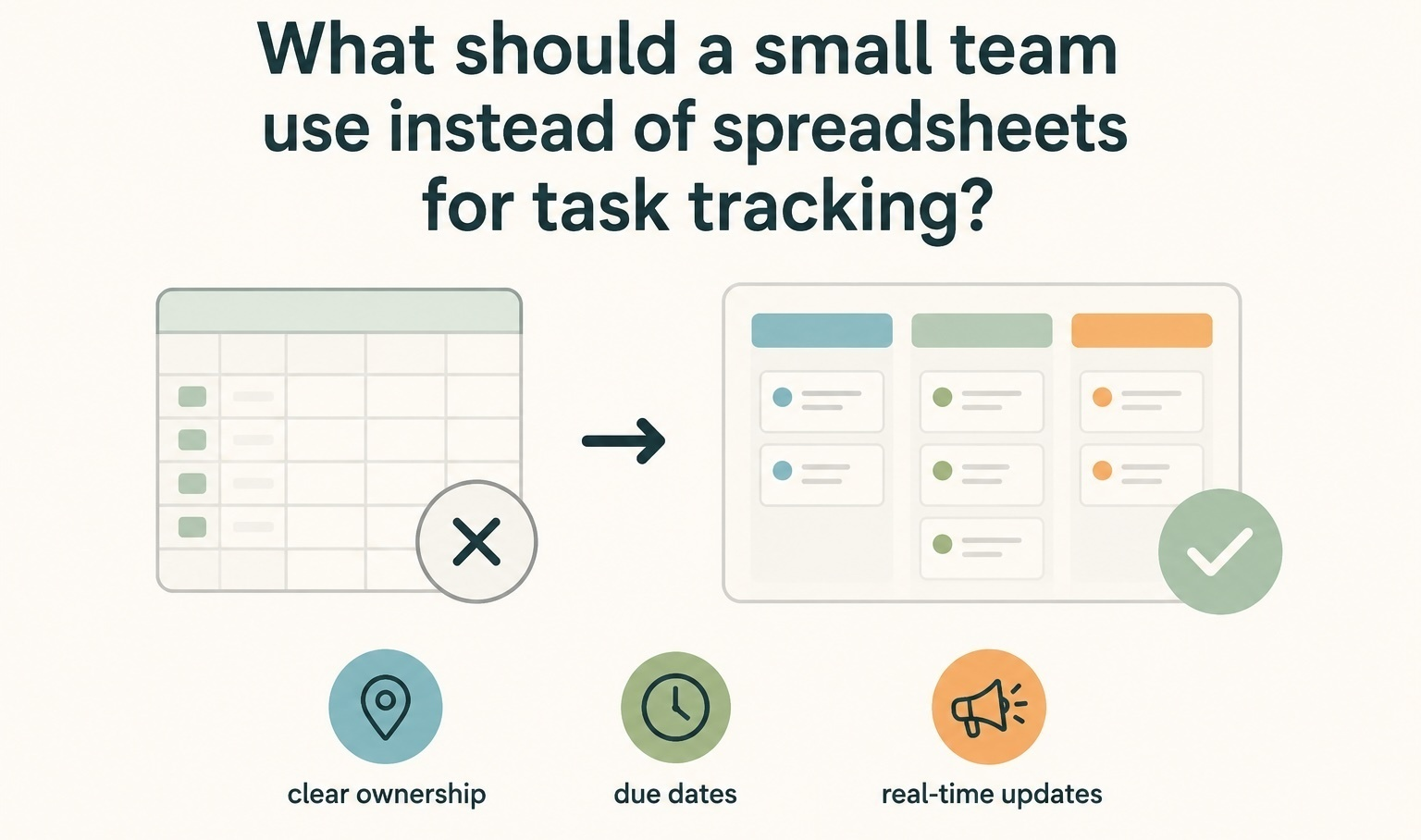
What should a small team use instead of spreadsheets for task tracking?

Small teams should use a simple task management tool instead of spreadsheets when work needs owners, due dates, status updates, comments, reminders, and visibility across the team. Spreadsheets can work for a very small list, but they usually start to break down once tasks move between people, priorities change, or managers need to see what is blocked without asking everyone individually.
The right replacement depends on how your team works. Some teams only need a shared checklist. Others need a project board, calendar, timeline, time tracking, client visibility, or reporting. The mistake is jumping from a spreadsheet into an overly complex project management system before the team actually needs that much structure.
When are spreadsheets enough for task tracking?
Spreadsheets are enough when the task list is small, updates are simple, and only one or two people are responsible for maintaining it. A spreadsheet can work well for a one-time checklist, a basic launch list, or a simple internal tracker where tasks do not change hands very often.
For example, a small team planning a one-day event might use a spreadsheet with columns for task name, owner, due date, status, and notes. That can be perfectly fine if everyone knows what to do and the list is checked only a few times per week.
The problem starts when the spreadsheet becomes the main place where the team tries to manage real project work. Rows get copied. Status labels become inconsistent. Comments live in separate chat threads. People forget to update their tasks. Managers ask for progress in meetings because the spreadsheet no longer reflects what is actually happening.
That is the point where the team does not just need a better spreadsheet. It needs a better system for task ownership, progress, and follow-up.
Why do spreadsheets stop working for small team task tracking?
Spreadsheets stop working when the work becomes active instead of static. A spreadsheet can store task information, but it does not naturally help a team move work forward.
The most common issue is ownership. A row can show who owns a task, but it does not always make responsibility clear. If the task is late, blocked, changed, or waiting for someone else, the spreadsheet rarely shows the full context without extra notes and manual updates.
The second issue is communication. Teams often start with a task spreadsheet, then discuss the actual task in Slack, email, meetings, and private messages. After a few weeks, the spreadsheet becomes a summary of work, while the real decisions are scattered elsewhere.
The third issue is visibility. Spreadsheets are good at showing data, but they are not always good at showing progress. A manager might want to know which tasks are overdue, what is blocked, what is assigned to each person, what is due this week, or which client projects are falling behind. That usually means filters, formulas, tabs, color coding, and manual cleanup.
Once the tracker needs constant maintenance, the spreadsheet has become part of the work instead of helping with the work.
What should small teams use instead of spreadsheets?
Small teams should replace spreadsheets with the lightest tool that solves the actual problem. Do not choose a heavy project management system just because the spreadsheet is messy. First decide what kind of task tracking problem you have.
| Team need | Better option | Good fit for | Watch out for |
|---|---|---|---|
| Simple shared task list | Checklist or lightweight task app | Small internal teams with basic to-dos | Can become messy when projects grow |
| Work moving through stages | Kanban board | Marketing, design, support, content, and operations teams | Needs clear rules for status columns |
| Multiple projects at once | Simple project management tool | Teams juggling clients, campaigns, launches, or recurring work | Avoid tools that require too much setup |
| Deadlines and schedules | Calendar or timeline view | Teams planning work around dates, milestones, or releases | A timeline alone will not solve unclear ownership |
| Client work and billable time | Task tracking with time tracking and reporting | Agencies, consultants, freelancers, and service teams | Separate tools can create extra admin work |
Is a task list enough, or do you need project management software?
A task list is enough if the team only needs to remember what has to be done. Project management software makes more sense when the team needs to coordinate work, track progress, manage deadlines, and understand what is happening across multiple people or projects.
Use a task list when work is simple
A shared task list is a good step up from a spreadsheet when the work is straightforward. It gives the team a cleaner place to add tasks, assign owners, set due dates, and mark items complete.
This works well for admin tasks, one-off internal checklists, recurring office tasks, or very small projects where everyone is close to the work. The main benefit is simplicity. People can update the list quickly without thinking about workflow rules, project templates, or reporting.
Use a project board when work moves between stages
A project board is better when tasks have a visible flow. For example, a marketing team might move tasks from Ideas to Planned to In progress to Review to Done. A design team might use Briefed, Designing, Waiting for feedback, Approved, and Delivered.
This is where spreadsheets usually become awkward. You can add a status column, but it does not give the same clear view as a board. A board makes it easier to see what is stuck, what is waiting for review, and where the team has too much work in progress.
Use project management software when visibility matters
Project management software is the better choice when a team needs more than a board. That usually means multiple projects, recurring work, client work, deadlines, reporting, task discussions, files, calendars, and time tracking.
This does not mean the team needs a complex enterprise platform. A small team often needs the opposite: a simple project management tool that gives enough structure without making people spend days configuring workflows.
For example, Breeze fits teams that want tasks, boards, calendars, time tracking, and reporting in one place without turning task tracking into a separate admin job. That kind of setup is useful when a spreadsheet is no longer enough, but the team does not want something as heavy as Jira, ClickUp, or a highly customized workspace.
What are the best spreadsheet alternatives by workflow?
The best alternative depends on what the spreadsheet is failing to do. Some teams need a cleaner list. Some need a visual board. Some need a simple project management system. Some need a way to connect tasks with time, clients, and reports.
Better for simple task tracking
If your spreadsheet is basically a shared to-do list, start with a lightweight task app. The team should be able to create a task, assign it, add a date, leave a short comment, and mark it done.
This is best for teams that do not need complex reporting, timelines, or cross-project planning. The risk is that simple task apps can become another version of the spreadsheet once the team starts managing more projects, dependencies, and deadlines.
Better for visual work in progress
If the team needs to see where work stands, use a Kanban-style board. This is often the easiest move away from spreadsheets because it turns a status column into something more visual and useful.
Boards work especially well for content calendars, design requests, hiring pipelines, sales follow-up, operations work, and small product tasks. The team can see what is planned, what is active, what is waiting, and what is finished.
The important part is keeping the board simple. If every task needs ten custom fields, five labels, and several automation rules, the team may stop updating it.
Better for deadlines and planning
If the spreadsheet is mostly used to track dates, deadlines, and upcoming work, choose a tool with a calendar or timeline view. This helps the team see what is due soon, what overlaps, and where deadlines may be too close together.
A calendar view is useful for marketing campaigns, editorial planning, client deliverables, launch work, and recurring team tasks. A timeline view is useful when tasks depend on sequence, milestones, or delivery windows.
But dates alone are not enough. A timeline will not fix the workflow if ownership is unclear or if task updates still happen in chat instead of inside the task.
Better for client work and reporting
If the spreadsheet tracks client tasks, billable work, or team workload, use a project management tool with built-in reporting and time tracking. This is where many small teams outgrow spreadsheets quickly.
Agencies, consultants, designers, developers, and service teams often need to know what is being worked on, who owns it, how long it took, and what can be reported back to the client. A spreadsheet can track some of that, but it usually requires manual updates and cleanup.
A tool like Breeze makes more sense here because tasks, project boards, calendars, time tracking, and reports are connected. The team does not have to keep tasks in one place, time in another, and client updates in a third.
Better for teams that want less setup
If the team is leaving spreadsheets because task tracking already feels messy, be careful with tools that require a lot of setup before they become useful. A small team usually needs clarity first: tasks, owners, due dates, status, comments, and a few useful views.
More fields, dashboards, dependencies, automations, permissions, and templates can help later, but they can also slow down adoption. If the team does not update the tool, the tool will fail no matter how powerful it is.
Choose the option that people will actually use every day.
How should a small team move from spreadsheets to a task tool?
Do not migrate every column, tab, formula, and old task into the new tool. Start by cleaning the workflow. A messy spreadsheet copied into a project management tool usually becomes a messy project management tool.
Begin with the basics:
- What work needs to be tracked?
- Who owns each task?
- What status stages does the team actually use?
- Which dates matter?
- Where should comments and updates live?
- What does the team need to review weekly?
Then create one simple project or board. Import only active tasks if possible. Archive old completed work instead of carrying everything over. Keep the first version of the workflow simple enough that everyone can understand it in a few minutes.
A good starting board might have five columns: Backlog, Planned, In progress, Waiting, and Done. That is usually enough for a small team to replace a spreadsheet without overcomplicating the process.
After the team uses it for a few weeks, add structure only where there is a real problem. Add labels if work needs grouping. Add a calendar if deadlines are hard to see. Add time tracking if the team needs billable hours. Add reports if managers need a clearer overview.
Questions small teams ask before replacing spreadsheets
- What is the easiest replacement for a task tracking spreadsheet?
- The easiest replacement is a simple task management tool with owners, due dates, statuses, comments, and a board or list view. It should be easier to update than the spreadsheet, not harder.
- Should a small team use Trello instead of spreadsheets?
- Trello can be a good fit when the team wants a simple visual board. It may feel limited later if the team needs stronger reporting, time tracking, calendar planning, or multiple project views.
- Should a small team use Asana or ClickUp instead of spreadsheets?
- Asana and ClickUp can work well for teams that want more structure, but they may be more setup than a small team needs. If the main goal is simple task tracking, start with something lighter.
- When should a team move from a spreadsheet to project management software?
- Move when the spreadsheet no longer gives a clear view of ownership, deadlines, status, blockers, or progress. If people keep asking for updates outside the spreadsheet, the tracker is not doing its job.
- What should a non-technical team use for task tracking?
- A non-technical team should use a simple project management tool with a clean interface, clear task ownership, boards, calendars, and easy updates. Avoid tools that require technical setup or complex workflow design before the team can start.
Choose the simplest tool that fixes the real problem
A small team should use something more structured than a spreadsheet when task tracking needs ownership, status, deadlines, comments, and visibility. But the answer is not always a large project management platform.
If the work is simple, use a shared task list. If work moves through stages, use a board. If the team manages multiple projects, client work, deadlines, time, and reporting, use simple project management software that keeps those pieces connected.
The best replacement is the tool your team will actually keep updated. If spreadsheets are starting to hide the real state of work, it is time to move task tracking into a place built for active projects.