
 Why choose Breeze
 Marketing
 Creative
 Sales
Sales Remote work
 Managers
 Product teams
 Project management
 Task management
 Kanban tool
 Time tracking
 Project reporting
 Project calendars
 Project timeline
 Team workload
 Project automation
 Project customization
 Chat
Chat Web forms
 Project roadmap
 AI
AI What's new
 Articles & guides
 Help center
 Mobile apps
 Integrations
 Developers & API
 Free tools
Best project management software with time tracking in 2026

Keep time tracking in your project tool when hours need to stay beside tasks, estimates and budgets. Use a separate tracker when it already handles billing or approvals across several tools. If you do not use hours to make decisions or bill work, you may not need tracking at all.
We wrote it for teams of roughly three to thirty people, agencies, consultancies, studios and internal teams that budget or bill by the hour, who are deciding whether to keep tasks and hours in one tool or to pay for and maintain two. It is not aimed at companies that need payroll-grade attendance, shift scheduling or employee monitoring, and it only touches on the heavier professional services platforms that forecast revenue across hundreds of people.
Disclosure: We make Breeze and Timen, which are included below. This comparison draws on vendor documentation and public reviews.
Should the timer live in your project tool or in a separate tracker?
Keep it in the project tool when the hours only need to answer project questions: is this task over its estimate, how much of the budget is gone, what do we bill this client this month. Use a separate tracker when hours also feed payroll, approvals or invoicing across several tools, or when your team already has a tracker it likes. Skip tracking when the hours would not inform a decision or an invoice.
Native: the timer sits on the task
With native tracking, an entry already knows its project and task, so nobody picks a project code from a dropdown at 6pm. Hours sit next to the estimate and the budget, there is one login and one bill, and a report by person or by task needs no import. The limits are the ones in the table: depth varies a lot, and the useful parts are often a tier up. Native tracking suits teams whose hours stay inside projects and whose reporting is a weekly look rather than a payroll run.
A separate tracker connected by an integration
Here the project tool stays on its cheaper plan and a dedicated tracker records the hours, usually through a browser extension that adds a timer button to each task, or a native integration. This is the common route for Asana Starter, Wrike Team and monday.com below Pro, which have no timer of their own. Options with project-tool connections include:
- Harvest: free for one seat and two projects. Teams starts at $9 per seat per month billed annually, with usage-based Flex charges on top unless you choose the fixed-price option. It integrates with Asana, Trello, Basecamp, ClickUp, monday.com, Teamwork and Breeze, and includes invoicing.
- Toggl Track: free for up to three users. Starter is $9 per user per month billed annually or $12 monthly, and Premium is $16 or $24, adding timesheet approvals and native Asana and Jira integrations. Other tools connect through its browser extension.
- Timen: made by the same company as Breeze. It is free for the whole team with no seat limit, includes reports and invoicing, and its browser extension adds a start button to more than 100 tools, including Asana, ClickUp, Wrike and Teamwork. It has no timesheet approval, payroll or monitoring, so it fits teams that want hours recorded and billed, not signed off.
- Clockify: free for up to five users. Basic is $3.99 per seat per month billed annually and adds billable rates, and Standard is $5.49 and adds timesheet approval and invoicing. Its browser extension puts a timer inside Asana, Trello, ClickUp, monday.com and Wrike.
- Everhour: free for up to five seats, but without integrations. Team is $8.50 per seat per month billed annually with a five-seat minimum, and connects to Asana, ClickUp, monday.com, Trello, Notion, Basecamp, Jira and more.
For example, take Asana Starter. Starter for five people is $54.95 a month billed annually. Add Clockify Basic and the pair costs about $75 a month; add Toggl Track Starter and it is about $100; add Timen's browser extension and it stays at $54.95. All of those undercut Asana Advanced at $124.95, and most bring billable rates Asana never had. You still have two systems to manage. Check whether the integration shows recorded hours in your project tool or only in the tracker.
No time tracking at all
Skip time tracking when recorded hours would not change billing, staffing or project decisions. Fixed-fee work can still benefit from tracking effort and margins, even though the invoice stays the same. If someone already reconstructs hours from calendars each month, the question is how to record them reliably.
What we checked in every tool
We checked where time is recorded, which plan includes it, and the extra cost of billable reports, timesheets and approvals for five people. Prices are in US dollars. Vendor documentation establishes advertised capabilities; the linked G2 and Capterra reviews add experience-based context.
Which project management tools include time tracking, and on which plan?
Native time tracking starts on a free plan in Teamwork.com, Paymo and ClickUp (each with limits), on the first paid plan in Zoho Projects, Productive and Breeze, and only on a middle or upper tier in Hive, Wrike, monday.com and Asana. Timesheet approval is a separate question, and Zoho Projects is the only tool here that includes it on its cheapest paid plan.
The table below prices the same team, five people on annual billing, on the first plan that gives them a timer, and shows where formal timesheet approval sits. Monthly billing costs more in every case, from a dollar more per person on Zoho Projects and Breeze to $7 more on ClickUp Business.
| Tool | Native time tracking from | Five people, billed annually | Timesheet approval |
|---|---|---|---|
| Teamwork.com | Free (up to 5 users and 5 projects) | $49.95 a month on Basics, $124.95 on Accelerate for timesheets and rates | Optimize, quote-based |
| Productive | Essential | $50 a month on Essential | Professional, $125 a month |
| Paymo | Free for one user, Plus for a team | $54.50 a month on Plus | Pro, $84.50 a month |
| Zoho Projects | Premium | $20 a month on Premium | Included in Premium |
| Breeze | The only plan | $45 a month | Not offered |
| ClickUp | Unlimited (100 uses on Free) | $35 a month on Unlimited; $60 on Business, with advanced tracking caps | 100 uses on Business; unlimited on Business Plus and Enterprise per the help table |
| Hive | Teams | $60 a month, $85 with the Timesheets add-on | Timesheets add-on |
| Wrike | Business | $125 a month | Pinnacle, quote-based |
| monday.com | Pro | $95 a month, plus required AI credits on new accounts | Not built in |
| Asana | Advanced | $124.95 a month | Timesheets and Budgets add-on for Enterprise |
Why is the cheapest plan with a timer rarely the whole bill?
Because the timer is the cheap part. A team that bills clients needs the layer around it, and vendors gate that layer one feature at a time. These are the pieces that moved a five-person quote the most:
- Timesheets: a weekly grid to review and fix entries. ClickUp limits advanced timesheet actions by plan and currently offers some temporary access. Teamwork.com includes timesheets from Accelerate, and Hive sells them as a $5 per user add-on.
- Billable rates: Teamwork.com applies billable user rates from Accelerate, Productive puts rate cards on Professional, and Wrike marks work billable only on Pinnacle and Apex.
- Reports: Teamwork.com reports on time spent from Basics, Paymo adds timesheet reports on Plus, and ClickUp keeps billable reports for Business.
- Approval: check both plan access and usage limits. Zoho Projects includes approval on Premium; Teamwork.com and Wrike put it on quote-based tiers. ClickUp lists 100 approval uses on Business and unlimited uses on Business Plus and Enterprise.
- Seat rules: Teamwork.com Basics has a three-user minimum and Accelerate a five-user one, Productive needs three seats, monday.com sells seats in buckets of 3, 5, 10 and up, and Wrike sells accounts of up to 30 seats in groups of five.
- AI credits: monday.com accounts opened since 6 May 2026 must buy AI credits with their seats, and Teamwork.com says usage-based AI credits launch in September 2026. Neither is a time tracking cost, but both land on the same invoice.
So price the plan that covers the whole workflow you need, not the plan where the stopwatch first appears. A $7 seat that needs to become a $12 seat before your weekly report works is a $12 seat.
Ten project management tools with a timer next to the task
The list starts with the tools built around billable time, moves through affordable general tools that include a timer early, and ends with the ones that keep time tracking for an upper tier:
Teamwork.com

- Pricing: Free for up to 5 users and 5 projects, with time logging. Basics is $9.99 per user per month billed annually or $13.99 monthly, with a 3-user minimum. Accelerate is $24.99 annually or $29.99 monthly, with a 5-user minimum. Optimize and Enterprise are quote-based. Teamwork AI is included in paid plans for an introductory period, and Teamwork.com says usage-based AI credits launch in September 2026.
- Rating: 4.5/5 on Capterra from 941 reviews, 4.4/5 on G2 from 1,214 reviews.
Teamwork.com is the most complete answer here if your time tracking exists to bill clients. Every plan, including Free, logs time and separates billable from non-billable hours, and Basics adds reporting on time spent. The parts an agency actually runs on start on Accelerate: timesheets, reminders to log time, billable user rates, time budgets and retainers, and client invoices built from logged time. Approving timesheets and seeing profitability by project or client sit on Optimize, which is sold through sales. For five people that is $49.95 a month on Basics or $124.95 on Accelerate, billed annually.
Where Teamwork.com isn't the right fit: Teams that only want a timer next to tasks and will never touch budgets or invoices, and small teams who would pay for a five-user minimum on Accelerate just to get timesheets. Formal approval is a sales conversation.
What reviewers say about Teamwork.com
Agency reviewers describe using time, budgets and client projects together. Other reviews mention onboarding effort and a weaker mobile experience. Check the plan and review date before treating an older limitation as current.
Productive
- Pricing: Essential is $10 per user per month billed yearly or $12 monthly. Professional is $25 yearly or $29 monthly. Ultimate is quote-based. Every plan needs at least 3 seats, and client users are free.
- Rating: 4.6/5 on Capterra from 109 reviews, 4.6/5 on G2 from 76 reviews.
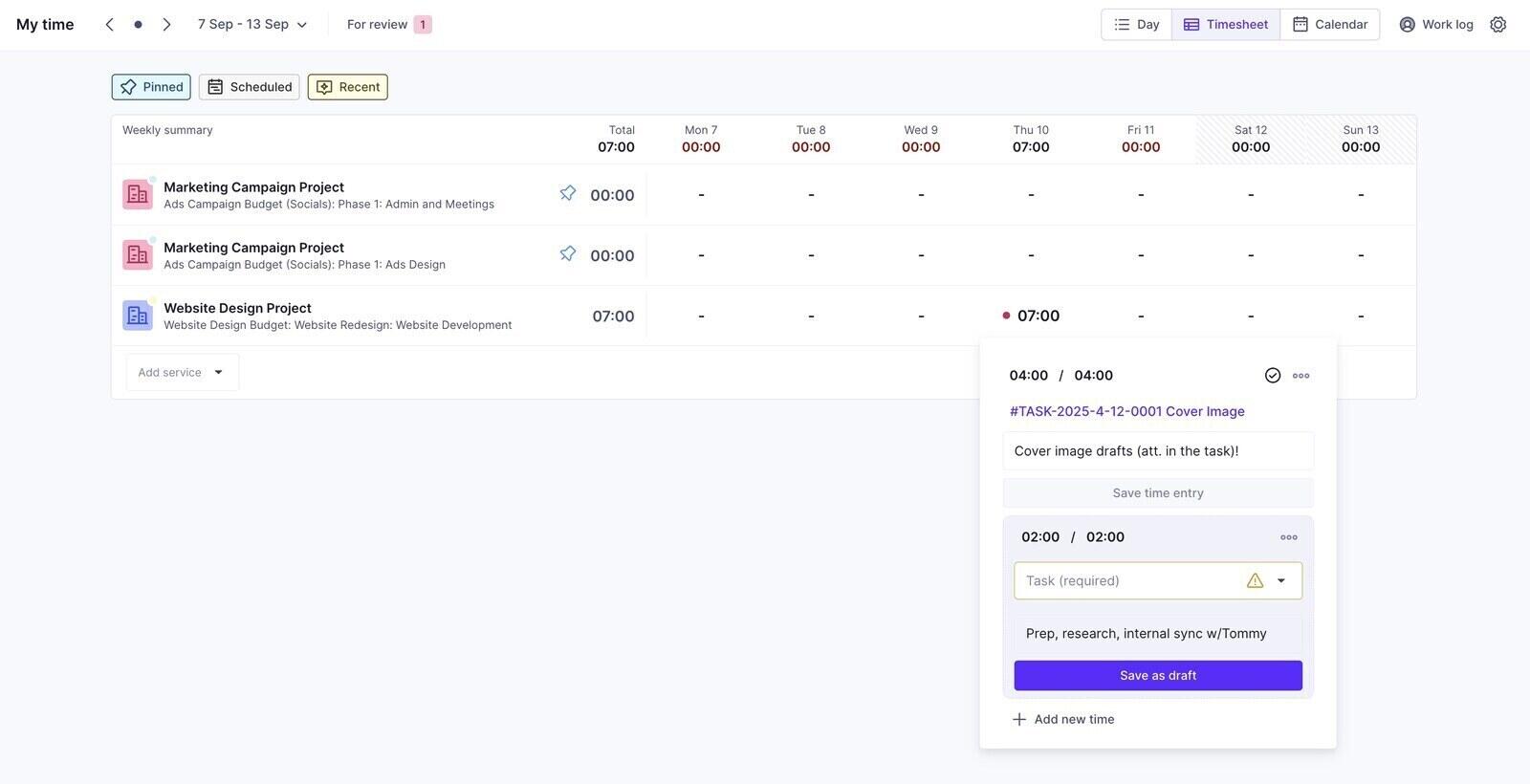
Productive (productive.io) is an agency operations platform that includes project management, and its time tracking is wired into budgets. On Essential you get a timer or manual entries on tasks, from web, desktop or mobile, with employee cost rates, so every hour lands against a budget with a cost attached. Professional adds the billing side: rate cards, billable time rounding, time approvals and invoicing integrations with accounting and HR software. Automatic time tracking, time locking and a formal submit-for-approval timesheet are on Ultimate. Five people cost $50 a month on Essential or $125 on Professional, billed yearly.
Where Productive isn't the right fit: Teams that do not budget by service will find the setup heavy, because time is logged against services in budgets. The three-seat minimum rules out solo use, and approval is not on Essential.
What reviewers say about Productive
Reviews in the linked samples describe replacing separate budgeting, planning and tracking tools. Setup and report configuration draw criticism. Both listings are small, so read examples that match your firm’s workflow.
Paymo
- Pricing: Free for 1 user and 2 projects, with unlimited time tracking and invoices. Solo is $5.90 per month billed annually or $9.90 monthly, also for 1 user. Plus is $10.90 per user per month billed annually or $15.90 monthly, and Pro is $16.90 or $23.90. Paymo is currently discounting the first three months of monthly billing, so check the rate that applies after the promotion.
- Rating: 4.7/5 on Capterra from 686 reviews, 4.6/5 on G2 from 594 reviews.
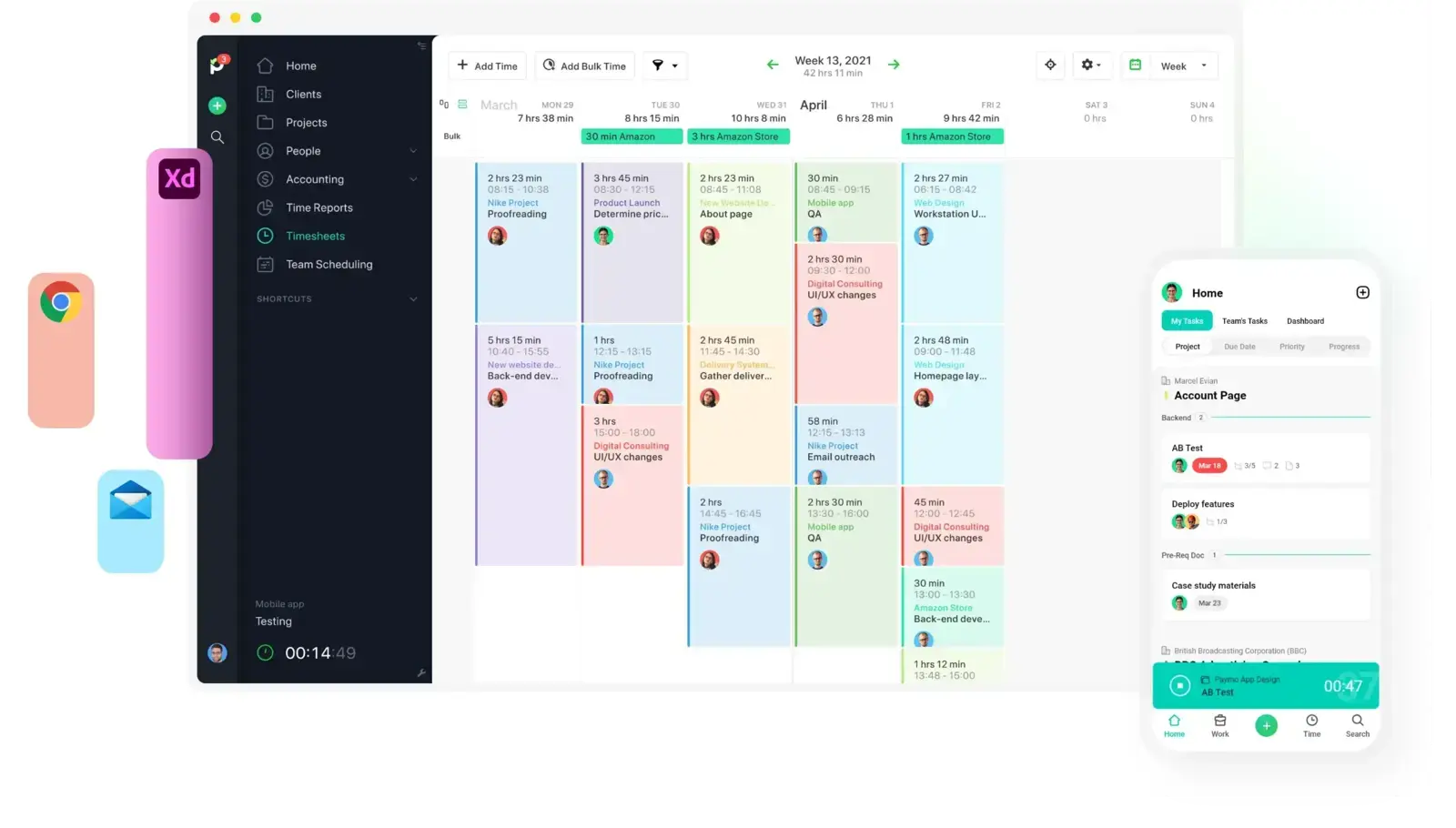
Paymo is built for small agencies and freelancers who want time tracking to end in an invoice. A timer and timesheet sit next to tasks, and tracked time becomes a client invoice on any plan, including Free. For a team, Plus is the real starting point, since Free and Solo are single-user plans: it adds bulk time entries, active timers across the team, timesheet reports, project profitability, estimates, recurring invoices and integrations. Pro adds timesheet approvals, employee scheduling and workload, and Gantt charts. Five people pay $54.50 a month on Plus or $84.50 on Pro, billed annually.
Where Paymo isn't the right fit: Teams that need deep task management or heavy customisation, and teams of more than one person hoping to stay on Free or Solo. Approval means Pro prices for everyone.
What reviewers say about Paymo
The linked reviews value the connection between tracked time and invoices. Some newer G2 reviews report unanswered support requests, while much of Capterra’s sample is older. Check recent examples before deciding.
Zoho Projects

- Pricing: Free for up to 5 users and 3 projects, without time logs. Premium is US$4 per user per month billed annually or $5 monthly. Enterprise is $9 annually or $10 monthly, and Ultimate is $14 or $15. Local taxes are added on top. 15-day free trial.
- Rating: 4.5/5 on Capterra from 872 reviews, 4.4/5 on G2 from 567 reviews.
Zoho Projects is the cheapest way in this list to get timesheets with approval. Premium includes time logs and timesheets, a timer on tasks, billable and non-billable entries, multi-level timesheet approval and project budgets, for $20 a month for five people billed annually. Invoicing runs through the Zoho Invoice integration, and Ultimate adds multi-user, multi-project timesheets for people who log time across many jobs at once. The catch is that Zoho Projects feels like what it is, one part of a large suite with its own conventions.
Where Zoho Projects isn't the right fit: Teams that want a modern, minimal interface, and anyone who would rather not learn a suite's way of doing things. The free plan has no time logs at all.
What reviewers say about Zoho Projects
The linked reviews value the range of features and connections to other Zoho tools. They also describe interface and setup difficulties. Trial the timesheet and approval steps with the people who will use them.
Breeze

- Pricing: $9 per user per month billed yearly, or $10 billed monthly, with every feature included. Solo is $14 per month for a single user. Client users are free and unlimited. 14-day free trial with no credit card.
- Rating: 4.4/5 on Capterra from 45 reviews, 4.1/5 on G2 from 22 reviews.
Breeze is the simplest tool here that still treats time as part of the task. Time tracking is on the only plan, so a five-person team pays $45 a month billed yearly and gets the timer, manual entries, billable flags, estimates, project budgets and time reports with nothing to upgrade. It is easiest to see on one real project.
Say a five-person agency is running a marketing campaign for a client, budgeted at 120 hours at $95 an hour. The project budget holds exactly that, hours and a rate, and works out the total. Each task on the board, from campaign concepting to the final metrics, carries an estimate. When the strategist starts on concepting, she clicks the play button on the card and the timer runs right there on the board. It is saved on the server, so closing the browser does not lose it.

If she forgot the timer during a client call, she opens the task and logs the time by hand. Typing 2 means two hours, 15m means fifteen minutes and 1d means a day of eight hours. An internal review can be switched to non-billable with the dollar icon on the entry. Everyone logs separately on the same task, so the task window shows who spent what, next to the estimate. For work that does not have a task yet, the timer in the top menu starts without one and the entry gets placed later. The iPhone and Android apps log time too.
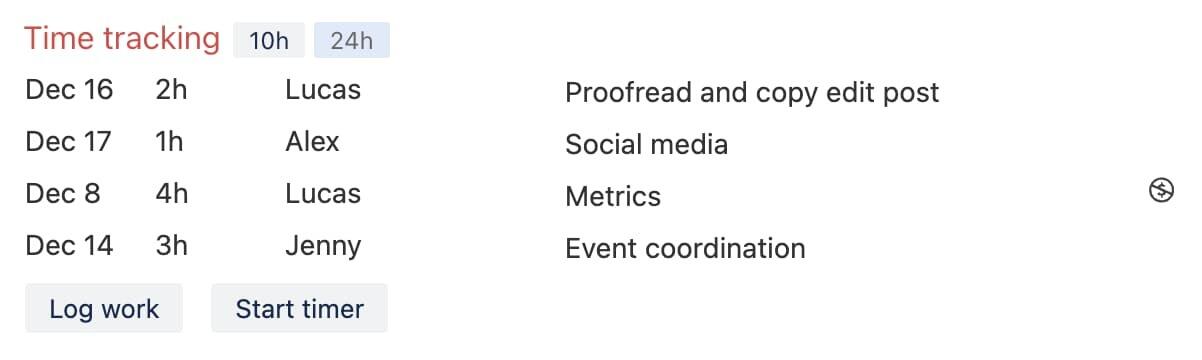
On Friday the project lead opens Reports and runs a time tracking report for this week, grouped by project, by person or by task, and filtered by list, tag, swimlane, status or billable hours. The project totals report puts tracked hours next to estimates for each project. The result exports to CSV or goes to FreshBooks or Xero for invoicing, and a public link lets the client see the same report without an account, with hidden tasks and internal comments left out.

That is the whole loop: task, timer or manual entry, report. The screens and settings behind each step are on the page about time tracking in Breeze, and the report types are listed in the help centre.
Where Breeze isn't the right fit: Breeze records hours. It does not run payroll, and it has no timesheet submission or approval step, so nobody signs off a week before it counts. Billing rates are set once per project in the budget, so there are no rate cards by role or person, no invoicing of its own beyond sending time to FreshBooks or Xero, no automatic desktop tracking and no resource forecasting beyond estimates and the workload report. If approval or profitability by role is the point, Zoho Projects, Productive or Teamwork.com fit better. A team that already likes Harvest or Toggl can keep it through the Harvest integration or the Toggl browser plugin, both of which start their own timer from a Breeze task.
What reviewers say about Breeze
The linked reviews describe quick adoption, including by clients. Requests for deeper reporting and more support for complex projects also appear. Both samples are small; check that a review refers to this Breeze product.
ClickUp

- Pricing: Free Forever limits time tracking to 100 uses. Unlimited is $7 per user per month billed annually or $10 monthly. Business is $12 annually or $19 monthly. Enterprise is quote-based. ClickUp AI is sold as a separate per-seat add-on.
- Rating: 4.6/5 on Capterra from 4,631 reviews, 4.6/5 on G2 from 14,333 reviews.
ClickUp Unlimited includes unlimited basic time entries for $35 a month for five people on annual billing. Its help table limits advanced actions, including marking time billable and editing entries from Timesheets, to 40 uses on Unlimited and 100 on Business. Business also has 100 timesheet-approval uses; the table lists unlimited advanced tracking and approvals on Business Plus and Enterprise. ClickUp notes temporary unrestricted access to some timesheet features, so confirm the lasting entitlement before choosing a plan.
Where ClickUp isn't the right fit: Teams that want time tracking to be quick to learn, because ClickUp's depth is both why people buy it and why reviewers describe a steep start. Ongoing approval and advanced tracking need a plan whose usage allowance covers the team.
See ClickUp’s time tracking limits for the current allowances and temporary-access notice.
What reviewers say about ClickUp
The sampled reviews value flexible fields, views and workflows, but also describe a learning curve, crowded screens and slow large workspaces. Test the setup your team would use rather than an empty workspace.
Hive

- Pricing: Free for up to 10 workspace members. Starter is $5 per user per month billed yearly or $7 monthly. Teams is $12 yearly or $18 monthly. The Timesheets add-on, which adds submission and approval, is $5 per user per month on top. Enterprise is quote-based.
- Rating: 4.4/5 on Capterra from 219 reviews, 4.6/5 on G2 from 667 reviews.
Hive puts time tracking on its Teams plan: start a timer on an action card or add the time by hand, and see it in reports. Formal timesheets are a separate add-on. With it switched on, people submit weekly timesheets that go to their manager or the project owner, who approve them or send them back, and only approved hours count in timesheet reporting. Five people pay $60 a month on Teams, or $85 with Timesheets, billed yearly. Starter has no time tracking at all.
Where Hive isn't the right fit: Teams on Starter, which has no timer and caps workspaces at 10 members and 10 projects, and anyone who wants rates, budgets and invoices in the same place without buying more add-ons.
What reviewers say about Hive
Reviews in the linked samples describe flexible views and useful built-in chat, alongside gaps in reporting and mobile functionality. Many Capterra reviews are older, so verify whether a reported gap still exists.
Wrike

- Pricing: Free plan for basic task management. Team is $10 per user per month for 2 to 15 users. Business is $25 per user per month for 5 to 200 users. Both are priced per month and billed annually, and accounts of up to 30 seats are sold in groups of five. Pinnacle and Apex are quote-based.
- Rating: 4.4/5 on Capterra from 3,040 reviews, 4.2/5 on G2 from 4,537 reviews.
Wrike's time tracker and timesheets start on Business, so the Team plan most small teams look at first has no timer at all. On Business you track time on tasks with the built-in timer or manual entries and review the week in timesheets, for $125 a month for five people. Billable and non-billable time, and timesheet approval that locks approved weeks, are Pinnacle and Apex features sold through sales. That makes Wrike a strong project tool with time tracking, and an expensive one if billing is the point.
Where Wrike isn't the right fit: Small teams, since the Team plan has no time tracking and Business costs $25 a seat, and anyone who needs billable time without a sales call.
What reviewers say about Wrike
The sampled reviews value configurable workflows and visibility across projects. Setup, notification volume and plan restrictions also draw criticism. Include onboarding effort when comparing it with simpler tools.
monday.com

- Pricing: Free for up to 2 seats. Basic is $9, Standard $12 and Pro $19 per seat per month billed annually, and yearly billing is 18 percent cheaper than monthly. Paid plans start at 3 seats and then go up in buckets of 5, so a team of 6 pays for 10. Accounts created since 6 May 2026 must also buy AI credits with their seats, at least 3,000 a month on Pro.
- Rating: 4.6/5 on Capterra from 6,116 reviews, 4.7/5 on G2 from 17,221 reviews.
monday.com's time tracking is a column type, and it is only available on Pro and Enterprise. Add it to a board and each item gets a play button; sessions can also be added by hand, and the log is editable. A time tracking widget brings the totals into dashboards. What the column does not include is a billing layer, so there are no billable rates or submit-and-approve timesheets in it, and teams that need those add a marketplace app or a separate tracker such as Harvest, which integrates with monday.com. Five seats on Pro cost $95 a month billed annually, plus AI credits on new accounts.
Where monday.com isn't the right fit: Teams below Pro, which have no time tracking column, small teams caught between seat buckets, and anyone who needs billable rates or approval in the same tool.
What reviewers say about monday.com
The sampled reviews praise readable boards and automations. They also mention seat costs, setup effort and slow large boards. Some listings include other monday products, so focus on reviews of project work.
Asana

- Pricing: Personal is free for up to 2 users. Starter is $10.99 per user per month billed annually or $13.49 monthly. Advanced is $24.99 annually or $30.49 monthly. Enterprise and Enterprise+ are quote-based. The Timesheets and Budgets add-on is listed for the Enterprise plan. Every paid plan now includes AI Teammates and Asana Dash with a monthly request allowance, and requests beyond it are charged individually.
- Rating: 4.5/5 on Capterra from 13,699 reviews, 4.4/5 on G2 from 13,979 reviews.
Asana has native time tracking, but only from Advanced: estimated and actual time fields on tasks, a built-in timer, and a dashboard chart comparing the two. Starter, the plan most small teams buy, relies on time tracking integrations instead, and formal timesheets with budgets are an add-on for Enterprise. Five people on Advanced pay $124.95 a month billed annually, against $54.95 on Starter. That gap is why so many Asana teams stay on Starter and connect a separate tracker, as in the pricing example above.
Where Asana isn't the right fit: Teams that want billable rates, invoices or approval without Enterprise pricing, and small teams that would pay Advanced prices mainly to get a timer.
What reviewers say about Asana
Reviews in the linked samples value visible ownership and deadlines. Setup, notifications and plan restrictions also draw criticism. Check whether the features discussed belong to the plan you intend to buy.
What will time tracking inside a project tool not do?
It records hours against work, and that is a narrower job than timesheets, payroll or professional services automation. Knowing where the line sits saves buying the wrong tier:
- Timesheet approval: a weekly record someone submits and a manager signs off, then locks. Zoho Projects includes it cheaply; everywhere else it is an upper tier or an add-on, and Breeze does not offer it.
- Payroll: none of the ten pays anyone. Hours can be exported, but overtime rules, leave and pay rates live in payroll software.
- Professional services automation: rate cards by role, revenue forecasts, utilisation targets and profitability by client are what Productive and the upper tiers of Teamwork.com are for. A plain timer on a task will not give you them, however good the reports look.
- Monitoring: screenshots and activity levels belong to a separate category of tracker, with their own trade-offs for trust inside a team. Buy one deliberately if you want it, not as a side effect of choosing a project tool.
The short version
Test the full workflow on one project for a week: start a timer, correct a missed entry and produce the report or invoice you need. Check the plan’s ongoing limits, including approval uses. If your existing tracker already does that well, connect it to the project tool before replacing it.




