Why choose Breeze
 Marketing
 Creative
 Sales
Sales Remote work
 Managers
 Product teams
 Project management
 Task management
 Kanban tool
 Time tracking
 Project reporting
 Project calendars
 Project timeline
 Team workload
 Project automation
 Project customization
 Chat
Chat Web forms
 Project roadmap
 AI
AI What's new
 Articles & guides
 Help center
 Mobile apps
 Integrations
 Developers & API
 Free tools
When Jira or ClickUp is overkill for your team

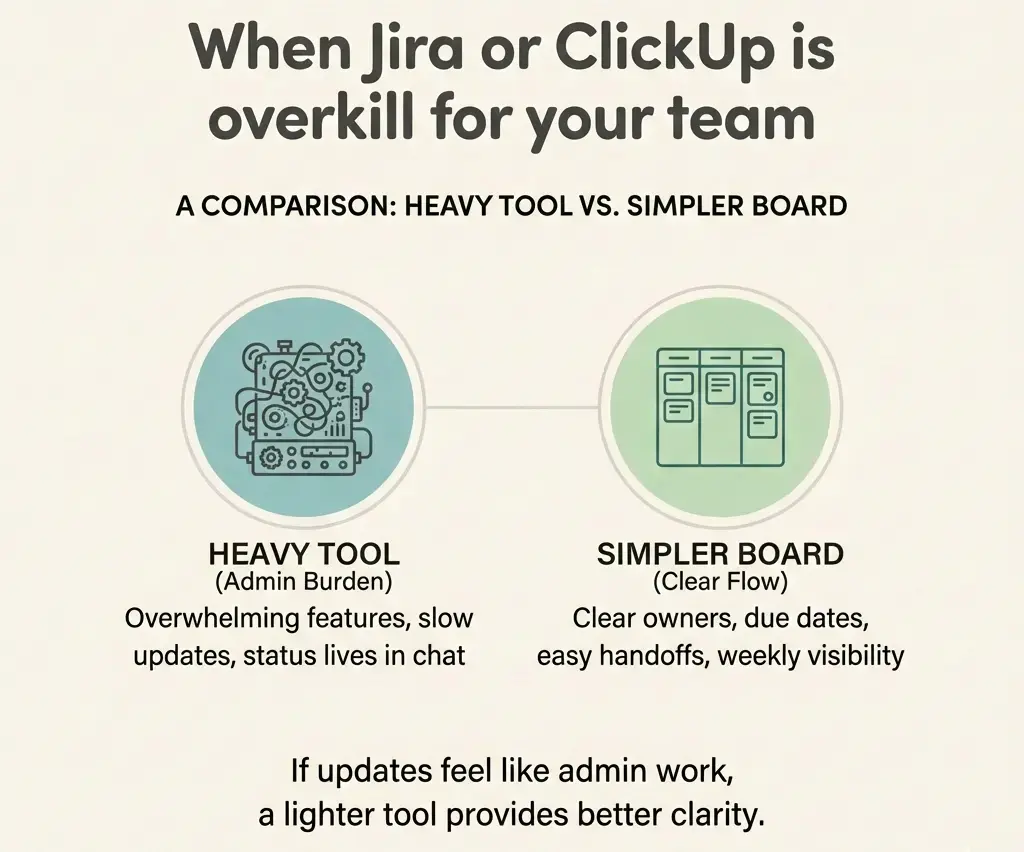
Jira or ClickUp is overkill when the tool adds more upkeep than clarity: creating or updating a task takes longer than the work itself, and status still lives in chat. If your team mainly needs clear owners, due dates, and handoffs, a lighter board like Breeze usually works better.
1. Jira overkill test: when is Jira too much for your team?
Short answer: Jira is overkill for your team when simple weekly work requires complex workflows or fields and real status updates still happen in chat instead of the board.
Jira is designed for teams that need strict workflows, issue types, and reporting consistency. When those requirements are missing, the overhead remains while the benefits disappear, especially for teams that only need fast weekly visibility.
Choose Jira when your work requires strict workflows, issue types, and consistent reporting across teams. Avoid Jira when your main goal is simple weekly visibility and low-friction updates.
Use this quick checklist. If you hit two or more, Jira is probably more tool than you need:
- Task creation takes too long: people DM a request instead of opening an issue.
- Fields become fake: story points, components, and labels exist, but no one trusts them.
- Status is unclear: the board shows 'In progress', but the real update is a Slack thread.
- You have a configuration gatekeeper: one person maintains workflows and screens for everyone.
If your team mainly needs handoffs and clarity (owner, due date, next step, latest file), you can often get the same alignment with a simpler board in Breeze.
2. ClickUp overkill test: is ClickUp too complicated for simple tracking?
Short answer: ClickUp is too complicated when teams spend more time managing spaces, views, and structure than answering basic questions about ownership, progress, and next steps.
ClickUp is built to be flexible and all-in-one. That flexibility becomes a liability when structure keeps changing and the team loses a shared view of ownership, progress, and blockers.
Choose ClickUp when your team can agree on one hierarchy and maintain it over time. Avoid ClickUp when every teammate needs a different setup or the structure keeps changing.
If you are spending more time debating structure than shipping work, revisit the ClickUp hierarchy and simplify around one shared workflow.
Here are common ClickUp overkill symptoms:
- Too many views: everyone has a favorite view, so no one shares the same reality.
- People stop commenting on tasks: decisions move to chat because the task feels like paperwork.
- Onboarding never ends: every new teammate needs a live walkthrough just to update a task correctly.
Most teams do not need a perfect system. They need a boring system that stays accurate. If your ClickUp setup cannot stay simple, a lighter tool like Breeze is often a better fit.
3. What should you use instead of Jira or ClickUp when you need something lighter?
Short answer: When Jira or ClickUp feels like overkill, most teams are better served by a lightweight board that focuses on owners, due dates, handoffs, and current status.
In practice, teams leaving Jira or ClickUp are usually trying to improve visibility and handoffs rather than add features, the same reason Monday.com can feel like too much for a team that just needs a board. A lightweight board reduces coordination overhead by making ownership and current status obvious at a glance.
A lighter tool works best if your team mainly needs clear owners, due dates, handoffs, and a reliable weekly view of progress.
| Option | Best when | Becomes painful when |
|---|---|---|
| Jira | You need strict workflows and reporting | Updates feel like admin work |
| ClickUp | You want all-in-one and can standardize | Everyone builds a different system |
| Breeze | You want owners, dates, comments, and simple workflows | You need heavy governance and customization |
Table takeaway: For most non-technical teams that need weekly visibility and clear ownership, Breeze replaces Jira or ClickUp by reducing update friction rather than adding more structure.
If your main pain is rework, add a lightweight checklist to recurring tasks. A done checklist helps regardless of tool.
4. How do you downgrade from Jira or ClickUp without losing work and context?
Short answer: You can downgrade safely by moving only active work, keeping the old tool as read-only history, and making the new board the single place where updates happen.
The key to downgrading without chaos is scope. Move only active work, keep the old system as reference, and enforce one place where updates happen.
Downgrading works best when you limit the scope to active work and clearly define one system as the source of truth.
A simple downgrade plan (works well in Breeze):
- Pick one workflow: intake, campaign launch, content production, support requests, or onboarding.
- Define 3 to 6 statuses: fewer states means fewer debates, and faster updates.
- Move only active tasks: keep the old tool as read-only history.
- Capture the minimum context: latest file, latest decision, next step.
If handoffs are messy, add a short handoff note template and enforce the 'update the card' rule for two weeks to avoid week-one drop-off.
Common questions about Jira and ClickUp being overkill
- Is Jira only for software teams?
- Jira is not only for software teams, but it works best when work requires structured issue tracking, defined workflows, and consistent reporting. For teams that mainly need lightweight visibility and handoffs, a simpler board is usually faster.
- Is ClickUp good for small teams?
- ClickUp can work well for small teams if they standardize early around one hierarchy and workflow. It becomes frustrating when each teammate builds their own views and structure, and the team loses a shared source of truth.
- How do I know if our project management tool is too complicated?
- Your project management tool is too complicated if people avoid creating tasks, required fields stop being trusted, and real updates still happen in chat. These are signs the tool adds friction instead of clarity.
- How many statuses should a workflow have?
- Most workflows work best with 3 to 6 statuses. More statuses usually slow updates and create confusion rather than improving delivery.
Next steps
If Jira or ClickUp feels like overkill, the fix is usually not a different feature set. It is a lighter workflow with fewer required decisions per update, so the board stays accurate.
Practical next step: Pick one workflow and run a two-week pilot with 3 to 6 statuses and one rule: updates happen on the task. If you want a simpler place to keep owners, dates, files, and handoffs, try that pilot in Breeze.